WooCommerce Twilio SMS Notifications
Antivirus scan
Powered by ClamAV
✅ Verified clean
This product file has passed our security filters.
Want to run a fresh ClamAV scan right now? Takes a few seconds and shows scanner version, signature DB and live result.
This can take 5 to 30 seconds.
Clean file Threat detected
No threats detected in this file.
- File
- Size
- Scanned
- ClamAV
- Signature database
⚡ Powered by ClamAV
Scan could not be completed
Report product
If you detected an issue (broken file, malware, inappropriate content, etc.) let us know and we'll review it ASAP.
Sign in to report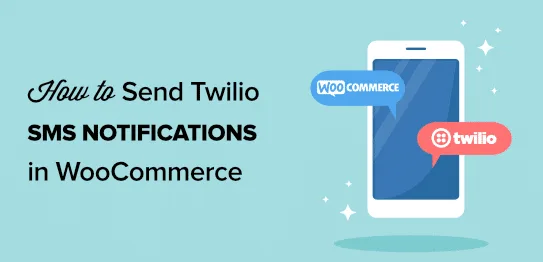
About WooCommerce Twilio SMS Notifications
After payment is when customers write to you most
People shopping online rarely call you before paying. They write afterwards: has it arrived?, has the parcel left yet? Each question is an email or a call you could have avoided. WooCommerce Twilio SMS Notifications sends the customer an SMS when their order status changes and sends you another when a new order comes in.
It is a plugin for order-related alerts. It is not meant for mass campaigns or for texting a contact list: messages go out when something happens to an order.
From the checkout box to the "shipped" SMS: one order step by step
Step 1: you connect your Twilio account
The SMS messages don't leave your hosting, they leave Twilio. You need your own Twilio account and must copy its SID and authorization code into the plugin's settings page. Twilio charges for each message separately, and it is worth checking beforehand that it serves the countries where your customers are.
Step 2: the customer decides whether they want SMS
The plugin adds a checkbox at checkout. Only those who tick it receive status changes. It is a useful filter: it stops you texting people who don't want it.
Step 3: you change the status and the message goes out
You choose which status changes trigger an SMS and write the text for each one. You can include the store name and order details such as the number, the amount or the status. If you use custom statuses, for example "shipped", they can have their own message too, but those statuses are created with Order Status Manager, which is a separate plugin and is not included here.
On the same settings screen you can send a test SMS to see what the customer will receive before turning it on for real orders.
Step 4: you check what happened
Every SMS is logged in the order notes, with the text sent and its status. If something fails, the error shows up there, so you don't have to guess why a customer says they received nothing.
Questions from people still unsure about WooCommerce Twilio SMS Notifications
Does it work without a Twilio account?
No. Twilio is mandatory, because it is the service that delivers the messages.
Can I text a customer who didn't tick the box?
Technically yes: from the order edit screen you can send a manual SMS even if they didn't tick the option. Even so, use that route with judgment and only for matters about the order itself, because that person did not ask to receive messages.
Will I get an alert too?
Yes, you can receive an SMS when a customer places a new order.
Is it compatible with high-performance order storage and the cart and checkout blocks?
Yes, it is listed as compatible with both.
What fits in 160 characters
An SMS is not an email: you lose room for explanations. When sending from the order screen you will see a character counter so you stay within the 160 limit. Use it for short, useful text: order number, status and little else. If you want to nudge a repeat purchase, the "completed" message can carry a coupon code, but make sure it still fits.
One practical warning: try your messages with the test message before turning them on.
Topics
Version history
-
v
1.19.4 Current 19 Jun 2026
-
v
1.19.3 14 Nov 2025
Customer reviews
Sign in to leave a review. Only people who have the product can review it.
No reviews for this product yet.
Frequently asked questions
-
GPL (General Public License) is the license under which WordPress and most premium plugins/themes are distributed. It grants you the right to use, modify and redistribute the software in as many projects as you want, with no domain restrictions.
-
Yes. With membership you get automatic updates via our GPLClub Updater plugin (installed on your WP, detects new versions and applies them). With individual purchase, you get one year of manual updates from your account.
-
Depends on the plan. Monthly: 3 domains. Semi-annual: 7. Annual and Lifetime: 15. Individual purchase: 1 domain.
-
GPLClub offers its own support for installation, configuration and compatibility. For direct support from the original author (feature requests, product-specific bugs), a license purchased from the author is required.