WooCommerce Ultimate Gift Card
Antivirus scan
Powered by ClamAV
✅ Verified clean
This product file has passed our security filters.
Want to run a fresh ClamAV scan right now? Takes a few seconds and shows scanner version, signature DB and live result.
This can take 5 to 30 seconds.
Clean file Threat detected
No threats detected in this file.
- File
- Size
- Scanned
- ClamAV
- Signature database
⚡ Powered by ClamAV
Scan could not be completed
Report product
If you detected an issue (broken file, malware, inappropriate content, etc.) let us know and we'll review it ASAP.
Sign in to report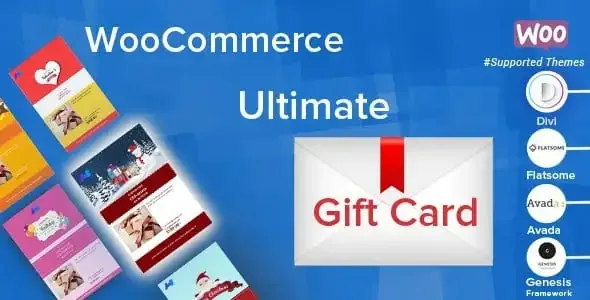
About WooCommerce Ultimate Gift Card
You get paid today for a gift that will be used weeks later
Selling gift cards seems easy until you have to manage them: the buyer is not the one who spends, the message has to arrive on the right day, the balance is left half used and someone asks about an email that never showed up. WooCommerce Ultimate Gift Card brings all of that inside your WooCommerce store, with no separate spreadsheets.
The recipient of a gift card is a new customer who doesn't know you yet, and their first impression of your store (the design, the email, the code) was paid for by someone else. That is why it pays to take care of both the personalization and the communications.
WooCommerce Ultimate Gift Card creates its own product type
Once activated, a product type specific to gift cards appears. You can create as many as you want and assign each one more than one category, so a Christmas card, a generic one and one for a specific service can live side by side. It is a plugin for WooCommerce: without the store installed, it has nowhere to run.
Five ways to set the amount
- Fixed price: one card, one amount.
- Selectable price: the buyer chooses among the amounts you prepare.
- Price range: the amount moves within a range.
- User price: the buyer types it in.
- Variation price: the amount comes from the product variations.
What the buyer can personalize
The buyer can upload an image, write a message and choose the delivery date. If you prefer to control your brand image, you can limit them to the preloaded images and set a default one. It comes with more than 20 gift card templates already loaded, and you can also import your own. The message allows 300 characters by default, and that limit can be changed. Be careful: letting people upload any image means anyone can put whatever they want on a card carrying your brand; if that worries you, restrict it to the preloaded ones.
Emails with PDF, blind copy and gift resending
This is where it's decided whether the gift arrives properly. Here is what you can adjust:
- Edit the recipient's email and resend the message if the first delivery failed.
- Resend unused coupons, adding more balance to them.
- Attach the card as a PDF, in A4 or A3 size.
- Receive a blind copy (BCC) of the email the recipient gets.
- Notify the user of the balance left after each use of the coupon.
There are more than 20 email templates, you can create others and assign a different one to each card.
Common questions before selling gift cards
Can the buyer choose when the gift arrives?
Yes, the delivery date is one of the options they can set when personalizing the card.
How does the recipient redeem it?
The card can show the coupon code and a QR code. The recipient can type the code on the website or scan the QR. You decide whether to enable or disable this option.
Can it also be used to sell outside the website?
It lets you sell gift cards online and offline, with several delivery options, and the redemption portal can scan cards. Check in the demo how it fits the way you take payments in a physical shop.
Can the card be spent across several purchases?
The plugin notifies the remaining balance after each use of the coupon, and you can resend unspent coupons with more value.
Test the redemption portal and the QR before opening sales
Besides the product, the plugin includes a portal to redeem, top up, scan and look up gift card details. It is the part your team will use the most, so spend some time on it before launching a campaign.
Make a test purchase with a future delivery date and check the email, the PDF and the chosen template. Redeem once with the code and once with the QR, and check the balance notification. If something doesn't convince you, it is better to find out before Christmas than during it.
Topics
Version history
-
v
2.9.6 Current 17 Sep 2025
Customer reviews
Sign in to leave a review. Only people who have the product can review it.
No reviews for this product yet.
Frequently asked questions
-
GPL (General Public License) is the license under which WordPress and most premium plugins/themes are distributed. It grants you the right to use, modify and redistribute the software in as many projects as you want, with no domain restrictions.
-
Yes. With membership you get automatic updates via our GPLClub Updater plugin (installed on your WP, detects new versions and applies them). With individual purchase, you get one year of manual updates from your account.
-
Depends on the plan. Monthly: 3 domains. Semi-annual: 7. Annual and Lifetime: 15. Individual purchase: 1 domain.
-
GPLClub offers its own support for installation, configuration and compatibility. For direct support from the original author (feature requests, product-specific bugs), a license purchased from the author is required.