WooCommerce WS Form PRO Product Add-Ons
Antivirus scan
Powered by ClamAV
✅ Verified clean
This product file has passed our security filters.
Want to run a fresh ClamAV scan right now? Takes a few seconds and shows scanner version, signature DB and live result.
This can take 5 to 30 seconds.
Clean file Threat detected
No threats detected in this file.
- File
- Size
- Scanned
- ClamAV
- Signature database
⚡ Powered by ClamAV
Scan could not be completed
Report product
If you detected an issue (broken file, malware, inappropriate content, etc.) let us know and we'll review it ASAP.
Sign in to reportNewer version out, or a problem?
About WooCommerce WS Form PRO Product Add-Ons
Products your customers need to configure before buying
When the customer has to tell you what they want before paying (the measurements, the colors, the engraved text or the amount they donate), the conversation usually ends up in emails, orders written down by hand and prices worked out by eye. WS Form PRO Product Add-Ons brings that configuration into the WooCommerce product page itself, so the customer completes it and adds the item to the cart in the same place.
It is an add-on that turns WS Form forms into part of the product page. If you already design forms with WS Form, the same building blocks work for your store's products.
Forms inside the product page
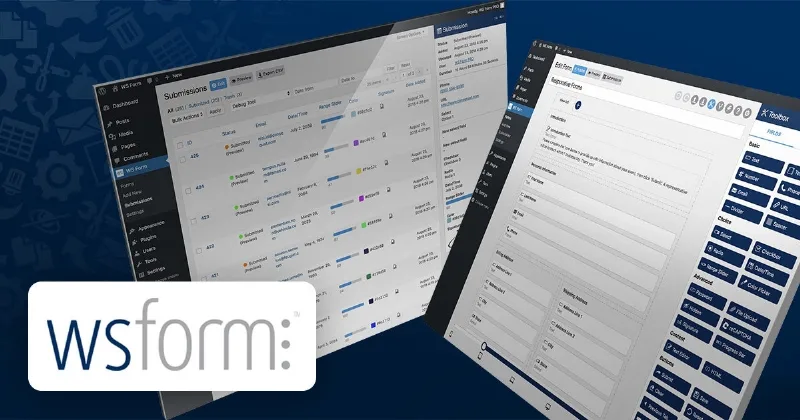
You can assign a form to one specific product, to all products, to a category or to a tag, and use any WS Form PRO field type. In the product data there is a WS Form tab where you choose a template, an existing form, or start from a blank form.
You also decide the layout of the page: place the Add to Cart button, the quantity and other WooCommerce elements wherever suits you inside the form, and customize the button and the price format.
Requires WS Form PRO to work
This add-on extends WS Form PRO, so that plugin must be installed and active. Without it there are no forms to assign to products.
Prices and steps that change with each choice
With the WS Form e-commerce field types, the price updates in real time as the customer makes choices. Calculated fields do the math, and conditional logic shows a field only when it is needed. Multi-step forms split the options across successive screens, so the customer does not face one long form all at once.
Repeatable sections let the customer add several identical items within the same product. Among the things you can build with this add-on are:
- Interactive product configurators
- Donations or ‘name your price’ products
- Repeatable sections of fields
- File uploads and Google Maps
- Color swatch selectors
- Multi-step configurators with complex price calculations
What happens when the order is paid
You can run WS Form actions when an order is paid, for example sending the product customization to a Slack channel or running a WordPress hook. This way, what the customer filled in reaches your team or another system without you copying it by hand.
Frequently asked questions about WS Form PRO Product Add-Ons
What field types can I use?
Any WS Form PRO field type. The add-on lets you create products with more than 60 field types, with conditional logic, repeaters, calculations and multi-step forms.
Can I assign the form to all products in a category?
Yes. You can assign it to one specific product, to all products, to a category or to a tag.
Can I change where the Add to Cart button appears?
Yes. You place it in the position you want inside the form, together with the quantity and other product page elements.
Can I notify another tool when the customer pays?
Yes. You can run WS Form actions when the order is paid, such as sending the customization to a Slack channel.
QuickView, Wishlist and Dynamic Pricing on the same page
The add-on works with popular WooCommerce extensions such as QuickView, Wishlist and Dynamic Pricing, so you can keep those features in your store while adding product configuration. It lets you ask for customer details before a product goes into the cart, as with customizable products or donations.
Before deciding, check in the demo whether the type of configuration you need appears among the examples.
Topics
Version history
-
v
1.1.74 Current 13 May 2024
Customer reviews
Sign in to leave a review. Only people who have the product can review it.
No reviews for this product yet.
Frequently asked questions
-
GPL (General Public License) is the license under which WordPress and most premium plugins/themes are distributed. It grants you the right to use, modify and redistribute the software in as many projects as you want, with no domain restrictions.
-
Yes. With membership you get automatic updates via our GPLClub Updater plugin (installed on your WP, detects new versions and applies them). With individual purchase, you get one year of manual updates from your account.
-
Depends on the plan. Monthly: 3 domains. Semi-annual: 7. Annual and Lifetime: 15. Individual purchase: 1 domain.
-
GPLClub offers its own support for installation, configuration and compatibility. For direct support from the original author (feature requests, product-specific bugs), a license purchased from the author is required.