WooListing – WooCommerce Product Listing for Elementor
Antivirus scan
Powered by ClamAV
✅ Verified clean
This product file has passed our security filters.
Want to run a fresh ClamAV scan right now? Takes a few seconds and shows scanner version, signature DB and live result.
This can take 5 to 30 seconds.
Clean file Threat detected
No threats detected in this file.
- File
- Size
- Scanned
- ClamAV
- Signature database
⚡ Powered by ClamAV
Scan could not be completed
Report product
If you detected an issue (broken file, malware, inappropriate content, etc.) let us know and we'll review it ASAP.
Sign in to report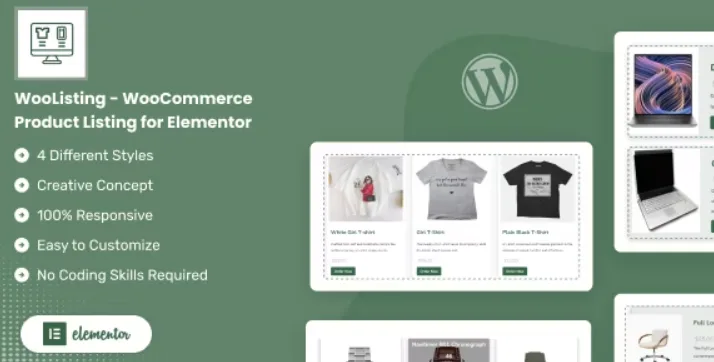
About WooListing – WooCommerce Product Listing for Elementor
A store with many products gets lost if everything looks the same
Anyone building a catalog in WooCommerce runs into the same thing: the default shop grid is rigid, doesn't let you highlight what matters most and forces you to touch code so the home page doesn't look like a warehouse list. And if your business has very different listings (for example, properties or high-value items), showing everything in the same mold buries what's important.
WooListing is an Elementor widget that lets you show product collections, for example as a section on the home page, and decide what is shown for each product and in what order.
What you control in each WooListing grid
The plugin offers four product listing designs as a starting point. On top of them you configure the content that is shown:
- Visible elements: image, title, description, rating, price and add to cart button are switched on or off separately. Useful if you want a clean listing with only a photo and a name.
- Pre-filtering: you can exclude products by category or tag before they reach the site.
- Order and priority: ascending or descending, with the option to prioritize featured, best-selling, top-rated or on-sale products.
- Product limit: you set a maximum so the section doesn't grow out of control.
- Columns per device: a different number for desktop, tablet and mobile.
- Look: hover effects, box shadows, different border types and your own CSS if you want to fine-tune further.
What it needs and what it is not
It works inside Elementor and requires WooCommerce to be active: without them there is nothing to display. It is a listing widget, not a complete store: it doesn't replace the product page, the cart or the checkout, nor does it add interactive filters for the visitor (the filtering it offers is configured by you in advance). It is not a search tool or a booking system either.
Common questions before choosing it
Is it good for anything besides a home page?
Yes. You can use it for sale sections or featured sections.
Do I need to know how to code?
No. You drag the widget and adjust options. Custom CSS is optional.
Does it adapt to mobile?
The design is responsive and each type of device supports its own number of columns.
Can I show categories as well as products?
Yes, it includes grid layouts for both products and categories, as well as slider variants.
Is it suitable for a real estate catalog?
Only if your properties are WooCommerce products. It is designed to show the usual product fields (image, title, description, price), not specific data such as square meters or bedrooms. Check in the demo whether the result fits your case.
Grid and slider layouts for products and categories
Besides the classic grid, the plugin includes slider layouts, for both products and categories. It's a good way out when you have more products than space on the page: instead of lengthening the home page, you put them in a carousel the visitor can browse.
Try it in the demo before building your page
Before installing it, review the four basic designs and the slider ones in the demo, and decide which fits the type of product you sell. Then create the page in Elementor, add the widget, choose the layout and adjust what data you show and how many columns you use on mobile. Spend some time checking the result on tablet and mobile: that's where a grid with long descriptions tends to break.
Topics
Version history
-
v
1.0.1 Current 8 Jan 2025
Customer reviews
Sign in to leave a review. Only people who have the product can review it.
No reviews for this product yet.
Frequently asked questions
-
GPL (General Public License) is the license under which WordPress and most premium plugins/themes are distributed. It grants you the right to use, modify and redistribute the software in as many projects as you want, with no domain restrictions.
-
Yes. With membership you get automatic updates via our GPLClub Updater plugin (installed on your WP, detects new versions and applies them). With individual purchase, you get one year of manual updates from your account.
-
Depends on the plan. Monthly: 3 domains. Semi-annual: 7. Annual and Lifetime: 15. Individual purchase: 1 domain.
-
GPLClub offers its own support for installation, configuration and compatibility. For direct support from the original author (feature requests, product-specific bugs), a license purchased from the author is required.