WooPack – WooCommerce Addon for Beaver Builder
Antivirus scan
Powered by ClamAV
✅ Verified clean
This product file has passed our security filters.
Want to run a fresh ClamAV scan right now? Takes a few seconds and shows scanner version, signature DB and live result.
This can take 5 to 30 seconds.
Clean file Threat detected
No threats detected in this file.
- File
- Size
- Scanned
- ClamAV
- Signature database
⚡ Powered by ClamAV
Scan could not be completed
Report product
If you detected an issue (broken file, malware, inappropriate content, etc.) let us know and we'll review it ASAP.
Sign in to report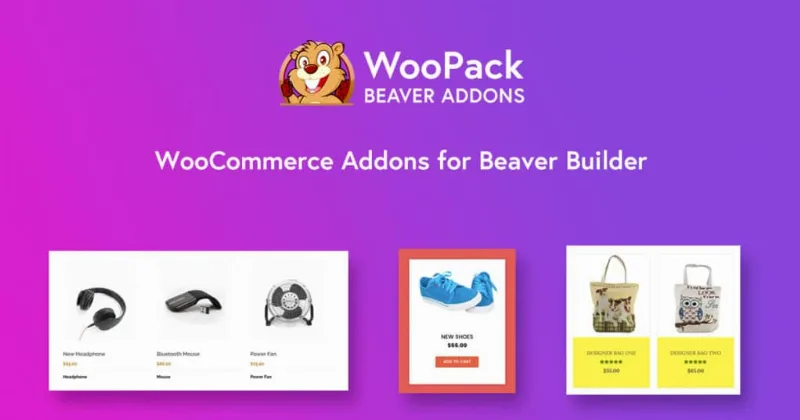
About WooPack – WooCommerce Addon for Beaver Builder
A WooCommerce store built with Beaver Builder breaks exactly where it matters most
You build the home page, the landing pages and the content pages with Beaver Builder and they look the way you want. Then you reach the cart and the checkout, which still look like a generic WooCommerce template, and the product listing, which depends on whatever the theme provides. That is where customers decide whether to buy or leave, and it is exactly where the page builder tends to fall short. WooPack adds WooCommerce modules to Beaver Builder so you can design those pieces in the same visual editor, without touching code.
Grid, carousel and categories: showcases you build by dragging
The product grid module offers grid or masonry layouts, styling options, pagination and dynamic AJAX filters. The carousel is for highlighting best sellers, new arrivals or offers, and it is adjusted with standard query parameters.
The categories module shows a grid or a carousel with image, title and product count. It is useful if your catalog is large and you want visitors to enter by department, not through an endless listing.
Cart and checkout, with their own style
The WooCommerce cart page uses a table that is hard to tweak with CSS. The cart styler module gives you visual controls to change it. Checkout is similar: you can choose one or two columns and style fields, section titles, colors and buttons.
Quick access to the cart from the header
The mini cart places an icon with the item count in the header or menu, and it can show the contents on hover or on click. The off canvas cart opens a side panel with the contents on click.
Single product and buy button for landing pages
If you build a sales page or a single-item offer, the single product module shows that product anywhere on the site, without sending the visitor to the regular product page. The add to cart module creates a button that puts the product in the cart, with an adjustable predefined quantity and one-click checkout. Both fit well in campaign pages.
It needs Beaver Builder and WooCommerce active
WooPack does not work on its own: it is an add-on for Beaver Builder, compatible with its Lite, Standard, Pro and Agency versions, and it requires WooCommerce to be active. With that clear, this is what it covers and what is left to you:
- It solves: visual design of grids, carousels, categories, single product, buy button, cart, checkout, mini cart and off canvas cart.
- It solves: renaming the plugin, changing the developer name and hiding it from the plugin list (white label), useful if you work for clients.
- You cover: the store itself (products, payments, shipping and taxes), which remains WooCommerce.
- You cover: any feature that is not among the listed modules, which you will have to solve with another plugin or a professional.
Before deciding, check in the demos that the cart and checkout modules look the way you need with your payment gateways.
Frequently asked questions about WooPack
Do I need to know how to code?
No. It works like Beaver Builder itself: you add the module, adjust the options and see the result.
Does it slow down the site?
It is designed to be lightweight and free of extra code, and styles are generated when you use each module. As always, the final result also depends on your hosting and how many modules you place on each page.
Can I use it on several sites?
Yes, there is no limit on websites.
Does it work with any edition of Beaver Builder?
Yes: Lite, Standard, Pro and Agency, as long as WooCommerce is active.
Topics
Version history
-
v
1.6.0 Current 22 Sep 2026
-
v
1.5.11 11 Dec 2025
Customer reviews
Sign in to leave a review. Only people who have the product can review it.
No reviews for this product yet.
Frequently asked questions
-
GPL (General Public License) is the license under which WordPress and most premium plugins/themes are distributed. It grants you the right to use, modify and redistribute the software in as many projects as you want, with no domain restrictions.
-
Yes. With membership you get automatic updates via our GPLClub Updater plugin (installed on your WP, detects new versions and applies them). With individual purchase, you get one year of manual updates from your account.
-
Depends on the plan. Monthly: 3 domains. Semi-annual: 7. Annual and Lifetime: 15. Individual purchase: 1 domain.
-
GPLClub offers its own support for installation, configuration and compatibility. For direct support from the original author (feature requests, product-specific bugs), a license purchased from the author is required.