WordPress Accessibility Plugin
Antivirus scan
Powered by ClamAV
✅ Verified clean
This product file has passed our security filters.
Want to run a fresh ClamAV scan right now? Takes a few seconds and shows scanner version, signature DB and live result.
This can take 5 to 30 seconds.
Clean file Threat detected
No threats detected in this file.
- File
- Size
- Scanned
- ClamAV
- Signature database
⚡ Powered by ClamAV
Scan could not be completed
Report product
If you detected an issue (broken file, malware, inappropriate content, etc.) let us know and we'll review it ASAP.
Sign in to report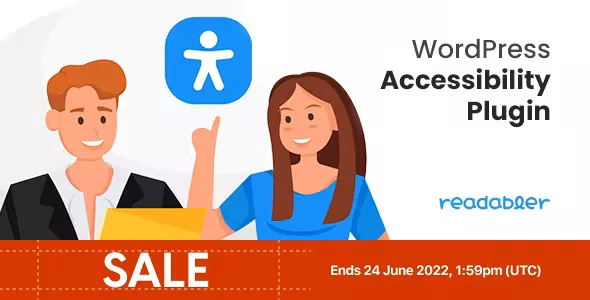
About WordPress Accessibility Plugin
When accessibility arrives as a complaint or a requirement
Almost nobody thinks about the accessibility of their website until someone writes to say they can't read it, or until a big client demands compliance with standards. Then it's time to improvise: changing fonts, raising contrast, removing animations, all by hand and for every visitor at once. This plugin tackles the need differently: it adds a panel that each visitor adjusts to their own needs, without touching the design you chose for everyone else.
Here is the idea worth keeping in mind: the people who need this are not a single type of user. Someone with epilepsy needs nothing to flash; someone with dyslexia needs a different font; someone with low vision needs contrast and size. A single "accessible mode" doesn't work for all of them, which is why the plugin splits its settings into groups and profiles.
What visitors can change with WordPress Accessibility Plugin
It runs on JavaScript, so it sits on top of most themes and plugins without replacing them.
- Reading: scale the whole page or only certain texts (for example, headings or paragraphs), increase line and letter spacing, change alignment, highlight texts and headings, use a magnifier on mouse hover and switch to a more readable font or one designed for dyslexia.
- Visual appearance: brightness, saturation and contrast, black and white mode, and changing font and background colors to rescue hard-to-see text.
- Orientation: a list of all the links on the page, an option to stop anything that flickers (videos, CSS animations, animated GIFs), large black and white cursors, better object selection on hover or focus, and keyboard control of the page.
- Virtual keyboard: an on-screen keyboard for typing with a mouse or touchpad.
- Text to speech: reading the content aloud with human-sounding voices, more than 240 voices in 40+ languages and variants, backed by Google Cloud and WaveNet technology.
Which profile to activate depending on who visits your site
The plugin ships with 5 ready-made profiles, so visitors don't have to go option by option.
If your audience includes people with epilepsy
There is a profile designed for them. What matters is being able to switch off videos, CSS animations and animated GIFs with one click, which are the usual content of a modern homepage.
The AI assistant and WCAG and ADA compliance
The plugin includes an artificial intelligence assistant that helps detect and resolve accessibility problems in order to bring the site closer to standards such as WCAG and ADA. There is a dedicated demo website to try it, so check there exactly what it does before deciding.
Keep one thing clear: a settings panel for the visitor is not the same as certifying that your website meets a regulation. Content structure, image alt text and poorly labeled forms are still your job. If a legal requirement is your reason, consult a specialist.
Frequently asked questions
Does it work with my theme and page builder?
Since it is based on JavaScript, it is designed to coexist with most themes and extensions. Even so, check in the demo that the button and the color changes respect your design.
Does it slow down the site?
It is designed as a lightweight, fast solution that works in modern browsers on both mobile and desktop.
Does it read text aloud?
Yes, with the text to speech function in more than 40 languages and variants. It relies on Google Cloud Platform.
It doesn't replace a website built properly from the start
It is a layer of settings on top of your site. It doesn't fix poorly structured HTML, it doesn't write alt text for you and it doesn't guarantee regulatory compliance by itself. Use it as a help for your visitors, not as an excuse to leave the foundations unreviewed.
Version history
-
v
2.0.19 Current 29 Oct 2026
-
v
2.0.18 15 Aug 2026
-
v
2.0.16 1 May 2026
Customer reviews
Sign in to leave a review. Only people who have the product can review it.
No reviews for this product yet.
Frequently asked questions
-
GPL (General Public License) is the license under which WordPress and most premium plugins/themes are distributed. It grants you the right to use, modify and redistribute the software in as many projects as you want, with no domain restrictions.
-
Yes. With membership you get automatic updates via our GPLClub Updater plugin (installed on your WP, detects new versions and applies them). With individual purchase, you get one year of manual updates from your account.
-
Depends on the plan. Monthly: 3 domains. Semi-annual: 7. Annual and Lifetime: 15. Individual purchase: 1 domain.
-
GPLClub offers its own support for installation, configuration and compatibility. For direct support from the original author (feature requests, product-specific bugs), a license purchased from the author is required.