Wordpress Admin Theme - WPShapere
Antivirus scan
Powered by ClamAV
✅ Verified clean
This product file has passed our security filters.
Want to run a fresh ClamAV scan right now? Takes a few seconds and shows scanner version, signature DB and live result.
This can take 5 to 30 seconds.
Clean file Threat detected
No threats detected in this file.
- File
- Size
- Scanned
- ClamAV
- Signature database
⚡ Powered by ClamAV
Scan could not be completed
Report product
If you detected an issue (broken file, malware, inappropriate content, etc.) let us know and we'll review it ASAP.
Sign in to report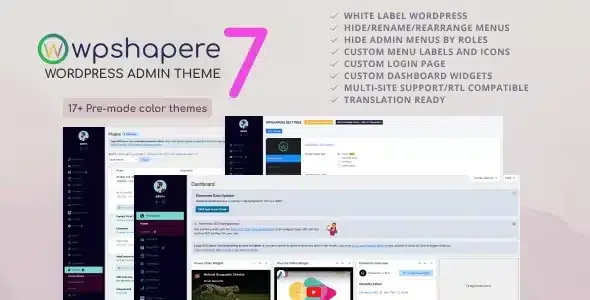
About Wordpress Admin Theme - WPShapere
Your client lives in the dashboard, not on the homepage
You hand over a finished site and a week later the client calls: they deleted something by accident, can't find where to change a text, or get lost among menus and notices that mean nothing to them. The public sees the homepage design, but the person paying for the site sees the admin panel every day, and there everything says WordPress, not your studio.
WPShapere is a plugin that reworks the look of the WordPress admin so it shows your brand and only what that client needs to see.
Your logo on the login, the bar and the footer
White label branding covers the places your client passes through every day:
- Your own logo on the login page and the admin bar, plus a customizable login design.
- Removing the WordPress logo from the top bar and adding your own links.
- Your own logo, text or links in the dashboard footer.
- White label emails.
- Custom CSS for the login and the admin, if you want to fine-tune what the options don't reach.
Custom menus with WPShapere
You can hide, rename and reorder any item in the side menu, and assign icons from Dashicons or FontAwesome. That way a client who only edits pages and posts doesn't face twenty plugin options.
The privileged users feature solves a typical problem: the client is also an administrator, but you need to see everything. You can hide items from non-administrators and show the full menu to one or several specific administrators.
The dashboard gets cleaned up too
You can remove the default WordPress widgets and create your own, with custom content or RSS feeds. A widget with your contact details or instructions for that client is more useful than the generic notice that used to take its place.
Colors, themes and reusable settings
It includes unlimited color options and 16 ready-made themes to start from, plus a flat design. It is compatible with right-to-left languages. If you build many similar sites, you export the settings to your computer and import them into the next one, without repeating the setup.
On multisite, the super administrator can customize the admin of the whole network, or let each site administrator configure their own.
Hiding a menu is not removing permissions
Before promising anything to the client, separate what the plugin solves from what you have to cover yourself:
- It solves: white label branding, login, bar, footer, menus, icons, dashboard widgets, colors and settings export.
- You cover it with another plugin or code: if you need to truly block an action, define roles and capabilities with a roles plugin or custom code.
- You cover it by hand: the design of the public site, which this plugin doesn't touch.
- You cover it yourself: deciding what each client sees. The plugin provides the options, but the judgment is yours.
Frequently asked questions
Does it change the look of my public website?
No. It works on the admin, the login and the admin bar, not on the site theme that visitors see.
Does it work on a multisite network?
Yes. You can customize the whole network as a super administrator or let each site administrator do it.
Can I take my settings to another site?
Yes, you export all the settings to your computer and import them whenever you need them.
Can I still see the full menu myself?
Yes, with privileged users you show all items to the administrators you choose.
Version history
-
v
8.0.3 Current 3 Mar 2026
Customer reviews
Sign in to leave a review. Only people who have the product can review it.
No reviews for this product yet.
Frequently asked questions
-
GPL (General Public License) is the license under which WordPress and most premium plugins/themes are distributed. It grants you the right to use, modify and redistribute the software in as many projects as you want, with no domain restrictions.
-
Yes. With membership you get automatic updates via our GPLClub Updater plugin (installed on your WP, detects new versions and applies them). With individual purchase, you get one year of manual updates from your account.
-
Depends on the plan. Monthly: 3 domains. Semi-annual: 7. Annual and Lifetime: 15. Individual purchase: 1 domain.
-
GPLClub offers its own support for installation, configuration and compatibility. For direct support from the original author (feature requests, product-specific bugs), a license purchased from the author is required.