WordPress Backup & Migration Pro
Antivirus scan
Powered by ClamAV
✅ Verified clean
This product file has passed our security filters.
Want to run a fresh ClamAV scan right now? Takes a few seconds and shows scanner version, signature DB and live result.
This can take 5 to 30 seconds.
Clean file Threat detected
No threats detected in this file.
- File
- Size
- Scanned
- ClamAV
- Signature database
⚡ Powered by ClamAV
Scan could not be completed
Report product
If you detected an issue (broken file, malware, inappropriate content, etc.) let us know and we'll review it ASAP.
Sign in to report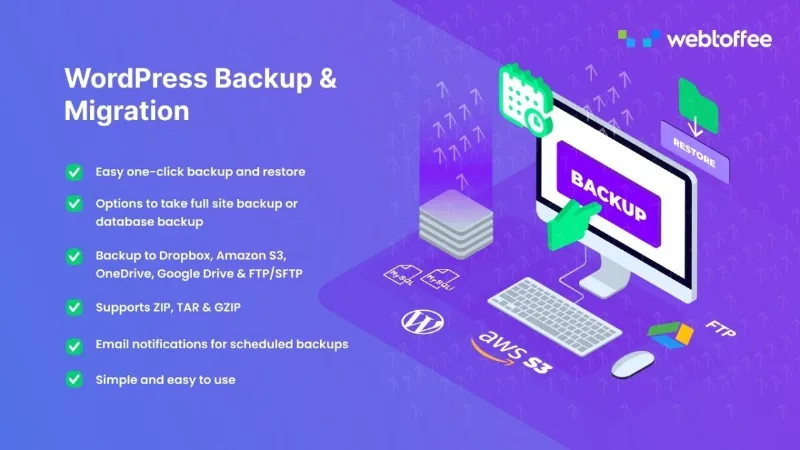
About WordPress Backup & Migration Pro
A backup stored on the same server won't save you from that server
Most people remember to make a backup right after something breaks: an update that leaves the site blank, a hosting failure or an attack. And almost nobody checks where that backup is stored. If the file sits on the same machine that just failed, the problem doubles. WordPress Backup & Migration Pro by WebToffee is designed so the backup leaves the server and, when it's time to change hosts, the whole site moves with it.
Full, partial and scheduled backups with WordPress Backup & Migration Pro
With one click you back up the entire site, files and database, and with another you restore it. If you don't need everything, you can back up only the database, only the files, or just the tables you choose.
- Scheduling: daily, weekly, monthly or custom intervals, at the time you configure.
- Destinations: Dropbox, OneDrive, Amazon S3, Google Drive, FTP/SFTP or local storage, for example to keep the backup on your own computer.
- Formats: ZIP, GZIP and TAR.
- Email alerts: it writes to you when a backup fails, times out or needs attention.
- Import and export: useful for moving content from one WordPress installation to another.
What you should be clear about
The plugin has no size limit of its own, but it depends on your hosting resources: on large sites, a tight server can run out of time or memory, and that's where failed-backup alerts come from. When migrating, it can also run into the server's maximum upload size, which you'll have to raise yourself.
Questions people ask before installing it
Does it work for a WooCommerce store?
Yes. WooCommerce stores its data in the WordPress database, so the store is backed up and migrated like any other site.
Do I need technical skills?
Not especially. The interface uses simple language, although raising server limits to migrate heavy sites may require changing your hosting configuration.
Does it work on any hosting?
It's designed for any site running WordPress. What determines the result is whether the server has enough resources.
Can I save the backup to my computer?
Yes, by choosing local storage as the destination.
This plugin is no longer sold
It's worth knowing before you rely on it long term: WebToffee has removed this plugin from its catalog, and its free version remains in the WordPress repository. If you adopt it, do so as a tool that does a specific job, not as part of a strategy that depends on new features.
First a backup to an external destination, then the schedule
A sensible sequence: connect the remote destination first (Google Drive, S3 or whichever you use) and run a full manual backup. Check that the file arrives and is the size you expect. Then schedule backups at a frequency that matches how often your site changes: a store with daily orders needs more frequent backups than a corporate site edited once a month. Turn on email alerts from the start, because a scheduled backup that fails silently is worse than having none. If you're going to migrate, test the restore in a staging environment before touching the live site.
Topics
Version history
-
v
1.0.0 Current 12 May 2024
Customer reviews
Sign in to leave a review. Only people who have the product can review it.
No reviews for this product yet.
Frequently asked questions
-
GPL (General Public License) is the license under which WordPress and most premium plugins/themes are distributed. It grants you the right to use, modify and redistribute the software in as many projects as you want, with no domain restrictions.
-
Yes. With membership you get automatic updates via our GPLClub Updater plugin (installed on your WP, detects new versions and applies them). With individual purchase, you get one year of manual updates from your account.
-
Depends on the plan. Monthly: 3 domains. Semi-annual: 7. Annual and Lifetime: 15. Individual purchase: 1 domain.
-
GPLClub offers its own support for installation, configuration and compatibility. For direct support from the original author (feature requests, product-specific bugs), a license purchased from the author is required.