WordPress Multisite Posts, Pages and Custom Post Type Posts Sync
Antivirus scan
Powered by ClamAV
✅ Verified clean
This product file has passed our security filters.
Want to run a fresh ClamAV scan right now? Takes a few seconds and shows scanner version, signature DB and live result.
This can take 5 to 30 seconds.
Clean file Threat detected
No threats detected in this file.
- File
- Size
- Scanned
- ClamAV
- Signature database
⚡ Powered by ClamAV
Scan could not be completed
Report product
If you detected an issue (broken file, malware, inappropriate content, etc.) let us know and we'll review it ASAP.
Sign in to report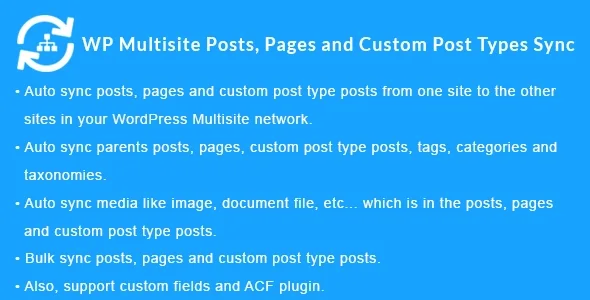
About WordPress Multisite Posts, Pages and Custom Post Type Posts Sync
One change at headquarters, twelve sites to fix by hand
In a Multisite network, content that should be shared (a notice, an offer, a service page) ends up copied and pasted site by site. A few weeks later every copy says something slightly different and nobody knows which one is right. This plugin tackles exactly that: you publish or edit on one site and the content is replicated on the other sites in the network.
Every manual copy is a maintenance task someone will forget. If you decide from the beginning which site is the source and which ones are destinations, the network stops piling up versions that contradict each other.
What travels with the post in WordPress Multisite Posts, Pages and Custom Post Type Posts Sync
It syncs posts, pages and custom post types between sites in the same network, whether they use different domains, subdomains or subdirectories. Each item brings along what surrounds it:
- Taxonomies: categories, tags and custom taxonomies are synced together with the post.
- Parent items: parent content and its terms are also copied, so the hierarchy is not left incomplete at the destination.
- Media: images, documents and other attached files go along with the content.
- Bulk sync: lets you send posts, pages, custom post types and users in one go.
- Metadata exclusion: you choose which metadata is not copied or updated on the destinations.
- Sync on delete: if you move content to the trash on the source, it is also removed on the destinations.
It also supports WordPress custom fields inside posts, pages and custom post types.
Where content flows depending on how your network works
The plugin offers three sync directions. Choosing the right one is the most important decision, because it defines who is in charge.
A headquarters in charge and branches that receive
With the main site to sub-sites option, what is published on the main site goes down to the others. It suits a franchise, a store chain or a network of branches that share corporate texts and service pages.
Local sites that feed a central portal
With the sub-site to main site option, the flow is reversed: each site publishes its own content and the main site collects it. It works for a portal that gathers content from several newsrooms, offices or departments.
Teams that publish on any site
The all sites option syncs content across the whole network. It is the most convenient and the most delicate: an edit made anywhere is propagated, so it is wise to agree on who edits what.
ACF fields: the types that go along with the post
It works with Advanced Custom Fields and its PRO version, but only with these field types:
- Text, text area, number, email and password.
- Wysiwyg editor, image and file.
- Select, checkbox, radio button and true/false.
- Google Map, date picker, color picker and message.
If your content structure depends on them, check that your fields are on this list before setting up the network.
Questions before you activate it on your network
Can it join two independent WordPress sites?
No. It is designed for sites within a Multisite network; it is not compatible with separate single installations.
Does it copy images too?
Yes, media (images, documents and similar files) is synced together with the content.
Can I prevent certain data from being copied?
Yes, with the metadata exclusion option you choose which metadata is not copied or updated on the other sites.
What happens if I delete something on the source site?
With the sync on delete option enabled, moving it to the trash on the source also removes it on the destinations. Decide whether you want that option before enabling it.
Does it work with subdomains and subdirectories?
Yes, and also with networks of different domains.
Multisite only, and only with certain ACF field types
This plugin does not join separate WordPress sites: it needs a Multisite network. And ACF fields that are not on the supported list are not covered, so do not assume every structure will be copied in full. Test with real content before syncing the whole network.
Version history
-
v
1.4.0 Current 17 May 2024
Customer reviews
Sign in to leave a review. Only people who have the product can review it.
No reviews for this product yet.
Frequently asked questions
-
GPL (General Public License) is the license under which WordPress and most premium plugins/themes are distributed. It grants you the right to use, modify and redistribute the software in as many projects as you want, with no domain restrictions.
-
Yes. With membership you get automatic updates via our GPLClub Updater plugin (installed on your WP, detects new versions and applies them). With individual purchase, you get one year of manual updates from your account.
-
Depends on the plan. Monthly: 3 domains. Semi-annual: 7. Annual and Lifetime: 15. Individual purchase: 1 domain.
-
GPLClub offers its own support for installation, configuration and compatibility. For direct support from the original author (feature requests, product-specific bugs), a license purchased from the author is required.