WordPress Print Posts & Pages
Antivirus scan
Powered by ClamAV
✅ Verified clean
This product file has passed our security filters.
Want to run a fresh ClamAV scan right now? Takes a few seconds and shows scanner version, signature DB and live result.
This can take 5 to 30 seconds.
Clean file Threat detected
No threats detected in this file.
- File
- Size
- Scanned
- ClamAV
- Signature database
⚡ Powered by ClamAV
Scan could not be completed
Report product
If you detected an issue (broken file, malware, inappropriate content, etc.) let us know and we'll review it ASAP.
Sign in to reportNewer version out, or a problem?
About WordPress Print Posts & Pages
A good article deserves to reach the reader on paper
People who read a recipe, a guide or a long document often want to take it with them. Offer your readers the option to print or create a PDF of your posts and pages.
WordPress Print Posts & Pages adds that option directly to your posts and pages.
How each type of site makes the most of it
Blogs with long articles
If your posts are guides or tutorials the reader wants to keep, the PDF can include a header, footer and page numbering.
Websites with custom content
If you publish custom content types alongside posts and pages, the plugin includes them too, and you can leave out whole posts or categories.
Design and content of the PDF, your way
There are two layouts and more than 50 configuration options. You can create a custom header and footer in 1/2, 1/2 + 1/2 or 1/3 + 1/3 + 1/3 layouts, add a background color, and choose fonts, text size, line height, alignment and image size.
You can also add extra text after the header or before the footer, and a QR code in the document.
What gets printed and what stays out
You show or hide these elements: image, title, excerpt, description, categories, tags and QR code. You can turn on page numbering and exclude specific posts or categories.
How WordPress Print Posts & Pages fits into your website
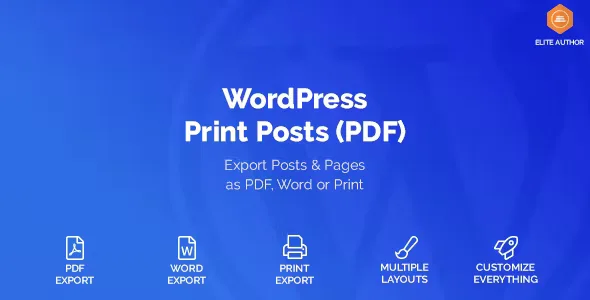
The plugin gives readers three options:
- Export as PDF
- Export as Word
It also supports the [print_posts] shortcode and widgets, and you can choose where the links appear.
Frequently asked questions about WordPress Print Posts & Pages
Can I offer both PDF and Word?
Yes. The plugin includes export as PDF and export as Word, as well as direct printing.
Does it work with my custom posts?
Yes, it works with posts, pages and custom post types.
Can I leave some posts out?
Yes. You can exclude specific posts or entire categories.
What appears in the PDF?
You decide what to show: image, title, excerpt, description, categories, tags and QR code can be shown or hidden.
Minimum requirements before installing it
The plugin has minimum installation requirements. Before buying it, check that your installation meets them.
Version history
-
v
1.5.9 Current 8 May 2024
Customer reviews
Sign in to leave a review. Only people who have the product can review it.
No reviews for this product yet.
Frequently asked questions
-
GPL (General Public License) is the license under which WordPress and most premium plugins/themes are distributed. It grants you the right to use, modify and redistribute the software in as many projects as you want, with no domain restrictions.
-
Yes. With membership you get automatic updates via our GPLClub Updater plugin (installed on your WP, detects new versions and applies them). With individual purchase, you get one year of manual updates from your account.
-
Depends on the plan. Monthly: 3 domains. Semi-annual: 7. Annual and Lifetime: 15. Individual purchase: 1 domain.
-
GPLClub offers its own support for installation, configuration and compatibility. For direct support from the original author (feature requests, product-specific bugs), a license purchased from the author is required.