
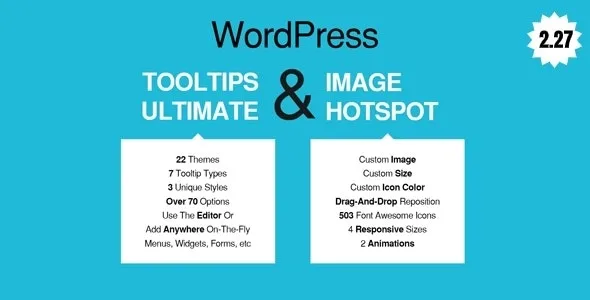
WordPress Tooltips Ultimate
Antivirus scan
Powered by ClamAV
✅ Verified clean
This product file has passed our security filters.
Want to run a fresh ClamAV scan right now? Takes a few seconds and shows scanner version, signature DB and live result.
This can take 5 to 30 seconds.
Clean file Threat detected
No threats detected in this file.
- File
- Size
- Scanned
- ClamAV
- Signature database
⚡ Powered by ClamAV
Scan could not be completed
Report product
If you detected an issue (broken file, malware, inappropriate content, etc.) let us know and we'll review it ASAP.
Sign in to reportNewer version out, or a problem?
About WordPress Tooltips Ultimate
Pop-up explanations where visitors get stuck
A technical term on a product page, a form field nobody understands or an icon without a hint are doubts the visitor would otherwise have to ask you about. With a tooltip, that explanation only appears when the visitor asks for it, so the interface stays clean and the question gets answered on the site itself.
A toolbar button to place tooltips almost anywhere
The Live Tooltip button sits in the WordPress toolbar and lets you add tooltips on the fly to menus, widgets, images, Gravity Forms or Contact Form 7 forms, WooCommerce assets and even the admin panel.
Two ways to add tooltips: inside the content or anywhere on the site
The plugin covers two different uses, and it helps to know which one you need:
- Inside the text: a button in the TinyMCE editor adds tooltips to the content of pages and posts.
- Across the whole site: the Live Tooltip button in the toolbar places them on menus, widgets, images, forms, WooCommerce and the backend.
- On your images: image hotspots are points on your own image that trigger the tooltip you choose. You prepare the image with its points and paste the shortcode on the site.
Styles, triggers and themes so each tooltip fits your design
You can adjust the tooltip's background, borders, margin and padding, and change the arrow: its width and height, or hide it completely. The anchor, meaning the element that triggers it, also accepts styling: you choose among several cursors, and you can change its font, background color or padding.
You decide when it appears with five options (on hover, on click, on focus, on click or focus, or on page load) and when it hides with four (on hover out, on clicking the anchor, on clicking elsewhere or on focus out). Show and hide animations have a type, a duration and a delay.
The position is chosen from nine points around the anchor, and the arrow works the same way. There are 22 ready-to-use themes and a large library of Google Fonts for typography.
From text to maps: the tooltip types
Each type suits a different need:
- Text: the default type, for short clarifications.
- Image and image with text: you upload the image you want to show, and in the second case you can combine it with text in four layouts.
- Modal: dims the rest of the page when shown, to draw attention to a message.
- Video: embeds YouTube or Vimeo videos, with optional autoplay.
- Google Maps: shows a map, with a custom marker image, zoom level and Snazzy Maps styles.
- HTML: includes a WYSIWYG editor for formatted content.
Frequently asked questions about WordPress Tooltips Ultimate
Can I add tooltips to Gravity Forms or Contact Form 7 forms?
Yes. The Live Tooltip button lets you add them to Gravity Forms and Contact Form 7 forms, as well as to other elements of the site.
Can the tooltip show a video?
Yes, you can add YouTube or Vimeo videos inside the tooltip window and turn on autoplay.
Can I choose when it appears and when it disappears?
Yes. It appears on hover, on click, on focus, on click or focus, or on page load, and it hides according to the exit option you choose.
How do image hotspots work?
You prepare the image with the points that will trigger each tooltip, and paste the shortcode on the page where you want it shown.
Can I use it to add tooltips in the admin panel?
Yes. The Live Tooltip button also lets you add them in the backend.
Version history
-
v
2.34 Current 16 May 2024
Customer reviews
Sign in to leave a review. Only people who have the product can review it.
No reviews for this product yet.
Frequently asked questions
-
GPL (General Public License) is the license under which WordPress and most premium plugins/themes are distributed. It grants you the right to use, modify and redistribute the software in as many projects as you want, with no domain restrictions.
-
Yes. With membership you get automatic updates via our GPLClub Updater plugin (installed on your WP, detects new versions and applies them). With individual purchase, you get one year of manual updates from your account.
-
Depends on the plan. Monthly: 3 domains. Semi-annual: 7. Annual and Lifetime: 15. Individual purchase: 1 domain.
-
GPLClub offers its own support for installation, configuration and compatibility. For direct support from the original author (feature requests, product-specific bugs), a license purchased from the author is required.
Related products

Disable Comments
YITH Woocommerce Event Tickets Premium
By The Events Calendar

LearnDashRestrictContentProIntegration1.1.0
By LearnDash LMS

JetTabs – Tabs and Accordions for Elementor Page Builder
By Crocoblock