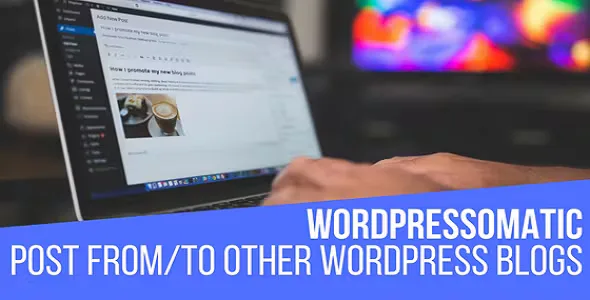
WordPressomatic WordPress Automatic Crossposter
Antivirus scan
Powered by ClamAV
✅ Verified clean
This product file has passed our security filters.
Want to run a fresh ClamAV scan right now? Takes a few seconds and shows scanner version, signature DB and live result.
This can take 5 to 30 seconds.
Clean file Threat detected
No threats detected in this file.
- File
- Size
- Scanned
- ClamAV
- Signature database
⚡ Powered by ClamAV
Scan could not be completed
Report product
If you detected an issue (broken file, malware, inappropriate content, etc.) let us know and we'll review it ASAP.
Sign in to reportNewer version out, or a problem?
About WordPressomatic WordPress Automatic Crossposter
Blogs that feed on other WordPress sites and don't want to copy posts by hand
A blog that publishes content from other WordPress sites usually ends up copying posts by hand, checking what is new and forgetting to publish half the days. WordPressomatic is built so that this flow runs on its own: it imports posts from other WordPress installations through the REST API and can do it every time you publish a new post on your blog.
If what you need is to import from WordPress.com, this is not the plugin: for those blogs there is Wpcomomatic, which is a different tool. Its source is WordPress installations and public WordPress pages.
Which search and publishing rules you control
Each import is defined by rules. First you narrow the post search with several query options, then you decide how what comes in gets published, for example:
- The status of each generated post: published, draft, pending, private or trash.
- Categories and tags, which can be generated from the data of each imported item or added by hand.
- Comment import for generated posts, and enabling or disabling comments, pingbacks and trackbacks.
- A featured image generated automatically for each post.
Publishing restrictions control which posts get published: you can skip posts without images, set minimum and maximum lengths for title and content, and publish only when certain required keywords appear or discard posts that contain banned ones. It can also generate pages, not only posts.
Translation and word swapping for the imported text
If the original content is in another language, the Google Translate integration lets you choose the language in which you want to publish your articles. The Text Spinner support automatically modifies the generated text and swaps words for synonyms. You can also customize the title and content with a wide set of post shortcodes.
Automatic affiliate links with the Keyword Replacer Tool of WordPressomatic
This tool replaces a keyword with your affiliate link wherever it appears in your site's content. For example, you can define the word codecanyon so that it becomes a link with your referral every time it appears. It comes with a random sentence generator made of relevant sentences that you define.
Activity logging and rule scheduling on your blog
Rules run on the schedule you define, and the plugin keeps a detailed log of its activity. The plugin can also include Open Graph meta tags across the whole blog, which control how posts look when shared on social networks.
Frequently asked questions about WordPressomatic
Can I import from a WordPress.com blog?
Not with this plugin. For WordPress.com blogs there is Wpcomomatic, a separate tool.
Can I stop posts without images from being published?
Yes. Among the publishing restrictions you can require images, and you can also set minimum and maximum lengths for title and content.
Can imported posts stay as drafts?
Yes. The status of generated posts is configurable: published, draft, pending, private or trash.
Are comments imported too?
You can turn on comment import for generated posts and decide whether those posts accept comments, pingbacks or trackbacks.
Can I publish in another language?
Yes. With Google Translate support you choose the language in which your articles are published.
Version history
-
v
1.5.0.3 Current 8 May 2024
Customer reviews
Sign in to leave a review. Only people who have the product can review it.
No reviews for this product yet.
Frequently asked questions
-
GPL (General Public License) is the license under which WordPress and most premium plugins/themes are distributed. It grants you the right to use, modify and redistribute the software in as many projects as you want, with no domain restrictions.
-
Yes. With membership you get automatic updates via our GPLClub Updater plugin (installed on your WP, detects new versions and applies them). With individual purchase, you get one year of manual updates from your account.
-
Depends on the plan. Monthly: 3 domains. Semi-annual: 7. Annual and Lifetime: 15. Individual purchase: 1 domain.
-
GPLClub offers its own support for installation, configuration and compatibility. For direct support from the original author (feature requests, product-specific bugs), a license purchased from the author is required.