Wow Modal Windows Pro
Antivirus scan
Powered by ClamAV
✅ Verified clean
This product file has passed our security filters.
Want to run a fresh ClamAV scan right now? Takes a few seconds and shows scanner version, signature DB and live result.
This can take 5 to 30 seconds.
Clean file Threat detected
No threats detected in this file.
- File
- Size
- Scanned
- ClamAV
- Signature database
⚡ Powered by ClamAV
Scan could not be completed
Report product
If you detected an issue (broken file, malware, inappropriate content, etc.) let us know and we'll review it ASAP.
Sign in to reportNewer version out, or a problem?
About Wow Modal Windows Pro
Windows that appear at the right moment, not when they get in the way
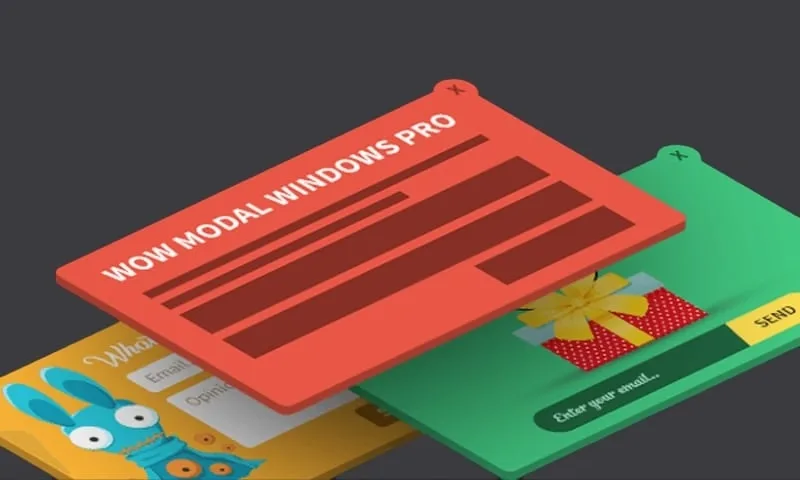
Many popups fail because of when they show up: they fire as soon as someone lands, cover the content the visitor came to read, and get closed without a look. Wow Modal Windows Pro lets you decide what triggers each window.
The basic options are opening on click, automatically, when hovering over a specific element, when the visitor tries to leave the page, or when they scroll down a set percentage of the page. The free version covers those, while the advanced features add right click, text selection, activation by a URL parameter and by the site the visitor comes from.
Design, animations and video inside each window
You can customize the window's style, title and close button, and write the content with an HTML editor or with shortcodes. There are 28 animation transitions; the free version keeps just one, the fade.
With the advanced features you can embed YouTube and Vimeo videos with playback controls. The plugin also includes creating floating buttons.
How the window closes and what the visitor can do
By default, the window closes with the overlay or the Esc key. With the advanced features you can remove the close button so the visitor has to act, delay when the close button appears, close the window automatically after a while, or close it when a form is submitted.
With the advanced features, closing after submission works with default forms, Contact Form 7 and WP Forms. With them, once the window closes it can redirect the visitor to a specific URL, for example to an offer or to the next piece of content.
Geotargeting, scheduling and language only in the advanced features
The free version shows the window with a shortcode or across the whole site. The advanced features let you limit it by page type, post categories and tags, author pages, taxonomies and date archives, and add rules for user roles, days, times and specific dates, language, browser or the visitor's country.
You can also show a window only after another one set to show once has converted, which is useful for following up with people who already interacted. And the Google Analytics integration logs, through events, how many times each window is opened and closed.
Frequently asked questions about Wow Modal Windows Pro
Can I show a different window depending on the visitor's country?
Yes, with the geotargeting in the advanced features, which shows windows based on each visitor's country.
Can I close the window automatically when a form is submitted?
Yes. With the advanced features, the window closes when a default form, a Contact Form 7 form or a WP Forms form is sent.
Can I show windows only to certain user roles?
Yes, you can choose which roles, such as administrator, editor or author, see the window. It works for internal notices or for specific groups of users.
Can I measure how many people open the window?
Yes, with the Google Analytics event integration, which records each window's opens and closes. It is one of the advanced features.
Before you decide: what you need depending on how many windows and rules you want
If a simple window that opens on a click or automatically is enough, the free version covers that case with unlimited modals, an HTML editor, shortcodes and styling. When you need visibility rules by country, role, language or timing, those rules are in the advanced features.
What you need is WordPress with the plugin active. If your site uses Contact Form 7 or WP Forms and you want the window to close when the form is sent, that option is in the advanced features.
Topics
Version history
-
v
4.3.7 Current 8 Jan 2025
Customer reviews
Sign in to leave a review. Only people who have the product can review it.
No reviews for this product yet.
Frequently asked questions
-
GPL (General Public License) is the license under which WordPress and most premium plugins/themes are distributed. It grants you the right to use, modify and redistribute the software in as many projects as you want, with no domain restrictions.
-
Yes. With membership you get automatic updates via our GPLClub Updater plugin (installed on your WP, detects new versions and applies them). With individual purchase, you get one year of manual updates from your account.
-
Depends on the plan. Monthly: 3 domains. Semi-annual: 7. Annual and Lifetime: 15. Individual purchase: 1 domain.
-
GPLClub offers its own support for installation, configuration and compatibility. For direct support from the original author (feature requests, product-specific bugs), a license purchased from the author is required.