WP Adminify Dashboard Customizer
Antivirus scan
Powered by ClamAV
✅ Verified clean
This product file has passed our security filters.
Want to run a fresh ClamAV scan right now? Takes a few seconds and shows scanner version, signature DB and live result.
This can take 5 to 30 seconds.
Clean file Threat detected
No threats detected in this file.
- File
- Size
- Scanned
- ClamAV
- Signature database
⚡ Powered by ClamAV
Scan could not be completed
Report product
If you detected an issue (broken file, malware, inappropriate content, etc.) let us know and we'll review it ASAP.
Sign in to report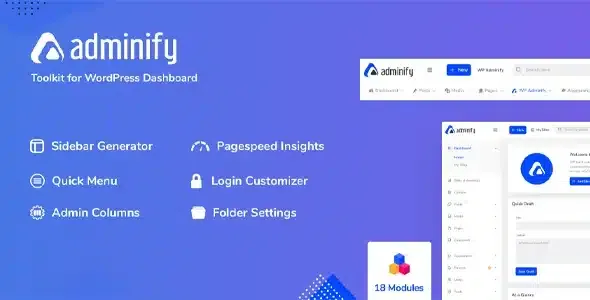
About WP Adminify Dashboard Customizer
Your client never sees WordPress: they see the panel you left them
You deliver a flawless website and, the next day, the client opens the dashboard. Twenty menu items, plugin notices, a welcome panel they did not ask for, the branding of every tool you installed. They touch something they should not have, or cannot find where to change a price, and they write to you.
For people who do client work, the admin panel is part of what you deliver, and whatever confuses clients there comes back as support requests. WP Adminify brings together in one plugin more than 60 features to decide what each role sees in that panel, with what look and with what branding.
It also works on your own site with several writers, although the case that gives it meaning is the panel prepared for someone else.
What changes on the dashboard
- Look: color schemes, backgrounds, fonts and Light, Dark, Gradient and Glass skins.
- Dark mode: with one click, following the operating system or scheduled by time.
- Menu editor: rename, reorder, nest and change icons, with per-role visibility and custom links.
- White label: panel footer, "Howdy" greeting, custom login pages and login URL.
- Tailored dashboard: remove widgets and the welcome panel, add your own text, RSS or iframe widgets, and per-role admin pages.
- Notices: hide them for everyone or per role.
What it saves in daily work
- Media: folders and subfolders with drag and drop, and Media Replace included.
- Content: duplicate posts, pages and content types with one click, with WooCommerce support, and reorder posts and content types, also with ACF and Pods.
- Users: change usernames without touching the database.
- Code: custom CSS and JS in the panel and on the public side, with multiple snippets and per device.
- Site settings: Heartbeat control, disabling embeds, comments or Gutenberg, and cleaning up the head.
- Access: custom login URL, attempt limit and per-role redirects on login and logout.
The addon system adds pieces such as Admin Bar Editor, Loginfy, RoleMaster Suite for roles and capabilities, Activity Logs to record logins and edits, Admin Columns Editor and Quick Menu.
The admin panel yes, the public site no
It does not design your website. It works on the admin panel; the public side remains the job of your theme and your builder. What reaches that side is CSS and JS snippets and some specific settings.
It does not replace a security plugin. Among its features there is no firewall or malware scanning. The custom login URL and attempt limit are access measures.
Hiding a notice does not solve it. It can hide notifications and WordPress update messages. If you do not see them either, someone has to keep checking those updates another way.
It overlaps with what you already have. If you use another plugin for media folders, duplicating content or changing the login, decide which one stays so you do not have two solving the same thing.
Preparing a panel for handover
It needs WordPress 5.0 or higher and PHP 7.4 or higher. A reasonable path:
- Install and activate the plugin on a copy of the site.
- Create a user with the role the client will have, to see what they see.
- Adjust the menu for that role: remove what they do not need and rename what is unclear.
- Clean up the dashboard and add a widget with what they will consult most.
- Apply the branding: colors, footer and login page.
- Log in as that user and check they can find the usual tasks.
If a single piece is enough
When all you need is the menu, Admin Menu Editor Pro is dedicated to that: it edits the dashboard menu and adds per-role permissions, such as hiding a menu from everyone except a specific user.
If your problem is in the lists, Admin Columns Pro goes well beyond showing columns: inline editing, filters with operators and CSV export from the table itself.
Branding, roles and dark mode in detail
Can it remove WordPress branding from the panel?
It lets you change the panel footer, remove the "Howdy" greeting and use custom login pages.
Can I show a different menu to each role?
Yes. The menu editor controls visibility by role.
Does it affect the look of the public website?
Its look applies to the panel. On the public side only the snippets and settings you add take effect.
Can each user choose dark mode?
Yes, dark mode is per user and can be scheduled by time.
Topics
Version history
-
v
4.3.3 Current 14 Oct 2026
-
v
4.3.1 5 Sep 2026
-
v
4.2.26 14 Aug 2026
-
v
4.1.15 30 Apr 2026
Customer reviews
Sign in to leave a review. Only people who have the product can review it.
No reviews for this product yet.
Frequently asked questions
-
GPL (General Public License) is the license under which WordPress and most premium plugins/themes are distributed. It grants you the right to use, modify and redistribute the software in as many projects as you want, with no domain restrictions.
-
Yes. With membership you get automatic updates via our GPLClub Updater plugin (installed on your WP, detects new versions and applies them). With individual purchase, you get one year of manual updates from your account.
-
Depends on the plan. Monthly: 3 domains. Semi-annual: 7. Annual and Lifetime: 15. Individual purchase: 1 domain.
-
GPLClub offers its own support for installation, configuration and compatibility. For direct support from the original author (feature requests, product-specific bugs), a license purchased from the author is required.