WP All Export - Gravity Forms Add-On
Antivirus scan
Powered by ClamAV
✅ Verified clean
This product file has passed our security filters.
Want to run a fresh ClamAV scan right now? Takes a few seconds and shows scanner version, signature DB and live result.
This can take 5 to 30 seconds.
Clean file Threat detected
No threats detected in this file.
- File
- Size
- Scanned
- ClamAV
- Signature database
⚡ Powered by ClamAV
Scan could not be completed
Report product
If you detected an issue (broken file, malware, inappropriate content, etc.) let us know and we'll review it ASAP.
Sign in to reportNewer version out, or a problem?
About WP All Export - Gravity Forms Add-On
Gravity Forms entries outside the site, in the spreadsheet your team already uses
A form that has been collecting quote requests, orders or sign-ups for months builds up data your team needs outside WordPress: to call each person, match the list against a CRM or prepare invoices. Copying it field by field takes hours, and mistakes slip in easily. WP All Export - Gravity Forms Add-On pulls those entries into a file that opens directly in a spreadsheet or another program.
Columns, delimiters and every Gravity Forms field
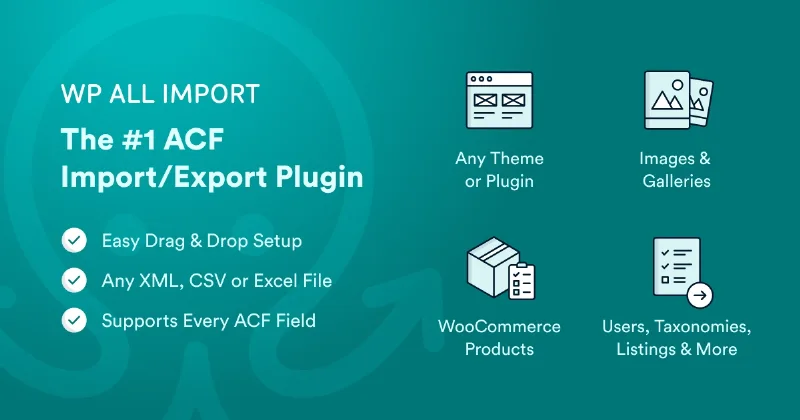
The add-on supports every Gravity Forms field type, with wide customization options. It exports data from standard fields, lists, checkboxes, multi-selects, file uploads and post fields, among others.
Inside the export you can drag to reorder columns, edit their labels, combine data from several fields and choose the CSV delimiter. The result is the exact spreadsheet you need. As an add-on for WP All Export, it needs that plugin installed and active, plus Gravity Forms with the forms you want to export.
CSV, Excel, XML and scheduled exports
The output format can be one of these:
- CSV, for spreadsheets and other programs.
- Excel, in XLS or XLSX format.
- XML, with the structure your system needs, built by dragging fields or written by hand.
The file can be sent to Dropbox or Google Sheets. With the Zapier integration it reaches more than 1000 apps, including email and Google Drive. Exports can be scheduled to run on their own, with cron on your server or with a scheduling service set up from the interface itself.
Filters, PHP code and moving to another site
Filter rules decide precisely which entries are exported and which are skipped. When the logic gets complicated, you can write and test PHP code inside the plugin itself, with instant previews of what will appear in the file. Full documentation of the API and actions is available for anyone who wants to extend the process.
Migrating entries to another site
To move entries from one WordPress site to another, export them by downloading the Bundle option instead of the loose data file. On the destination site, when you import that Bundle, WP All Import knows how to configure the import on its own. That is why the destination site also needs WP All Import.
Frequently asked questions about exporting Gravity Forms entries
How do I export entries to CSV?
From All Export, choose Gravity Forms Entries in the list, select the form, adjust the columns and leave the export type set to CSV.
And to Excel?
It is the same process, but you change the export type to Excel (XLS or XLSX) before running it.
What happens when Gravity Forms adds a new field?
New fields are added to the add-on as soon as they appear. If you notice one it does not support yet, you can report it so it gets added.
Can I schedule the export to repeat automatically?
Yes, at whatever frequency you need. You can use cron on the server or the scheduling service, which is set up directly from the interface.
WooCommerce, WPML and Yoast in the same export
If you build e-commerce or listing websites, you can take form entries along with the rest of the site data. You can also export data from WooCommerce, WPML, Yoast SEO, Toolset Types and any other theme or plugin.
Site size does not change the process, and it does not matter how many entries need exporting.
Topics
Version history
-
v
1.0.2 Current 13 May 2024
Customer reviews
Sign in to leave a review. Only people who have the product can review it.
No reviews for this product yet.
Frequently asked questions
-
GPL (General Public License) is the license under which WordPress and most premium plugins/themes are distributed. It grants you the right to use, modify and redistribute the software in as many projects as you want, with no domain restrictions.
-
Yes. With membership you get automatic updates via our GPLClub Updater plugin (installed on your WP, detects new versions and applies them). With individual purchase, you get one year of manual updates from your account.
-
Depends on the plan. Monthly: 3 domains. Semi-annual: 7. Annual and Lifetime: 15. Individual purchase: 1 domain.
-
GPLClub offers its own support for installation, configuration and compatibility. For direct support from the original author (feature requests, product-specific bugs), a license purchased from the author is required.