WP Content Copy Protection and No Right Click
Antivirus scan
Powered by ClamAV
✅ Verified clean
This product file has passed our security filters.
Want to run a fresh ClamAV scan right now? Takes a few seconds and shows scanner version, signature DB and live result.
This can take 5 to 30 seconds.
Clean file Threat detected
No threats detected in this file.
- File
- Size
- Scanned
- ClamAV
- Signature database
⚡ Powered by ClamAV
Scan could not be completed
Report product
If you detected an issue (broken file, malware, inappropriate content, etc.) let us know and we'll review it ASAP.
Sign in to report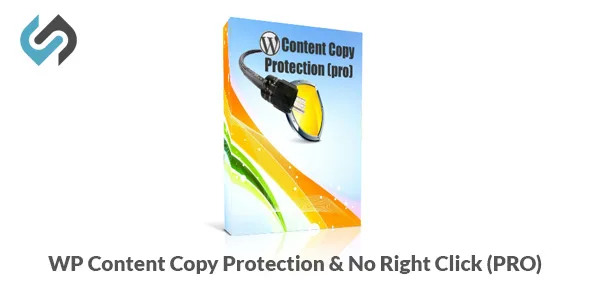
About WP Content Copy Protection and No Right Click
When a paragraph of yours ends up on someone else's website
You publish an article that took hours of research, a photo that required planning, or a product description, and a visitor copies it with a double click and a keyboard shortcut. WP Content Copy Protection and No Right Click adds friction to those everyday browser actions. It does not eliminate all of them, and you should know that from the start.
Trying WP Content Copy Protection and No Right Click step by step, as a recipe or photography blog would
Imagine you run a blog with original text and your own images. This would be the logical walkthrough:
- Block text selection: you choose which page types it applies to (home, posts, pages, archives, categories, tags, authors, search results, attachments, 404, login and even WooCommerce pages) and write the message the reader will see.
- Decide which shortcuts get closed: each common combination for copy, cut, paste, select all, save or view source has its own switch, so you leave open the ones that don't bother you.
- Tune right-click element by element: images, links, text, headlines, text fields, empty spaces, videos, code blocks, canvas elements and audio players. Each can show a different alert, so a blocked image can say something different from a blocked link.
- Add friction to screen capture: Print Screen, drag and drop and the F12 inspector key can each be slowed down with one click, and there is a Ctrl+P block with its own message for printing.
- Test as a reader: open your pages on desktop and mobile, check links and forms, and loosen whatever gets in the way.
Here is the first limit: public content cannot be made airtight. Anyone determined to copy it has other routes. What you achieve is that casual copying stops being convenient.
Watermarks and the speed cost worth measuring
The designer works on a live image: you combine a logo, a central word, repeated site text, a signature line and a stamp, adjust size and transparency, check the result on light or dark backgrounds and save the design as a preset.
There is also a simulator that tests your method on PNG, JPG, GIF and WebP samples at three sizes and gives you the real file URL so you can open it. A speed estimator times each method on your own server: response time, impact, cache compatibility and an SEO score. If your hosting is tight, that measurement saves you surprises. You can also exclude specific images by name and size.
A note on editions: the code-block copy button, the watermark designer, the simulator and the speed estimator are listed as part of the Complete and Max editions, not the basic one.
Questions buyers ask before installing
Does it stop someone from stealing an image?
It makes right-click, dragging and shortcuts harder. It is not an absolute guarantee, because whatever the browser displays can always be captured in some way.
Will it get in the way of my code tutorials?
It doesn't have to. On technical sites, selection can stay open inside code blocks, with a copy button so your readers can take the snippets (Complete or Max edition).
Will it block me or my team?
Not if you don't want it to. You can exempt administrators, editors or any role, and a searchable picker includes the roles added by WooCommerce or SEO plugins.
Can I leave some pages unprotected?
Yes: by content type, category or specific URL. Ending a URL with /* excludes a whole section. There is also an opposite mode to protect only certain URLs.
Alerts that look like part of your site
The messages visitors see can be styled with ready-made palettes, and each one can be fine-tuned in colour, width, height and emphasis with a live preview. You set how long the alert stays and the font size, and you can export your favourite palettes to reuse on another site. You can also take action when JavaScript is disabled. If your audience is demanding, test that the alerts don't feel aggressive: protection that annoys honest readers costs more than it protects.
Topics
Version history
-
v
17.6 Current 5 Sep 2026
-
v
17.5 11 Aug 2026
-
v
17.0 20 Jan 2026
Customer reviews
Sign in to leave a review. Only people who have the product can review it.
No reviews for this product yet.
Frequently asked questions
-
GPL (General Public License) is the license under which WordPress and most premium plugins/themes are distributed. It grants you the right to use, modify and redistribute the software in as many projects as you want, with no domain restrictions.
-
Yes. With membership you get automatic updates via our GPLClub Updater plugin (installed on your WP, detects new versions and applies them). With individual purchase, you get one year of manual updates from your account.
-
Depends on the plan. Monthly: 3 domains. Semi-annual: 7. Annual and Lifetime: 15. Individual purchase: 1 domain.
-
GPLClub offers its own support for installation, configuration and compatibility. For direct support from the original author (feature requests, product-specific bugs), a license purchased from the author is required.