WP Dark Mode
Antivirus scan
Powered by ClamAV
✅ Verified clean
This product file has passed our security filters.
Want to run a fresh ClamAV scan right now? Takes a few seconds and shows scanner version, signature DB and live result.
This can take 5 to 30 seconds.
Clean file Threat detected
No threats detected in this file.
- File
- Size
- Scanned
- ClamAV
- Signature database
⚡ Powered by ClamAV
Scan could not be completed
Report product
If you detected an issue (broken file, malware, inappropriate content, etc.) let us know and we'll review it ASAP.
Sign in to report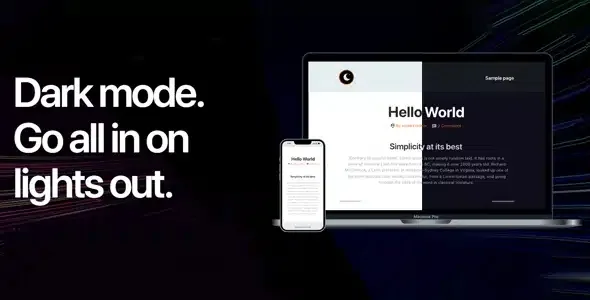
About WP Dark Mode
Many websites look fine by day and turn into a white wall at night: tiring text, glaring forms, and visitors who close the tab without knowing why. Someone browsing on a phone in dark mode expects your site to respect that, and when it doesn't, they notice it as an annoyance.
Your site is also read at night, and almost nobody tests it that way
Whoever publishes content usually reviews it during working hours, in daylight, with the light theme. But a good share of reading on blogs, shops, and resource sites happens in the evening, on the sofa or in bed. WP Dark Mode adds a dark version of your site without redoing the design: the visitor sees a dark background and, if they prefer, can go back to light with a switch.
How WP Dark Mode decides when to go dark
- Based on the operating system: if the visitor's device already uses a dark theme, the site is shown dark automatically.
- Based on the user's local time: the time-based mode is part of the Pro version.
- With a switch: the visitor turns it on and off whenever they want. The Pro version offers several button styles, with custom position, CTA text, and seven animation effects.
The switch can also be placed with a widget on any page or post, which is useful if you don't want a floating button across the whole site.
Colors, images, and CSS: where to fine-tune the result
Inverting colors carelessly leaves photos looking dull and logos unreadable. That's why the plugin includes predefined color schemes and lets you customize the background and text of dark mode. For images, you can upload a lighter version of the same photo and the plugin will serve it in dark mode. And if a button or a particular section doesn't look right, there is a custom CSS field to fix it.
There is also a separate Gutenberg feature: you can change the color of the editor itself among six schemes.
Page builder and WooCommerce compatibility
The plugin is compatible with the most popular page builders and with WooCommerce, and it is fine-tuned for the most widely used themes and plugins. That doesn't guarantee your specific combination will be perfect: a theme with a lot of its own styles or a plugin with fixed backgrounds may need adjustments. That's why you should test the shop, cart, and product page before going live.
Scheduling and extra switches belong to the Pro version
This separates what the plugin solves from what you will have to cover yourself:
- It solves: automatic dark mode based on the system, customizable colors, your own CSS, an alternative image for dark mode, the switch widget, and compatibility with page builders and WooCommerce.
- You cover: the visitor's time-based mode and the switch styles with effects and CTA depend on the Pro version.
- You cover: the alternative images, which you must prepare yourself; the plugin serves the lighter version, but doesn't create it.
- You cover: CSS tweaks for third-party elements that don't look right.
Frequently asked questions about WP Dark Mode
Do I have to redesign my site?
No. What you should do is review logos, photos, and sections with their own backgrounds.
Can visitors choose?
Yes, with the switch. You can also place it with a widget wherever you want on the page or post.
Does it work with WooCommerce?
Yes, it has WooCommerce support. Even so, check the full checkout process in dark mode before going live.
Will my photos look bad?
They may look dark or low in contrast. For that, you can assign a lighter version of the image that is shown in dark mode.
Does it increase conversion by 323%?
That is a marketing figure and you shouldn't take it as a promise. The real, verifiable benefit is more comfortable reading for those who prefer a dark theme.
Version history
-
v
4.0.16 Current 20 Feb 2026
Customer reviews
Sign in to leave a review. Only people who have the product can review it.
No reviews for this product yet.
Frequently asked questions
-
GPL (General Public License) is the license under which WordPress and most premium plugins/themes are distributed. It grants you the right to use, modify and redistribute the software in as many projects as you want, with no domain restrictions.
-
Yes. With membership you get automatic updates via our GPLClub Updater plugin (installed on your WP, detects new versions and applies them). With individual purchase, you get one year of manual updates from your account.
-
Depends on the plan. Monthly: 3 domains. Semi-annual: 7. Annual and Lifetime: 15. Individual purchase: 1 domain.
-
GPLClub offers its own support for installation, configuration and compatibility. For direct support from the original author (feature requests, product-specific bugs), a license purchased from the author is required.