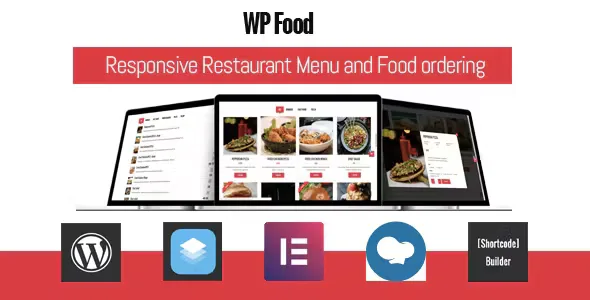
WP Food Restaurant Menu and Food Ordering
Antivirus scan
Powered by ClamAV
✅ Verified clean
This product file has passed our security filters.
Want to run a fresh ClamAV scan right now? Takes a few seconds and shows scanner version, signature DB and live result.
This can take 5 to 30 seconds.
Clean file Threat detected
No threats detected in this file.
- File
- Size
- Scanned
- ClamAV
- Signature database
⚡ Powered by ClamAV
Scan could not be completed
Report product
If you detected an issue (broken file, malware, inappropriate content, etc.) let us know and we'll review it ASAP.
Sign in to reportNewer version out, or a problem?
About WP Food Restaurant Menu and Food Ordering
Restaurants and cafés that want online orders without setting up a WooCommerce store
A printed menu or a PDF on the website goes out of date as soon as a dish sells out or changes, and every call asking what is available ends up taking staff time. For a restaurant or café, the published menu is often the first sale: if it is up to date and can be ordered from a phone.
WP Food is built for that food business: it displays the dishes, collects orders and sends email alerts. If you need WooCommerce, this plugin is not compatible with it, so it is not the choice for a store already running on that tool.
Dishes, categories and availability by location in WP Food
You create dishes in just a few clicks and group them into categories. If you have several locations, you decide which dishes are available in each one. You also choose how they appear: as single items, all together or by category.
- Dishes created and edited in just a few clicks
- Menu categories that are easy to build
- Dish availability set by location
Each dish can carry its own description and image gallery.
How the menu looks on the website: grid, list, table or carousel
You can choose a grid, list, table or sliding carousel, and set from one to five columns. Colors and fonts are unlimited, so the menu can follow the look of your website and your branding. There is also Ajax load more, pagination and a popup with each dish's information.
WP Food orders: email alerts, reCAPTCHA and delivery or pickup
When an order is placed, an email reaches the restaurant and the customer gets one too. You can enable a reCAPTCHA challenge at checkout. The customer chooses delivery or pickup, and can check their orders in their user dashboard.
Orders can also be printed.
Built-in cart, PayPal payment and responsive design in WP Food
WP Food includes its own cart and checkout page, with PayPal payment support, and looks right on any device. It comes with over ten food styles to choose from and supports WPBakery.
Frequently asked questions about WP Food
Does it work with WooCommerce?
No. The plugin does not support WooCommerce, so if your store depends on that tool, WP Food is not the option.
Can I customize colors and fonts?
Yes. You can choose unlimited colors and fonts so the menu matches your website and branding.
Can I show a dish in only one location?
Yes. You can set food availability by location, so a dish can appear at one venue and not at another.
What does the restaurant and the customer receive when an order is placed?
Email notifications are sent, and the customer receives one too. The customer can also see their orders in their user dashboard.
Topics
Version history
-
v
2.7.2 Current 17 Mar 2026
Customer reviews
Sign in to leave a review. Only people who have the product can review it.
No reviews for this product yet.
Frequently asked questions
-
GPL (General Public License) is the license under which WordPress and most premium plugins/themes are distributed. It grants you the right to use, modify and redistribute the software in as many projects as you want, with no domain restrictions.
-
Yes. With membership you get automatic updates via our GPLClub Updater plugin (installed on your WP, detects new versions and applies them). With individual purchase, you get one year of manual updates from your account.
-
Depends on the plan. Monthly: 3 domains. Semi-annual: 7. Annual and Lifetime: 15. Individual purchase: 1 domain.
-
GPLClub offers its own support for installation, configuration and compatibility. For direct support from the original author (feature requests, product-specific bugs), a license purchased from the author is required.