WP Logo Showcase Responsive Slider Pro
Antivirus scan
Powered by ClamAV
✅ Verified clean
This product file has passed our security filters.
Want to run a fresh ClamAV scan right now? Takes a few seconds and shows scanner version, signature DB and live result.
This can take 5 to 30 seconds.
Clean file Threat detected
No threats detected in this file.
- File
- Size
- Scanned
- ClamAV
- Signature database
⚡ Powered by ClamAV
Scan could not be completed
Report product
If you detected an issue (broken file, malware, inappropriate content, etc.) let us know and we'll review it ASAP.
Sign in to reportNewer version out, or a problem?
About WP Logo Showcase Responsive Slider Pro
Client logos as proof of trust across your site
When a skeptical visitor doubts your brand, well-known logos bring their guard down. WP Logo Showcase Responsive Slider turns them into a visible, organized carousel.
Who shows logos and on what kind of site
Corporate site with clients and partners
This is the most direct use: showing which companies you work with, on the home page or the services page. You can display clients and partners in separate carousels.
Online store with the brands you sell
If you work with manufacturers or brands, you can show their logos in a carousel.
Portfolio for a studio or freelancer
Logos of the clients you have worked for are shown in your portfolio. You can separate them into categories, for example gold and silver.
Blog with sponsors or associated brands
If your blog has partners or sponsors, you can show their logos in a carousel.
Automatic scrolling or manual browsing, the visitor decides
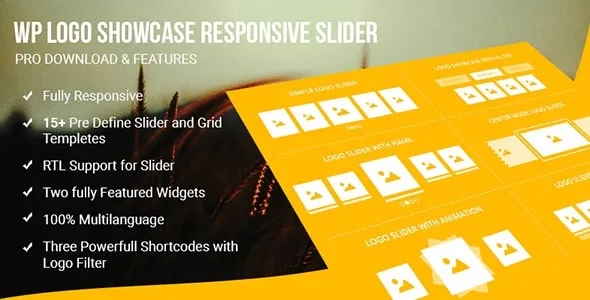
You can set the carousel to scroll on its own, or let each visitor move through the logos with arrows, dots or swiping on mobile. Center mode highlights the active logo in the middle with a polished design, and the carousel adapts to any device. You also control the size, the animations and the navigation.
- Automatic or manual scrolling with arrows, dots or swiping.
- Center mode to highlight the active logo.
- Responsive design for any device.
- Control over size, animations and navigation.
Each logo in WP Logo Showcase Responsive Slider is managed like a WordPress post
The plugin uses its own content type that works like the WordPress posts section. You add a logo the way you would add a post, organize it into categories and show it with a shortcode on the page you choose. That is why it is very easy for anyone to set up.
Frequently asked questions about WP Logo Showcase Responsive Slider
How many logos can I show?
As many as you need. You can show two logos or twenty, and each category can have its own carousel.
Can I have separate carousels, for example for clients and sponsors?
Yes. You organize logos into categories, such as gold and silver, and each category can appear in its own carousel.
Does it look good on mobile?
Yes. The design is responsive and adapts to any device, and on mobile visitors can swipe through the logos.
Can I choose whether the carousel scrolls on its own?
Yes. You set it to automatic or manual, and in manual mode visitors use arrows, dots or swiping.
Do I need code to add it?
It is placed with a shortcode on the page you choose, and the logos are managed like WordPress posts.
Where to place the carousel so visitors see it
You can place it anywhere on your site. As a practical tip, the home page, the services or product pages and the About page are places where visitors will see it.
Version history
-
v
1.6 Current 17 May 2024
Customer reviews
Sign in to leave a review. Only people who have the product can review it.
No reviews for this product yet.
Frequently asked questions
-
GPL (General Public License) is the license under which WordPress and most premium plugins/themes are distributed. It grants you the right to use, modify and redistribute the software in as many projects as you want, with no domain restrictions.
-
Yes. With membership you get automatic updates via our GPLClub Updater plugin (installed on your WP, detects new versions and applies them). With individual purchase, you get one year of manual updates from your account.
-
Depends on the plan. Monthly: 3 domains. Semi-annual: 7. Annual and Lifetime: 15. Individual purchase: 1 domain.
-
GPLClub offers its own support for installation, configuration and compatibility. For direct support from the original author (feature requests, product-specific bugs), a license purchased from the author is required.