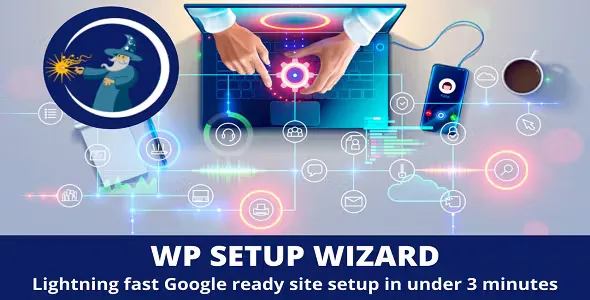
WP Setup Wizard
Antivirus scan
Powered by ClamAV
✅ Verified clean
This product file has passed our security filters.
Want to run a fresh ClamAV scan right now? Takes a few seconds and shows scanner version, signature DB and live result.
This can take 5 to 30 seconds.
Clean file Threat detected
No threats detected in this file.
- File
- Size
- Scanned
- ClamAV
- Signature database
⚡ Powered by ClamAV
Scan could not be completed
Report product
If you detected an issue (broken file, malware, inappropriate content, etc.) let us know and we'll review it ASAP.
Sign in to reportNewer version out, or a problem?
About WP Setup Wizard
What gets repeated in every WordPress launch
Anyone who builds WordPress sites regularly knows that much of the time goes into tasks that repeat identically on every project. Before writing a single page you have to clear the sample content, fill in the general settings, prepare the SEO, draft the legal pages, and get security and speed in shape.
WP Setup Wizard brings those tasks together in a single wizard. Among the ones it covers are:
- Deleting sample posts, pages and comments.
- Setting the site name, admin email, time zone and language.
- Adjusting general SEO, including meta data, local JSON-LD tags and the robots.txt file.
- Creating pages such as “Contact Us”, “About Us” or “Privacy Policy”.
- Adding a cookie notice and helping the site comply with the GDPR.
WP Setup Wizard turns that checklist into a step-by-step wizard
The “Quick Setup Wizard” follows the same logic as Windows installers: you move through simple steps and the site gets configured. Among what it includes is:
- Showing visitors an “Under Construction” page while you prepare the site.
- Automatically installing the plugins and theme you are going to use.
- Setting up security: limiting login attempts, changing the login URL, forcing HTTPS and integrating ReCaptcha.
- Adding social sharing buttons for Facebook, Twitter, Pinterest, Reddit and LinkedIn.
- Activating AdSense Auto Ads or displaying affiliate products from Amazon, eBay, ClickBank, Commission Junction, Envato, GearBest, AliExpress, Walmart or Etsy.
- Applying speed optimizations: minifying, compressing and combining HTML, JavaScript and CSS, leveraging browser caching and enabling GZIP compression.
- Customizing the login page, the admin bar and the dashboard with your brand.
It also includes a contact form and tools for database cleanup and backup.
When WP Setup Wizard makes sense on a new site
WP Setup Wizard is designed for newly created WordPress sites. Because it automatically removes all posts, pages, comments, tags, categories and attachments, it is worth using before you fill the site with content you want to keep. If you already have texts or images you want to keep, review them before launching the wizard.
Frequently asked questions about WP Setup Wizard
Does it work for a site that already has content?
It is designed to set up new sites. Its removal feature deletes all posts, pages, comments, tags, categories and attachments, so it is intended for sites without content you want to keep.
Can I show a maintenance page while I set up the site?
Yes. The wizard lets you show visitors an “Under Construction” page while you prepare the site.
Which legal pages does it create?
It creates pages such as “Contact Us”, “About Us”, “Privacy Policy”, “Terms of Service” and “Affiliate Disclaimer”, among others.
How can I monetize the site from the wizard?
You can set up AdSense Auto Ads or display affiliate products from stores such as Amazon, eBay or Etsy, which are shown automatically.
Can I restore the database to its original state?
Yes. It lets you reset any of the site’s databases to its original state, the one it had when WordPress was installed.
Version history
-
v
1.1.0 Current 25 Jun 2025
Customer reviews
Sign in to leave a review. Only people who have the product can review it.
No reviews for this product yet.
Frequently asked questions
-
GPL (General Public License) is the license under which WordPress and most premium plugins/themes are distributed. It grants you the right to use, modify and redistribute the software in as many projects as you want, with no domain restrictions.
-
Yes. With membership you get automatic updates via our GPLClub Updater plugin (installed on your WP, detects new versions and applies them). With individual purchase, you get one year of manual updates from your account.
-
Depends on the plan. Monthly: 3 domains. Semi-annual: 7. Annual and Lifetime: 15. Individual purchase: 1 domain.
-
GPLClub offers its own support for installation, configuration and compatibility. For direct support from the original author (feature requests, product-specific bugs), a license purchased from the author is required.