WP Sheet Editor Users Extension
Antivirus scan
Powered by ClamAV
✅ Verified clean
This product file has passed our security filters.
Want to run a fresh ClamAV scan right now? Takes a few seconds and shows scanner version, signature DB and live result.
This can take 5 to 30 seconds.
Clean file Threat detected
No threats detected in this file.
- File
- Size
- Scanned
- ClamAV
- Signature database
⚡ Powered by ClamAV
Scan could not be completed
Report product
If you detected an issue (broken file, malware, inappropriate content, etc.) let us know and we'll review it ASAP.
Sign in to report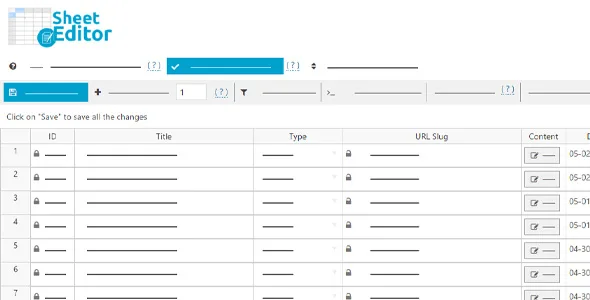
About WP Sheet Editor Users Extension
If you manage thousands of users and every tweak means opening a profile, this is for you
Changing an email, fixing a country or resetting a password in WordPress means opening the profile, finding the field, editing, saving and starting over with the next user. With ten users it is a nuisance; with thousands, it is a task nobody does.
WP Sheet Editor Users Extension lets you edit your users in one go, from a spreadsheet inside the admin area.
- It suits you if you have a WooCommerce store, a blog with many authors, a forum built on WordPress or any site where people register.
- You do not need it if you have a handful of users: the WordPress profile editor is enough.
- Bulk avatar uploads only work if you already use a separate avatar plugin.
- The spreadsheet lives in the admin area (wp-admin), not on the public side of the site.
Formulas to change hundreds of profiles at once
The idea is similar to Excel: you apply a formula and the whole selection changes. You can update any numeric field with a math operation, copy information from one user to others, and run search and replace across all profiles.
You can also reset passwords, update emails and edit other profile data. Changes are applied to the live site, with no importing and exporting of files.
WooCommerce customers with billing and shipping already in columns
If you sell with WooCommerce, the spreadsheet automatically shows each customer's billing and shipping details, so you do not have to set anything up to start editing.
Advanced search lets you find users by name, email, role or user meta. With it, you can locate, for example, all customers in a given country, state or zip code and fix their data in bulk.
Columns your way: custom fields, ACF and spreadsheet order
You can add new columns to edit custom fields, either cell by cell or in bulk. Advanced Custom Fields metaboxes appear in the users spreadsheet on their own.
So you do not get lost among so many columns, you can hide, show and reorder them. In a forum, for instance, this is useful for creating columns with each member's extra fields.
WP Sheet Editor Users Extension on large sites: batch saving
The plugin loads only in the admin area, so it does not affect the speed of what your visitors see. You can load thousands of users into the spreadsheet.
- It saves only the modified cells: if you load 500 rows and edit 3 fields, only 3 fields are saved.
- You can set how many users are saved per batch and how long it waits between batches (for example, 3 users every 60 seconds).
Questions from people about to edit lots of users at once
Do I have to export and import a file?
No. You edit in the spreadsheet and changes are applied directly to the site.
Can I upload avatars in bulk?
Yes, but you need a separate avatar plugin installed.
Does it slow down my site for visitors?
No: it only loads in the admin area.
Can I search for users by specific criteria?
Yes: by name, email, role and user meta. In WooCommerce, also by country, state or zip code.
Version history
-
v
1.5.43 Current 21 Jan 2026
Customer reviews
Sign in to leave a review. Only people who have the product can review it.
No reviews for this product yet.
Frequently asked questions
-
GPL (General Public License) is the license under which WordPress and most premium plugins/themes are distributed. It grants you the right to use, modify and redistribute the software in as many projects as you want, with no domain restrictions.
-
Yes. With membership you get automatic updates via our GPLClub Updater plugin (installed on your WP, detects new versions and applies them). With individual purchase, you get one year of manual updates from your account.
-
Depends on the plan. Monthly: 3 domains. Semi-annual: 7. Annual and Lifetime: 15. Individual purchase: 1 domain.
-
GPLClub offers its own support for installation, configuration and compatibility. For direct support from the original author (feature requests, product-specific bugs), a license purchased from the author is required.