WP Sheet Editor WooCommerce Products
Antivirus scan
Powered by ClamAV
✅ Verified clean
This product file has passed our security filters.
Want to run a fresh ClamAV scan right now? Takes a few seconds and shows scanner version, signature DB and live result.
This can take 5 to 30 seconds.
Clean file Threat detected
No threats detected in this file.
- File
- Size
- Scanned
- ClamAV
- Signature database
⚡ Powered by ClamAV
Scan could not be completed
Report product
If you detected an issue (broken file, malware, inappropriate content, etc.) let us know and we'll review it ASAP.
Sign in to report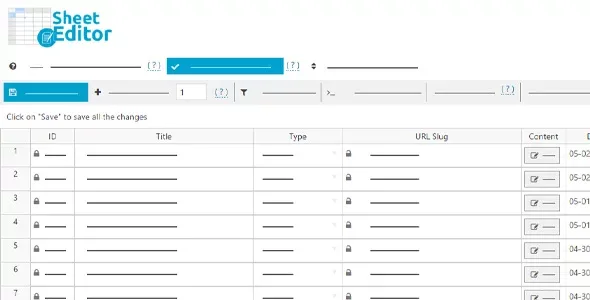
About WP Sheet Editor WooCommerce Products
A catalog gets damaged by small details
Raising prices, removing an expired sale or fixing a category looks like a ten-minute job, until you have hundreds of products and WooCommerce makes you open them one by one. The worst part is not the time: it is that halfway through nobody remembers which products they already touched.
In a large store the problems are rarely big. They are a forgotten sale price, a variation out of stock or a product without a featured image, scattered across the whole catalog and impossible to spot while you browse product by product. WP Sheet Editor WooCommerce Products shows your products as rows in a spreadsheet inside the admin, with fields as columns. Changes are applied directly on the site, with no need to import or export files.
Formulas to change hundreds of products at once
The approach is similar to Excel: you select rows and apply an operation. Some concrete uses:
- Raise all prices by 10% or by a fixed amount.
- Update any numeric field with a math formula.
- Copy the regular price to the sale price in all products, or the other way around.
- Search and replace values using wildcards, for example to change URLs inside descriptions.
- Assign the same categories to the selected products, or copy the featured image to all products in a category.
- Combine the values of two fields into a third one, useful to build categories, tags or titles.
- Convert global attributes into categories or tags, and vice versa.
You can also run advanced searches using any field as a criterion. That is the real value for a large catalog: not just changing things, but finding the products that are wrong and fixing them all at once.
Variations and attributes in WP Sheet Editor WooCommerce Products
It works with simple, virtual, variable, downloadable and external or affiliate products, plus the types added by other plugins (memberships, subscriptions, courses). You can edit almost every field: title, slug, content, dates, short description, status, reviews, categories, tags, attributes, SKU, prices, sale dates, weight and dimensions, stock, backorders, shipping class, purchase note, download limits and downloadable files.
Variable products are where it saves the most time: you can create variations automatically for every attribute combination, convert simple products into variable ones, copy the variations of one product to several, and update variation prices and stock with formulas.
For large stores, the spreadsheet loads only in wp-admin and does not affect the speed of your public site. You can decide how many products are saved per batch and how long to wait between batches, which helps if your hosting is tight. Also, only modified products are saved: if you load 500 and change 3 prices, only those 3 are saved.
Is it worth it for your store? Limits and common questions
If you manage twenty products, you will barely notice it. It makes sense when the catalog grows and bulk tasks keep repeating. It needs WooCommerce installed, and it has one basic catch: a badly applied formula on hundreds of products changes hundreds of products. Make a backup and test with a small selection first.
Do I have to export and import a CSV?
No. You edit in the spreadsheet and the changes are applied live in the store.
Does it edit variations and attributes?
Yes: you can edit variations, their attributes, prices and stock, and create them for every attribute combination.
Does it slow down the site?
The spreadsheet loads only in the admin, so it does not affect what your visitors see. For large sites you can limit the saving pace through batches.
Does it also work for orders or coupons?
No, this plugin is designed for products. Other content, such as orders or coupons, is edited with other spreadsheets from the same developer.
Topics
Version history
-
v
1.8.22 Current 14 Aug 2026
-
v
1.8.21 20 Jan 2026
Customer reviews
Sign in to leave a review. Only people who have the product can review it.
No reviews for this product yet.
Frequently asked questions
-
GPL (General Public License) is the license under which WordPress and most premium plugins/themes are distributed. It grants you the right to use, modify and redistribute the software in as many projects as you want, with no domain restrictions.
-
Yes. With membership you get automatic updates via our GPLClub Updater plugin (installed on your WP, detects new versions and applies them). With individual purchase, you get one year of manual updates from your account.
-
Depends on the plan. Monthly: 3 domains. Semi-annual: 7. Annual and Lifetime: 15. Individual purchase: 1 domain.
-
GPLClub offers its own support for installation, configuration and compatibility. For direct support from the original author (feature requests, product-specific bugs), a license purchased from the author is required.