WP User Frontend Pro
Antivirus scan
Powered by ClamAV
✅ Verified clean
This product file has passed our security filters.
Want to run a fresh ClamAV scan right now? Takes a few seconds and shows scanner version, signature DB and live result.
This can take 5 to 30 seconds.
Clean file Threat detected
No threats detected in this file.
- File
- Size
- Scanned
- ClamAV
- Signature database
⚡ Powered by ClamAV
Scan could not be completed
Report product
If you detected an issue (broken file, malware, inappropriate content, etc.) let us know and we'll review it ASAP.
Sign in to report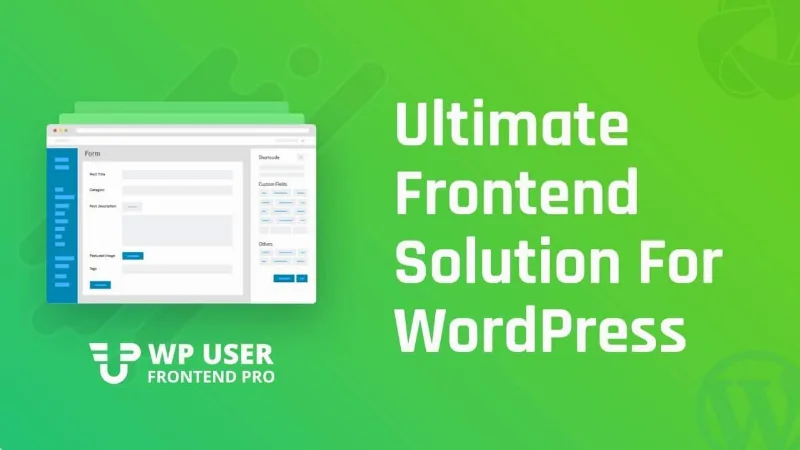
About WP User Frontend Pro
When others publish on your site, what you sell is the right to publish
A job board, a directory, a classifieds portal or a blog with contributors all end up with the same bottleneck: someone sends the text by email, you paste it by hand and you charge through some other channel. The other way out is to open the WordPress dashboard to every user.
On a site filled by what its users upload, the form is the least of it: the business lies in how much each person can publish and what happens when their allowance runs out. WP User Frontend Pro, by weDevs, covers both parts. Your users submit and manage content from the public side, and you decide which pack they buy, what limits they have and what happens when they exceed them.
Forms that create content from the public side
- Drag-and-drop builder with more than 25 field types.
- Custom post types and taxonomies in submission forms.
- Guest submission, without registering and with optional email verification.
- Public dashboard where each user creates, edits and deletes their posts.
- Separate default statuses for new posts and edited posts.
- Flexible placement: shortcode, Gutenberg block and Elementor widgets.
- Pro features: conditional logic, multistep forms, repeat fields and more than twenty additional templates.
Packs, limits and pay per post
You can charge with subscription packs or per post, and when a user exceeds the limits of their plan they can keep publishing on a pay-per-post basis instead of being stopped.
- Recurring payments and trial periods.
- Coupons, invoices and taxes.
- Post expiration, useful for listings or offers with a date.
- Payment methods: PayPal, bank transfer and credit card, with Stripe as a premium module.
- Content restriction, partial or complete, for specific users.
Registration, profiles and user directory
The registration and profile builder works with templates, and each form is assigned to a WordPress role. Users edit their profile from the public side with a shortcode and have a My Account page with their posts, payments and comments.
The free version includes a basic searchable user directory. Pro adds advanced layouts, filters and SEO control over profiles, plus social login with Facebook, X, LinkedIn and GitHub.
The premium modules add, among others, private messaging, SMS notifications, QR codes, reports, user analytics and connections to Zapier, Mailchimp, GetResponse and ConvertKit.
Free plugin, integrations and moderation
Pro does not work alone. It needs the free WP User Frontend plugin, and both must be active.
Integrations do not bring the service. The BuddyPress, Paid Memberships Pro, Mailchimp or Zapier modules connect with those products, which you need to have separately.
Opening a form to the public means deciding what gets in. The plugin supports Cloudflare Turnstile, reCaptcha and Math Captcha against bots, and you can set the default status of each submission, but the editorial judgment remains yours.
To get it running, these are the steps:
- Install and activate WP User Frontend from the WordPress repository.
- Upload the Pro file under Plugins, Add New, and activate it.
- Create the plugin pages from the installation prompt or under WP User Frontend, Tools.
- Activate the modules you need under WPUF, Modules, with the toggle on each one.
- Create a form, copy its shortcode and publish it on a page.
Other ways to receive content in WordPress
Frontend Admin Pro lets you add and edit posts, pages, users and fields from the public side, and it needs Advanced Custom Fields.
Advanced Post Creation is a Gravity Forms add-on that turns submissions into posts, pages or custom types, and lets each user edit their own.
Guests, pay per post and products in WP User Frontend
Can people publish without registering?
Yes. Guests can submit posts without creating an account, with optional email verification.
Can I charge per post?
Yes, with pay per post or subscription packs. Recurring subscriptions are a paid feature.
Can users upload WooCommerce products with it?
Yes. Free forms create products, and Pro adds frontend product submission and management.
Version history
-
v
4.2.19 Current 2 Oct 2026
-
v
4.2.17 5 Sep 2026
-
v
4.2.16 12 Aug 2026
-
v
4.2.13 26 Apr 2026
Customer reviews
Sign in to leave a review. Only people who have the product can review it.
No reviews for this product yet.
Frequently asked questions
-
GPL (General Public License) is the license under which WordPress and most premium plugins/themes are distributed. It grants you the right to use, modify and redistribute the software in as many projects as you want, with no domain restrictions.
-
Yes. With membership you get automatic updates via our GPLClub Updater plugin (installed on your WP, detects new versions and applies them). With individual purchase, you get one year of manual updates from your account.
-
Depends on the plan. Monthly: 3 domains. Semi-annual: 7. Annual and Lifetime: 15. Individual purchase: 1 domain.
-
GPLClub offers its own support for installation, configuration and compatibility. For direct support from the original author (feature requests, product-specific bugs), a license purchased from the author is required.