WPBookit Appointment Booking Plugin
Antivirus scan
Powered by ClamAV
✅ Verified clean
This product file has passed our security filters.
Want to run a fresh ClamAV scan right now? Takes a few seconds and shows scanner version, signature DB and live result.
This can take 5 to 30 seconds.
Clean file Threat detected
No threats detected in this file.
- File
- Size
- Scanned
- ClamAV
- Signature database
⚡ Powered by ClamAV
Scan could not be completed
Report product
If you detected an issue (broken file, malware, inappropriate content, etc.) let us know and we'll review it ASAP.
Sign in to report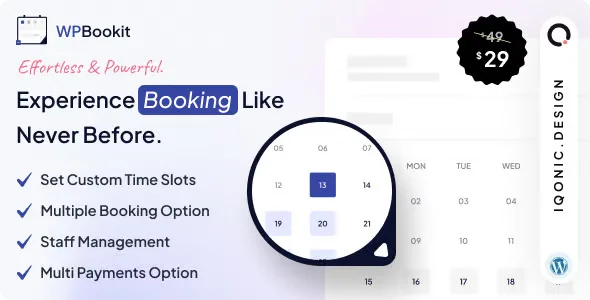
About WPBookit Appointment Booking Plugin
Scheduling by messages eats your working hours
Agreeing on a day and time with a client often takes several messages back and forth, and in the end someone forgets or the slot has already been taken by someone else. If you live off appointments (a clinic, a studio, classes, a hair salon), you end up spending more time coordinating the calendar than serving clients.
WPBookit is an appointment booking plugin for WordPress: the client picks a free slot on your website and you see everything in the dashboard. That said, the calendar only works well if you define your slots clearly, and who covers each one, before opening it to the public.
WPBookit depending on how your business works
You work on your own
You can customize the time slots to match your real working hours, and clients can only book within them. Every booking triggers an email notice and you have a customer list at hand, instead of digging through old chats.
You have a team
Staff management helps you organize each person's schedule and appointments. Automated email notifications reach both customers and the team.
You run group sessions or workshops
The plugin allows several bookings in the same slot. It is what you need for classes or events where several people share a time, without the slot being blocked by the first booking.
You charge on site and also online
It accepts online and offline payments, so people who prefer to pay on arrival are not left out and those who want to pay from home can do so too.
What you will check in the dashboard every week
Beyond receiving bookings, the value lies in what you can review afterwards:
- Reports: booking and performance reports to see which trends repeat and adjust your schedule.
- Customer list: a detailed record to look up and contact people who have already booked with you.
- User profile: your clients can manage their profile and review their booking history.
- ICS feeds: an ICS calendar URL to connect with external calendars.
- Translation and RTL: the plugin can be translated and supports languages written right to left.
Questions about payments, groups and languages
Can I charge online and in person?
Yes, it accepts online and offline payments. Check in the demo which specific gateways it offers before deciding.
Can two people book the same time?
Yes, the plugin allows several bookings in the same slot, designed for group sessions and events.
Does it work if my website is not in English?
It is ready to be translated and supports right-to-left writing, so you can adapt it to other languages.
Can my clients see their previous bookings?
Yes, each user has a profile where they manage their details and check their history.
Payment gateways and SMS alerts: check them first
WPBookit is designed as an appointment system based on time slots. If you need overnight stays with seasonal rates, restaurant tables or SMS reminders, try it in the demo first. And the ICS feed is for taking your bookings to an external calendar: do not assume that changes made there are reflected back in WordPress.
Topics
Version history
-
v
1.6.18 Current 7 Sep 2026
-
v
1.6.15 13 May 2025
Customer reviews
Sign in to leave a review. Only people who have the product can review it.
No reviews for this product yet.
Frequently asked questions
-
GPL (General Public License) is the license under which WordPress and most premium plugins/themes are distributed. It grants you the right to use, modify and redistribute the software in as many projects as you want, with no domain restrictions.
-
Yes. With membership you get automatic updates via our GPLClub Updater plugin (installed on your WP, detects new versions and applies them). With individual purchase, you get one year of manual updates from your account.
-
Depends on the plan. Monthly: 3 domains. Semi-annual: 7. Annual and Lifetime: 15. Individual purchase: 1 domain.
-
GPLClub offers its own support for installation, configuration and compatibility. For direct support from the original author (feature requests, product-specific bugs), a license purchased from the author is required.