WPForms Form Abandonment Addon
Antivirus scan
Powered by ClamAV
✅ Verified clean
This product file has passed our security filters.
Want to run a fresh ClamAV scan right now? Takes a few seconds and shows scanner version, signature DB and live result.
This can take 5 to 30 seconds.
Clean file Threat detected
No threats detected in this file.
- File
- Size
- Scanned
- ClamAV
- Signature database
⚡ Powered by ClamAV
Scan could not be completed
Report product
If you detected an issue (broken file, malware, inappropriate content, etc.) let us know and we'll review it ASAP.
Sign in to report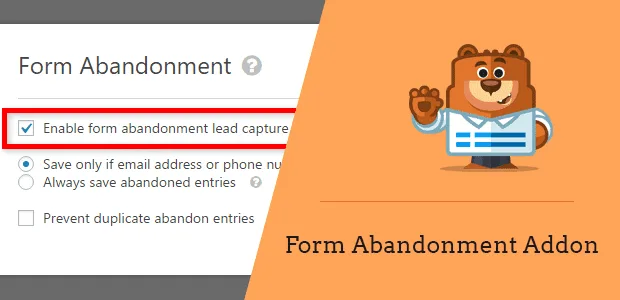
About WPForms Form Abandonment Addon
The order of your fields decides who you can write back to
Someone starts asking you for a quote, answers three questions about their project and leaves the email for last. They get distracted and close the tab. You are left with a useful detail about a real project and no way of replying to that person. What you recover from an abandonment is what they managed to type before leaving.
WPForms Form Abandonment saves those partial entries even if nobody clicks submit, and lets you alert the person or your team. But the addon does not change what the visitor typed. Asking for the name and the email or phone early is what turns a partial entry into a person you can answer.
What it keeps and how you use it
- Two save rules: only if there is an email or phone, or every partial entry, which suits surveys and anonymous forms.
- Labeled entries: they appear in WPForms » Entries with the type Abandoned.
- Optional duplicates: by default every partial entry from the same person is saved. If you turn the option on, repeats are avoided.
- Their own alerts: each notification can be enabled for abandonments, and you can create several, such as one for the visitor and one for sales.
- Abandonment figures: you see how many visitors start a form and do not submit it.
- Email and CRM: the person can join a sequence in your platform; Mailchimp and HubSpot are two examples.
- Data in your WordPress: partial entries are stored on your site and can be exported.
What the addon does not save or fix
- Some fields stay out: password, signature, file upload and the card fields from Stripe, Square and Authorize.Net.
- It relies on cookies: it does not work with the Disable User Cookies option on, even when GDPR Enhancements is off.
- Resending changes: on forms with this feature, the Resend Notifications action disappears from entries.
- It does not replace your normal alerts: completed submissions need their own notifications.
The exact moment of saving deserves your own test. Abandonment signals include the mouse leaving the window or a click on a link on the page. Run several real tests, on mobile too, before trusting the figure.
Three changes to get more from your form
This work order is our own suggestion, and it is worth checking against your traffic:
- Move contact details to the first fields on quotes, registrations, orders and donations.
- Write an alert different from your confirmation: someone who abandoned has sent nothing, and your message should offer to pick the conversation back up.
- Review Abandoned entries often and look at which field keeps showing up as the last one filled in. That field is the first candidate to simplify.
With WPForms Pro ready, it is enabled form by form
You need WPForms Pro or a higher level, in its latest version.
- Install and activate the addon.
- In the builder, go to Settings » Form Abandonment and turn on Enable Form Abandonment Lead Capture.
- Choose the save rule and decide whether to prevent duplicates.
- In Settings » Notifications, turn on Enable for abandoned forms entries on the alert in question.
- Run a test without submitting and look for the entry in WPForms » Entries.
Recovering abandonments outside WPForms and improving the form
With Gravity Forms, Partial Entries saves the data as the form is filled in, uses conditional logic to decide which entries to keep and shows you how far the person got. In Ninja Forms, Save Progress solves something else: it adds a button so the visitor can save and continue later.
Inside WPForms, Lead Forms shows the form one question at a time with a progress bar, and User Journey adds to each abandoned entry the pages that person visited.
Forms, alerts, files and mobile
Does it work on any type of form?
It suits contact, quote, registration, order or donation forms, and it is enabled on each form you choose.
Can I automatically write to people who abandon?
Yes, if they left their email and you have enabled an alert for abandonments.
Is a file the visitor already uploaded saved?
No. File upload fields are not kept on abandonment.
Does it work on mobile?
Yes, partial entries are also captured on phones and tablets. Test it on your form.
Topics
Version history
-
v
1.12.0 Current 8 Jan 2025
Customer reviews
Sign in to leave a review. Only people who have the product can review it.
No reviews for this product yet.
Frequently asked questions
-
GPL (General Public License) is the license under which WordPress and most premium plugins/themes are distributed. It grants you the right to use, modify and redistribute the software in as many projects as you want, with no domain restrictions.
-
Yes. With membership you get automatic updates via our GPLClub Updater plugin (installed on your WP, detects new versions and applies them). With individual purchase, you get one year of manual updates from your account.
-
Depends on the plan. Monthly: 3 domains. Semi-annual: 7. Annual and Lifetime: 15. Individual purchase: 1 domain.
-
GPLClub offers its own support for installation, configuration and compatibility. For direct support from the original author (feature requests, product-specific bugs), a license purchased from the author is required.