WPForms Geolocation Addon
Antivirus scan
Powered by ClamAV
✅ Verified clean
This product file has passed our security filters.
Want to run a fresh ClamAV scan right now? Takes a few seconds and shows scanner version, signature DB and live result.
This can take 5 to 30 seconds.
Clean file Threat detected
No threats detected in this file.
- File
- Size
- Scanned
- ClamAV
- Signature database
⚡ Powered by ClamAV
Scan could not be completed
Report product
If you detected an issue (broken file, malware, inappropriate content, etc.) let us know and we'll review it ASAP.
Sign in to report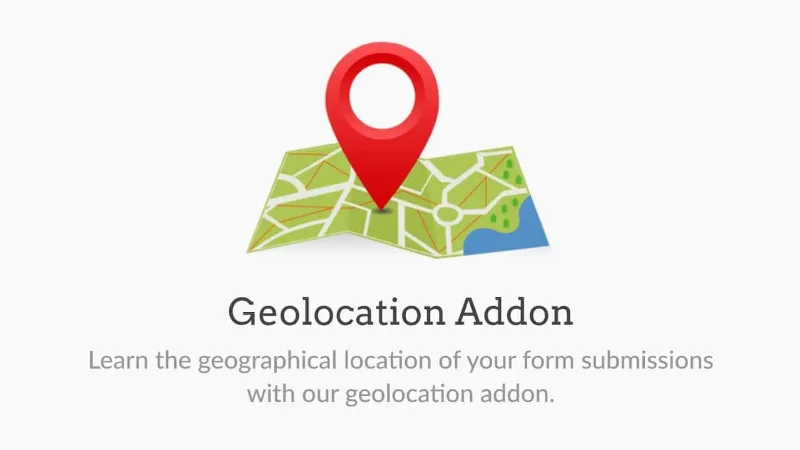
About WPForms Geolocation Addon
When the form loses people right at the address field
Nobody wants to type out their full address on a mobile form. This WPForms addon works right there: it suggests addresses as people type, fills the field using the device's location and saves where each submission came from.
WPForms Geolocation Addon depending on who installs it
If you run a business with several locations
The Map field embeds an interactive map in the form with a pin for each of your locations. The visitor explores it, clicks a pin to see details and picks a location, like a radio button but on a map. It works for store pickup, venue selection, campus registration or service areas. You can customize each pin with colors, icons or images, and show a location list alongside.
If you collect orders, requests or quotes with an address
Autocomplete suggests addresses in real time while the person types, using Google Places or Mapbox. One tap and the address is complete and consistently formatted. Fewer keystrokes mean fewer mistakes, and your entries are cleaner.
If you want to know where your contacts come from
Each submission can store the visitor's location. In the entry details you see an interactive map and data such as city, postcode or country. It helps you decide which areas to focus your efforts on.
Device location: filling in without typing
With the current location option enabled, WPForms detects the address from the visitor's device and places it in the address fields. It is especially useful on mobile. That way, the visitor can focus on the rest of the form.
It needs a Google Places or Mapbox key and WPForms Pro
- The map and autocomplete features depend on an external provider: you have to connect Google Places or Mapbox once in the WPForms settings, and from then on it works for all your forms.
- It is a WPForms Pro addon: it doesn't work on its own or without the base plugin.
- The Map field shows your locations for people to choose from; it is not a locator that calculates routes or distances. For visitors to type their own address you use the Address field.
- If you store visitors' locations, mention it in your privacy policy.
Frequently asked questions about WPForms Geolocation Addon
What is the difference between the Map field and the Address field?
The Map is a standalone field where the visitor chooses among your pinned locations. The Address field is for typing or autocompleting their own.
Do I need to know how to code?
No. You generate the places API key once, add it in the WPForms settings and the rest is set up from the form editor.
Where do I see the location data?
On the entries page: open a submission and you will find the interactive map along with data such as city, postcode or country.
Can I use Google and Mapbox interchangeably?
Autocomplete works with either one. Choose the one you already use or prefer and connect it in the settings.
Topics
Version history
-
v
2.15.0 Current 2 Nov 2026
-
v
2.13.0 8 May 2026
-
v
2.9.0 8 Jan 2025
Customer reviews
Sign in to leave a review. Only people who have the product can review it.
No reviews for this product yet.
Frequently asked questions
-
GPL (General Public License) is the license under which WordPress and most premium plugins/themes are distributed. It grants you the right to use, modify and redistribute the software in as many projects as you want, with no domain restrictions.
-
Yes. With membership you get automatic updates via our GPLClub Updater plugin (installed on your WP, detects new versions and applies them). With individual purchase, you get one year of manual updates from your account.
-
Depends on the plan. Monthly: 3 domains. Semi-annual: 7. Annual and Lifetime: 15. Individual purchase: 1 domain.
-
GPLClub offers its own support for installation, configuration and compatibility. For direct support from the original author (feature requests, product-specific bugs), a license purchased from the author is required.