
WPML GraphQL
Antivirus scan
Powered by ClamAV
✅ Verified clean
This product file has passed our security filters.
Want to run a fresh ClamAV scan right now? Takes a few seconds and shows scanner version, signature DB and live result.
This can take 5 to 30 seconds.
Clean file Threat detected
No threats detected in this file.
- File
- Size
- Scanned
- ClamAV
- Signature database
⚡ Powered by ClamAV
Scan could not be completed
Report product
If you detected an issue (broken file, malware, inappropriate content, etc.) let us know and we'll review it ASAP.
Sign in to report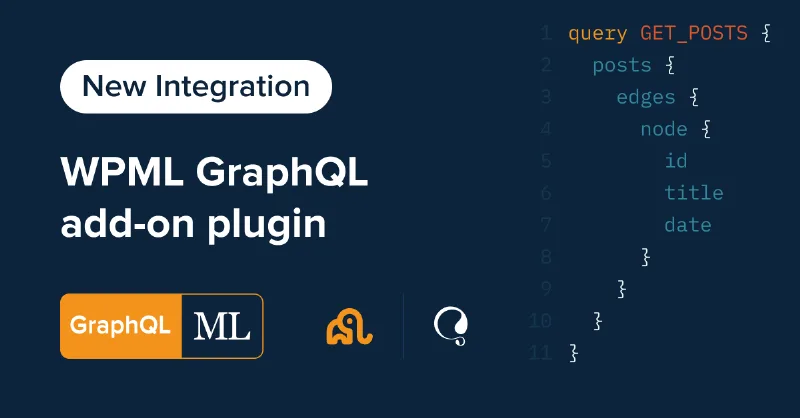
About WPML GraphQL
For anyone building a headless front-end with WPGraphQL, not for a regular theme setup
Serving a multilingual site from a separate front-end often ends in duplicated queries, hand-written routes and a language switcher that breaks when a slug changes. WPML GraphQL solves that stretch: it adds a language argument and a translations field to WPGraphQL, so Next.js, Nuxt, Astro, Gatsby or any other front-end can request content in the right language.
If your site is rendered by an ordinary WordPress theme, this plugin adds nothing for you. And it doesn't work on its own: it needs WPGraphQL, WPML and WPML String Translation active. If you use Advanced Custom Fields, you also need ACF Multilingual and WPGraphQL for Advanced Custom Fields.
Without finished translations, WPML GraphQL returns very little
The plugin translates nothing: it filters and exposes what WPML already has translated. If the original content isn't translated in WPML, the queries have nothing to return. With WPML's automatic translation on, translations are generated in the background when you publish; in a manual setup, you have to send content for translation from WPML's translation dashboard.
One language per query, or all at once
Add where: { language: "es" } to any list query (posts, custom post types, terms, menus, menu items, comments) and you get only that language. The code is the same one WPML uses (en, es, fr, pt-pt...). With language: "all" you get content from every language.
If you filter a top-level node by language, connected items (categories, tags, custom taxonomies) follow the same language with no extra arguments. Without an argument, the response comes in the site's default language.
A language switcher with a single request
- translations: added to a post or term, it returns the slugs, URIs and languages of its other versions in the same response. That's what a switcher next to the content needs.
- languages and defaultLanguage: list the active languages with code, native name, translated name, flag URL and home URL. That's enough for a global switcher without hard-coding the list.
- Single query: a translated post is requested by its translated slug or by its database ID.
Menus, ACF fields and authors in each language
With menus and menuItems you choose the language, and items that link to translated posts return the translated URI. The single-menu query has no language argument, so use the list queries.
ACF fields are saved per translation: query the post in the language you want and you get its values. ACF options pages are different: you must pass the language in the query, because without it they return the default language. They also need show_in_graphql enabled to exist in the schema.
Users' first name, last name, nickname and description can be translated too, but you have to enable it in WPML's string translation, selecting the roles, and translate the strings in the Authors domain.
Where to test before trusting your routes
When requesting a translated post by URI, some query shapes may return paths that don't match those published in that language. Check the result in WordPress's GraphQL IDE before building your front-end routing.
Frequently asked questions
Does it work without WPML?
No. It's a WPML add-on and needs WPGraphQL, WPML and WPML String Translation.
Does it translate the content for me?
No. It only exposes what is already translated in WPML.
Can I request every language in one query?
Yes, with language: "all".
Is it useful for a classic theme site?
It makes no sense there: it's designed for querying content from a decoupled front-end.
What happens with ACF options?
Always pass the language in the query; otherwise they return the default language.
Topics
Version history
-
v
5.0.0 Current 30 Sep 2026
-
v
1.1.0 8 Jan 2025
Customer reviews
Sign in to leave a review. Only people who have the product can review it.
No reviews for this product yet.
Frequently asked questions
-
GPL (General Public License) is the license under which WordPress and most premium plugins/themes are distributed. It grants you the right to use, modify and redistribute the software in as many projects as you want, with no domain restrictions.
-
Yes. With membership you get automatic updates via our GPLClub Updater plugin (installed on your WP, detects new versions and applies them). With individual purchase, you get one year of manual updates from your account.
-
Depends on the plan. Monthly: 3 domains. Semi-annual: 7. Annual and Lifetime: 15. Individual purchase: 1 domain.
-
GPLClub offers its own support for installation, configuration and compatibility. For direct support from the original author (feature requests, product-specific bugs), a license purchased from the author is required.
Related products

Easy Digital Downloads - Conditional Emails
By Easy Digital Downloads

WP GeoIP Country Redirect
Kikote – Location Picker at Checkout for WooCommerce PRO

Envato Integration - Easy Digital Downloads
By Easy Digital Downloads