XT WooCommerce Quick View Plugin
Antivirus scan
Powered by ClamAV
✅ Verified clean
This product file has passed our security filters.
Want to run a fresh ClamAV scan right now? Takes a few seconds and shows scanner version, signature DB and live result.
This can take 5 to 30 seconds.
Clean file Threat detected
No threats detected in this file.
- File
- Size
- Scanned
- ClamAV
- Signature database
⚡ Powered by ClamAV
Scan could not be completed
Report product
If you detected an issue (broken file, malware, inappropriate content, etc.) let us know and we'll review it ASAP.
Sign in to reportNewer version out, or a problem?
About XT WooCommerce Quick View Plugin
A long catalog becomes tedious when every product forces a page change
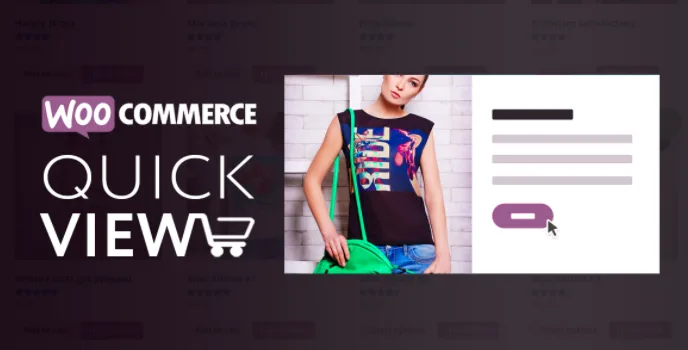
In a store with many products, the shopper skims listings: looks at the photo, the price and maybe a variant, then moves on to the next one. If every glance means opening a product page, going back and finding the spot where they were, it is easy for them to stop looking. XT Quick View for WooCommerce opens the main product information over the listing, with a smooth animation, so the shopper can decide without losing their place in the catalog.
Inside the window appear photos, price, variants and the add to cart button, so the customer can buy without going through the full product page.
How it fits different types of store
Fashion store with colors
Products with variants need the customer to choose the variation without leaving the listing. When a color is selected, the gallery switches to that variant's photo, and the purchase is completed from the same window. It is also compatible with WooCommerce variation swatches.
Large catalog with navigation between products
The previous and next arrows move to the adjacent product without closing the quick view.
Store that wants to show the product larger
You can choose how the view opens: in a modal above the page, inline below the row of products, or full screen. The overlay, background, shadow and radius are adjusted.
Colors, typography and icons are adjusted in the WordPress Customizer
Colors, Google Fonts, icons and the overlay color are changed from the WordPress Customizer with live preview, so you see each change on your own store as you make it. You also set the modal dimensions, the button style and the devices where it is shown.
Gallery and cart inside the quick view
The product gallery can be shown with slides or fade, with autoplay, thumbnails and a lightbox to see the detail up close. The add to cart button works over Ajax: it shows a loading indicator and then a check mark, and you can set the view to close once the product has been added.
With the floating cart installed, the product animates into the cart. It also supports bundles and composite products.
Requires WooCommerce to be active to show the quick view
It is an extension for WooCommerce, so the store must have WooCommerce installed and active. The integrations with the floating cart and variation swatches require those plugins to also be installed.
Frequently asked questions about XT Quick View for WooCommerce
Can I choose where the quick view button appears?
Yes. You can place it before, after, above or below the add to cart button, or over the image or the product on hover. You can also insert it with a shortcode.
Does it adapt to mobile?
The design is responsive, and the gallery and button are configured per device from the WordPress Customizer.
Can I change the style without writing code?
Yes. Colors, typography, icons, sizes, shadows and radius are adjusted from the WordPress Customizer.
Does it work with variable and bundled products?
Yes. The customer chooses quantity and variation inside the view, and the plugin supports bundles and composite products.
Where to place the quick view in your catalog
The trigger can go before, after, above or below the add to cart button, or over the image on hover.
Topics
Version history
-
v
2.1.6 Current 9 May 2025
Customer reviews
Sign in to leave a review. Only people who have the product can review it.
No reviews for this product yet.
Frequently asked questions
-
GPL (General Public License) is the license under which WordPress and most premium plugins/themes are distributed. It grants you the right to use, modify and redistribute the software in as many projects as you want, with no domain restrictions.
-
Yes. With membership you get automatic updates via our GPLClub Updater plugin (installed on your WP, detects new versions and applies them). With individual purchase, you get one year of manual updates from your account.
-
Depends on the plan. Monthly: 3 domains. Semi-annual: 7. Annual and Lifetime: 15. Individual purchase: 1 domain.
-
GPLClub offers its own support for installation, configuration and compatibility. For direct support from the original author (feature requests, product-specific bugs), a license purchased from the author is required.