XT WooCommerce Variation Swatches
Antivirus scan
Powered by ClamAV
✅ Verified clean
This product file has passed our security filters.
Want to run a fresh ClamAV scan right now? Takes a few seconds and shows scanner version, signature DB and live result.
This can take 5 to 30 seconds.
Clean file Threat detected
No threats detected in this file.
- File
- Size
- Scanned
- ClamAV
- Signature database
⚡ Powered by ClamAV
Scan could not be completed
Report product
If you detected an issue (broken file, malware, inappropriate content, etc.) let us know and we'll review it ASAP.
Sign in to report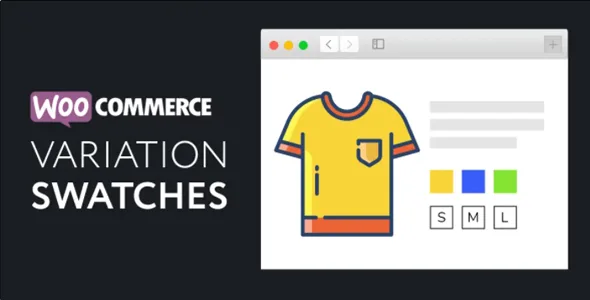
About XT WooCommerce Variation Swatches
A dropdown hides exactly what you want to sell
In a store selling clothing, shoes or accessories, customers want to see colors and sizes at a glance. With the standard WooCommerce dropdown they have to open the menu, read color names without knowing what they look like and try combinations blindly. Many leave before discovering their size was available.
XT WooCommerce Variation Swatches turns those dropdowns into color, image or label swatches, on the product page, in the shop and in quick views.
Three swatch types and plenty of control over how they look
- Color, image or label: each can be square, circle or rounded, and you can mix types on the same product (for example image and color).
- Automatic conversion: attributes without an assigned type become labels, and if a variation has its own photo, the color swatch uses that image. That way you don't upload a new thumbnail for every product.
- Tooltips: hovering shows the option name or an image of the variation, with adjustable colors, border and size.
- Customizer with live preview: width, height, padding, font size, colors, spacing and alignment, with separate settings for the product page and the shop.
- Settings per attribute or per product: each term gets its color, image or label, and any product can override the global settings.
XT WooCommerce Variation Swatches also works on the shop listing
With catalog mode, each variable product shows its swatches on the card itself, and choosing a color changes the card's photo (on click or on hover). The card can include a quantity field and Ajax add to cart.
If you prefer a cleaner shop, the swatches can wait behind a "Select options" button and open over the card, in a modal window or in a side, top or bottom panel, with the chosen variation's photo as a preview.
It also deals with dead ends: unavailable combinations can be hidden, blurred or crossed out, and out-of-stock variations can be hidden altogether. You can also preselect the first option, allow deselecting with a click, hide the clear link or highlight one attribute with larger swatches. It integrates with quick views, including those of XT Woo Quick View and XT Woo Floating Cart.
Before you decide: what it covers and what to check
It is a plugin for WooCommerce variable products. It is not for simple products and it does not change how prices or stock are calculated: it only improves how options are chosen. Some advanced options (such as catalog mode with a side panel) are worth checking in the demo before you commit to a design.
Do I have to upload images for every swatch?
Not always. If the variation already has its photo, the color swatch uses it automatically. For solid colors you choose the shade with a picker.
Can I mix swatch types on one product?
Yes, for example image for color and label for size, or different settings just for that product.
Are the swatches visible in the shop listing?
Yes, by enabling catalog mode, or behind a select options button.
Does it work with quick views?
Yes, including those of XT Woo Quick View and XT Woo Floating Cart. With other quick views, test it in the demo.
Topics
Version history
-
v
1.9.13 Current 30 Oct 2026
-
v
1.9.10 7 Sep 2026
-
v
1.9.8 30 Mar 2026
Customer reviews
Sign in to leave a review. Only people who have the product can review it.
No reviews for this product yet.
Frequently asked questions
-
GPL (General Public License) is the license under which WordPress and most premium plugins/themes are distributed. It grants you the right to use, modify and redistribute the software in as many projects as you want, with no domain restrictions.
-
Yes. With membership you get automatic updates via our GPLClub Updater plugin (installed on your WP, detects new versions and applies them). With individual purchase, you get one year of manual updates from your account.
-
Depends on the plan. Monthly: 3 domains. Semi-annual: 7. Annual and Lifetime: 15. Individual purchase: 1 domain.
-
GPLClub offers its own support for installation, configuration and compatibility. For direct support from the original author (feature requests, product-specific bugs), a license purchased from the author is required.