YITH Composite Products for WooCommerce Premium
Antivirus scan
Powered by ClamAV
✅ Verified clean
This product file has passed our security filters.
Want to run a fresh ClamAV scan right now? Takes a few seconds and shows scanner version, signature DB and live result.
This can take 5 to 30 seconds.
Clean file Threat detected
No threats detected in this file.
- File
- Size
- Scanned
- ClamAV
- Signature database
⚡ Powered by ClamAV
Scan could not be completed
Report product
If you detected an issue (broken file, malware, inappropriate content, etc.) let us know and we'll review it ASAP.
Sign in to report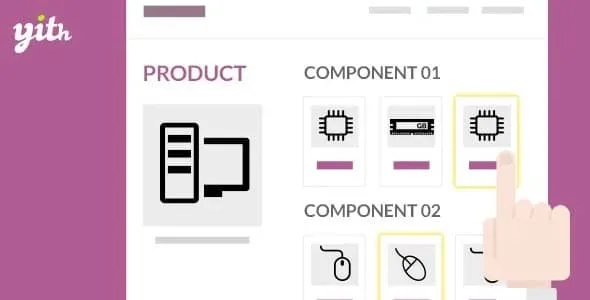
About YITH Composite Products for WooCommerce Premium
Your whole catalog in front of someone who only wants a bike frame
When a customer has to build a computer, a bicycle or a set of sports gear piece by piece, they tend to get lost among categories, forget a component or write to you asking whether something fits. The result: incomplete carts, orders that don't add up and questions that keep repeating.
The key is showing less, not more: at each step the buyer should only see the options that are valid for that part of the product. YITH Composite Products for WooCommerce Premium turns products you already have in your store into components of a composite product, so your catalog adapts to the customer and not the other way around.
Building a bicycle with YITH Composite Products, step by step
Imagine you sell bicycles and also frames, wheels, brakes and accessories separately. Here is how it works:
- Starting price. The composite product can have a fixed price, to which each chosen component is added, or be calculated as the sum of everything included.
- One component per part. You give it a name (Frame, Wheels, Brakes) and decide which products the customer can choose: by ID, by category or by tag. Those products must already exist in WooCommerce; the plugin does not create them.
- How it is displayed. Components can be shown as a list, as an accordion or step by step. Inside each one, the options appear as a dropdown, thumbnails or radio buttons.
- Quantity and requirements. A minimum and maximum per component, mandatory or optional components and automatic selection when only one item is possible.
- Dependencies. If the customer picks specific brakes, you can exclude or force products in other components. You can also make a component exclusive to a specific product.
- Discounts. A percentage per component, at your choice, and you decide which product price it applies to.
- Shipping. A single fee for the whole composite or the sum of each component's fee. You can also calculate it with all the items in the cart or without the main product.
One thing to watch: you define the compatibility rules by hand. The plugin does not know which brakes fit which frame until you configure it, so set aside time to map the dependencies properly before publishing.
Common questions before setting up YITH Composite Products
Does the price have to be the sum of the components?
No. You can set a base price to which each component is added, or let the total be the sum of everything chosen.
Can I force customers to buy certain components?
Yes. Each component is marked as mandatory or optional, and with dependencies you can force or exclude products depending on what is chosen.
Does it work on a multilingual store?
It is compatible with WPML and is translation ready.
Can I offer a quote for a composite product?
Yes, by combining it with YITH Request a Quote for WooCommerce, which is purchased separately. The quote includes all the selected components.
What changes when you combine it with other YITH plugins
These integrations only work if you buy and activate the other plugin; none of them is included. And each one has its own nuance:
- Deposits / Down Payments: calculates the deposit on the dynamically updated price.
- Multi Vendor: vendors can create composite products in their store and specify which components are mandatory.
- Minimum Maximum Quantity: allows quantity rules for composite products, but it does not check the quantity of the components.
- Product Add-ons & Extra Options: extra options are tied to the main product, not to the sub-products that make it up.
If your catalog has parts that only make sense together, this plugin gives you the framework to organize them; if you need an extra to depend on a specific sub-product, check that limit before relying on it.
Topics
Version history
-
v
1.32.0 Current 3 Apr 2026
Customer reviews
Sign in to leave a review. Only people who have the product can review it.
No reviews for this product yet.
Frequently asked questions
-
GPL (General Public License) is the license under which WordPress and most premium plugins/themes are distributed. It grants you the right to use, modify and redistribute the software in as many projects as you want, with no domain restrictions.
-
Yes. With membership you get automatic updates via our GPLClub Updater plugin (installed on your WP, detects new versions and applies them). With individual purchase, you get one year of manual updates from your account.
-
Depends on the plan. Monthly: 3 domains. Semi-annual: 7. Annual and Lifetime: 15. Individual purchase: 1 domain.
-
GPLClub offers its own support for installation, configuration and compatibility. For direct support from the original author (feature requests, product-specific bugs), a license purchased from the author is required.