YITH MULTI CURRENCY SWITCHER FOR WOOCOMMERCE
Antivirus scan
Powered by ClamAV
✅ Verified clean
This product file has passed our security filters.
Want to run a fresh ClamAV scan right now? Takes a few seconds and shows scanner version, signature DB and live result.
This can take 5 to 30 seconds.
Clean file Threat detected
No threats detected in this file.
- File
- Size
- Scanned
- ClamAV
- Signature database
⚡ Powered by ClamAV
Scan could not be completed
Report product
If you detected an issue (broken file, malware, inappropriate content, etc.) let us know and we'll review it ASAP.
Sign in to reportNewer version out, or a problem?
About YITH MULTI CURRENCY SWITCHER FOR WOOCOMMERCE
A foreign customer is unlikely to buy if they have to convert the price in their head
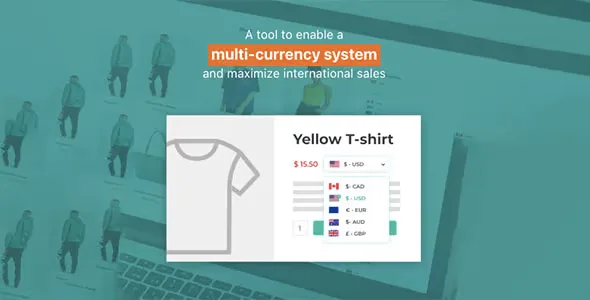
A buyer is very unlikely to finish an order in a currency they don't recognize. This plugin for WooCommerce adds several currencies to the store so each person sees and pays in their own.
Two ways to charge in several currencies: local prices or a fixed currency at payment
- Show prices in the visitor's currency: the currency switcher can appear across the whole site and, if you turn on geolocation, prices show in the currency of each user's origin country without them having to choose.
- Charge in a fixed currency: you can let the customer see prices in their currency but force a default currency at checkout with a single click.
Exchange rates set by hand or updated through the API in YITH Multi Currency Switcher
You can enter exchange rates by hand or let the plugin update them through its API, which can pull them from the European Central Bank, Google Finance or other providers. You choose how often they update, from once a month to twice a day. If a currency enabled in your shop is missing from the aggregator, you can set its rate manually.
There is also an optional exchange fee to cover the costs charged by the bank or the money transfer operator, so the amount you receive doesn't fall short because of those expenses.
How each currency looks and what price each country gets
For each currency you choose the symbol, a custom text or the code (USD, EUR), the position, the thousand and decimal separators, and a flag, either your own or one of the included icons. You can set the price of each product in each currency by hand, instead of calculating it with the exchange rate, and define coupons per currency to run different promotions in each market.
Country rules take priority over geolocation: for example, you can show dollars to a user from Argentina instead of their local currency. You can also hide payment methods by currency, so that customers paying in dollars only see the credit card, or customers paying in pesos don't see PayPal.
The YITH Multi Currency Switcher switcher wherever you want in the store
The switcher can be shown across the whole site with unlimited shortcodes, with Gutenberg blocks or with Elementor widgets. The Elementor widgets, of course, require Elementor to be installed and active. You can customize colors, flags and their position in each shortcode to match your design, and show a currency selector on every product page. There are also fixed currency badges on the left or right side of the screen.
Frequently asked questions about YITH Multi Currency Switcher for WooCommerce
How many currencies can I add?
As many as you need: the plugin allows an unlimited number of currencies in your store.
Can I show prices in one currency and charge in another?
Yes. You can let the customer see prices in their local currency and force a default currency at checkout for all users.
Do the exchange rates update on their own?
They can. With the built-in API, the plugin takes rates from providers such as the European Central Bank or Google Finance at the frequency you choose, although you can also type them in by hand.
Can I hide a payment method for just one currency?
Yes. You can disable payment methods for a specific currency, for example so that payments in dollars only accept the credit card.
What happens to a product's price when the currency changes?
You can let the price update with the exchange rate or enter a different price for each currency, so you can set prices according to the buyer's country.
Topics
Version history
-
v
1.30.0 Current 28 Sep 2025
Customer reviews
Sign in to leave a review. Only people who have the product can review it.
No reviews for this product yet.
Frequently asked questions
-
GPL (General Public License) is the license under which WordPress and most premium plugins/themes are distributed. It grants you the right to use, modify and redistribute the software in as many projects as you want, with no domain restrictions.
-
Yes. With membership you get automatic updates via our GPLClub Updater plugin (installed on your WP, detects new versions and applies them). With individual purchase, you get one year of manual updates from your account.
-
Depends on the plan. Monthly: 3 domains. Semi-annual: 7. Annual and Lifetime: 15. Individual purchase: 1 domain.
-
GPLClub offers its own support for installation, configuration and compatibility. For direct support from the original author (feature requests, product-specific bugs), a license purchased from the author is required.