YITH PayPal Payouts for WooCommerce
Antivirus scan
Powered by ClamAV
✅ Verified clean
This product file has passed our security filters.
Want to run a fresh ClamAV scan right now? Takes a few seconds and shows scanner version, signature DB and live result.
This can take 5 to 30 seconds.
Clean file Threat detected
No threats detected in this file.
- File
- Size
- Scanned
- ClamAV
- Signature database
⚡ Powered by ClamAV
Scan could not be completed
Report product
If you detected an issue (broken file, malware, inappropriate content, etc.) let us know and we'll review it ASAP.
Sign in to report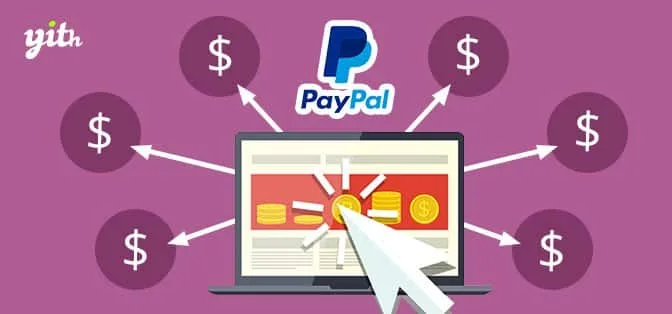
About YITH PayPal Payouts for WooCommerce
Paying commissions by hand and watching the percentages stop adding up
When a shop shares income with a partner, with affiliates or with vendors, the hard part is not calculating once: it is calculating every order correctly, sending money to each person and keeping track of who has been paid what. YITH PayPal Payouts for WooCommerce automates that split using the PayPal Payouts API.
One thing should be clear from the start: commissions always come out of your PayPal Business balance, even if the customer paid by bank transfer or card. The money you collect and the money you use to pay third parties can sit in different places, and you are the one who has to watch the PayPal balance.
How YITH PayPal Payouts for WooCommerce splits every order
You connect your PayPal Business account, build a table of receivers and set a percentage for each one. From then on, every order follows the same path:
- The plugin calculates each account's commission according to its percentage, whatever payment method the customer used.
- It issues the payment with your PayPal funds as soon as the order payment is processed, with no action on your part.
- With the mass payment feature (Mass Pay) you can send several payments at once with a single click.
- It includes a payouts list with details, notifications and the option to force a payment.
There are also privacy (GDPR) settings and a payouts section inside My Account, which is added automatically if you use YITH WooCommerce Customize My Account Page.
A partner, an affiliate program or a marketplace: three real uses
You run the shop with a partner
You add their account to the receivers table and the plugin generates their commission on every order. The split is up to you: you can divide each sale equally between the two of you or set the percentage you agreed on.
You have an affiliate program
Combined with YITH WooCommerce Affiliates, affiliate commissions are paid automatically with PayPal funds, so you don't have to prepare transfers by hand.
You run a marketplace
With YITH WooCommerce Multi Vendor, commissions are calculated from sales and the payment is generated from your PayPal Business account, limited to each vendor's own products. If you also use YITH Account Funds, vendors can redeem the funds in their digital wallet with their commissions.
Frequently asked questions before installing YITH PayPal Payouts
Do affiliates and vendors need a PayPal account? Yes: payments are issued to the PayPal accounts you add to the receivers list.
Does it work if my customers don't pay with PayPal? Yes. The commission calculation doesn't depend on the customer's payment method, but the payment always comes out of your PayPal balance.
Does it include the affiliate or multi-vendor plugin? No. To use each integration, you need to have the premium version of the corresponding plugin installed and active.
Can I pay a different commission to each person? Yes, the percentage is set per receiver.
It starts in sandbox mode and pays only from your PayPal balance
By default, Payouts is enabled in sandbox mode, that is, for testing. Activation in production is intended for shops in the United States with a Business account, so check the PayPal documentation to see whether your account can use it. And since the money comes out of your balance, if it is empty there is no payment: keep enough funds available.
Topics
Version history
-
v
3.22.0 Current 2 Oct 2026
-
v
3.15.0 3 Apr 2026
Customer reviews
Sign in to leave a review. Only people who have the product can review it.
No reviews for this product yet.
Frequently asked questions
-
GPL (General Public License) is the license under which WordPress and most premium plugins/themes are distributed. It grants you the right to use, modify and redistribute the software in as many projects as you want, with no domain restrictions.
-
Yes. With membership you get automatic updates via our GPLClub Updater plugin (installed on your WP, detects new versions and applies them). With individual purchase, you get one year of manual updates from your account.
-
Depends on the plan. Monthly: 3 domains. Semi-annual: 7. Annual and Lifetime: 15. Individual purchase: 1 domain.
-
GPLClub offers its own support for installation, configuration and compatibility. For direct support from the original author (feature requests, product-specific bugs), a license purchased from the author is required.