YITH Point of Sale for WooCommerce
Antivirus scan
Powered by ClamAV
✅ Verified clean
This product file has passed our security filters.
Want to run a fresh ClamAV scan right now? Takes a few seconds and shows scanner version, signature DB and live result.
This can take 5 to 30 seconds.
Clean file Threat detected
No threats detected in this file.
- File
- Size
- Scanned
- ClamAV
- Signature database
⚡ Powered by ClamAV
Scan could not be completed
Report product
If you detected an issue (broken file, malware, inappropriate content, etc.) let us know and we'll review it ASAP.
Sign in to report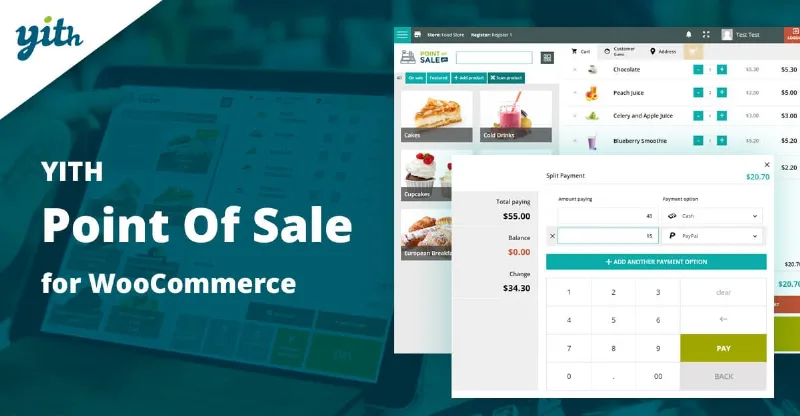
About YITH Point of Sale for WooCommerce
YITH Point of Sale for WooCommerce: a register that talks to your online store
Running a physical shop and a website at the same time often ends in two inventories that don't match: you sell the last unit at the counter and the website keeps offering it, or you jot down sales by hand to enter them later. The real cost isn't the terminal, it's that mismatch.
YITH Point of Sale for WooCommerce turns your WooCommerce installation into a cash register you can use from a computer, a touch screen or a modern browser. It connects through the WooCommerce REST API, so orders, customers, products and stock sync in both directions without re-entering anything.
Unlimited stores and registers in a single installation
You can create stores (useful if you manage a chain or a franchise) and, inside each one, as many registers as you need, like a supermarket with several departments. Each level has its own settings:
- Store: address and contact details, managers and cashiers, and its own stock and payment methods.
- Register: assigned cashiers, active payment methods, visible products or categories and receipt template.
- Multi-stock: if you enable it, each point of sale works with its own stock levels.
Cashiers log in through a dedicated page, customizable with the store logo, without going through the WordPress dashboard.
Taking payments at the counter: held carts, split payment and your own receipt
The register screen works for very different businesses, from a clothing store to a bar or a beauty salon. This is what you'll notice most day to day:
- The suspend and save button freezes a cart in another tab so you can serve another customer and retrieve it later.
- A single order can be paid with different methods, for example half in cash and half by card.
- It supports discounts, coupons, markups, shipping and notes on products and orders.
- You search products by title, SKU or barcode, and you can create a new one from the register itself.
- The receipt editor lets you assign a template to each register (size, content, logo) and the receipt can be printed or downloaded as a PDF.
You can also save the register URL on your phone and open it like an app, change the screen colors and define preset discount keys.
Register closures and reports by store, register and cashier
Each register records its sessions and lets you close the day by downloading a report with the sales summary and additional notes. From the WooCommerce Admin panel you see sales and revenue trends filtered by store, register and date, which cashiers sell the most and which payment methods are used. There are also stats per cashier: time since login, orders created and total sales. It's the information you need to balance the cash at night and see which shift performs best.
The hardware, the printer and the barcode reader are up to you
This is software: it doesn't include a terminal, a printer or a reader. This is how responsibilities split:
- The plugin handles: the register screen, cashiers, discounts and coupons, split payment, the receipt editor, register closures and syncing with WooCommerce orders, customers and stock.
- You cover: a computer, tablet or touch screen, a receipt printer if you want paper, and a reader if you won't be typing SKUs.
- With another plugin: generating barcodes for your products requires YITH Barcodes, which is a separate plugin.
- To check in the demo: how you record card payments, which depends on the payment methods you have active in WooCommerce.
Questions before setting up your register with YITH Point of Sale
Do I need to buy a point of sale terminal?
No. The register works on a computer, a tablet or a touch screen with a modern browser. You choose any peripherals you want (printer, reader).
Does stock update between the register and the online store?
Yes, sales made at the register sync with the WooCommerce database, just like stock and customer data. If you enable multi-stock, each point of sale can have its own stock levels.
Can I have several registers and several cashiers?
Yes. You can create unlimited stores and registers, assign specific cashiers to each register and enable or disable registers and payment methods separately.
Can I scan products?
Yes, by searching by SKU or by enabling barcode scanning to add the product to the cart. To create those barcodes you need YITH Barcodes.
Topics
Version history
-
v
3.15.0 Current 3 Apr 2026
Customer reviews
Sign in to leave a review. Only people who have the product can review it.
No reviews for this product yet.
Frequently asked questions
-
GPL (General Public License) is the license under which WordPress and most premium plugins/themes are distributed. It grants you the right to use, modify and redistribute the software in as many projects as you want, with no domain restrictions.
-
Yes. With membership you get automatic updates via our GPLClub Updater plugin (installed on your WP, detects new versions and applies them). With individual purchase, you get one year of manual updates from your account.
-
Depends on the plan. Monthly: 3 domains. Semi-annual: 7. Annual and Lifetime: 15. Individual purchase: 1 domain.
-
GPLClub offers its own support for installation, configuration and compatibility. For direct support from the original author (feature requests, product-specific bugs), a license purchased from the author is required.