YITH Product Size Chart for Woocommerce Premium
Antivirus scan
Powered by ClamAV
✅ Verified clean
This product file has passed our security filters.
Want to run a fresh ClamAV scan right now? Takes a few seconds and shows scanner version, signature DB and live result.
This can take 5 to 30 seconds.
Clean file Threat detected
No threats detected in this file.
- File
- Size
- Scanned
- ClamAV
- Signature database
⚡ Powered by ClamAV
Scan could not be completed
Report product
If you detected an issue (broken file, malware, inappropriate content, etc.) let us know and we'll review it ASAP.
Sign in to report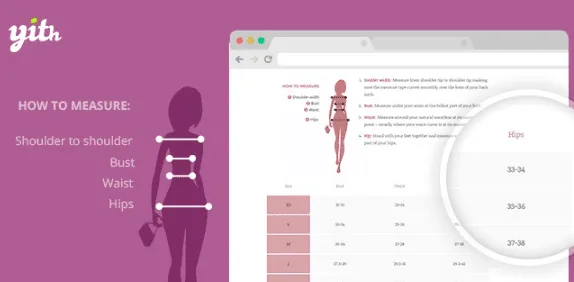
About YITH Product Size Chart for Woocommerce Premium
Every factory cuts differently, and you pay for the return
A customer orders an M, receives a garment that doesn't fit and writes to you angry. It's neither their fault nor yours: each clothing manufacturer has its own sizing criteria and the letter alone says nothing. Real measurements do. Anyone buying without trying on needs to compare them with their own before paying, and if they don't find that information on the product page, they either ask (and many don't wait for the answer) or buy blindly and return.
YITH Product Size Chart for WooCommerce puts those measurements on the product page as a table. You load them, the customer checks them, and expectations are clear before payment, not after shipping.
Tab, modal window or tabbed popup: how the chart is shown
The plugin offers three ways to show the chart, and the right one depends on what your product page looks like:
- WooCommerce tab
- Modal window
- Tabbed popup
You can change the colors and style of the button, the position, the opening effect and the layout of the popup, and choose a template for the chart or use the default one. The description of each chart accepts formatted text and images, so you can add an explanation of how to measure yourself. You can also duplicate charts so you don't start from scratch, and decide where on the page the tab goes.
A different chart for each type of store using YITH Product Size Chart
Clothing store with several brands or cuts
You can create unlimited charts and assign more than one to the same product from its own edit page. A garment can carry the brand's chart and another with measuring instructions.
Large catalog you don't want to edit product by product
Assign one or several charts to whole categories or to the entire store. For in-between cases, the WordPress bulk editing tool lets you assign charts to many products at once.
Store with products that aren't clothing
The plugin works for any product whose information must be presented in tables or charts, not just sizes: measurements, weights or other comparable specifications.
Marketplace with vendors
Combined with YITH WooCommerce Multi Vendor, each vendor can create their own charts and associate them with their products.
Those who want the chart outside the product page
With the YITH Product Size Charts widget you can show them in sidebars. You can also insert them with shortcodes, PHP code or the tinyMCE editor, and print them using a shortcode.
Questions that usually come up before installing it
Can I put more than one chart on a product?
Yes. They are assigned from the product page.
Can I assign a chart to a whole category?
Yes, to one or several categories or to all the products in the store.
Does it work with multilingual stores?
It is compatible with WPML and Loco Translate, and comes translated into Spanish, English and Italian.
Do I have to run a clothing store?
No. It works for any product with information that is better explained in a table.
Multi Vendor and Quick View are bought separately
The integrations with YITH WooCommerce Multi Vendor and YITH WooCommerce Quick View are not included: you need the premium version of each of those plugins. With Quick View you can show the chart inside the quick view. Also, the plugin shows the charts you prepare: you have to enter the measurements of each garment yourself.
Topics
Version history
-
v
1.55.0 Current 24 Jun 2026
-
v
1.53.0 3 Apr 2026
Customer reviews
Sign in to leave a review. Only people who have the product can review it.
No reviews for this product yet.
Frequently asked questions
-
GPL (General Public License) is the license under which WordPress and most premium plugins/themes are distributed. It grants you the right to use, modify and redistribute the software in as many projects as you want, with no domain restrictions.
-
Yes. With membership you get automatic updates via our GPLClub Updater plugin (installed on your WP, detects new versions and applies them). With individual purchase, you get one year of manual updates from your account.
-
Depends on the plan. Monthly: 3 domains. Semi-annual: 7. Annual and Lifetime: 15. Individual purchase: 1 domain.
-
GPLClub offers its own support for installation, configuration and compatibility. For direct support from the original author (feature requests, product-specific bugs), a license purchased from the author is required.