YITH Stripe Connect for WooCommerce
Antivirus scan
Powered by ClamAV
✅ Verified clean
This product file has passed our security filters.
Want to run a fresh ClamAV scan right now? Takes a few seconds and shows scanner version, signature DB and live result.
This can take 5 to 30 seconds.
Clean file Threat detected
No threats detected in this file.
- File
- Size
- Scanned
- ClamAV
- Signature database
⚡ Powered by ClamAV
Scan could not be completed
Report product
If you detected an issue (broken file, malware, inappropriate content, etc.) let us know and we'll review it ASAP.
Sign in to report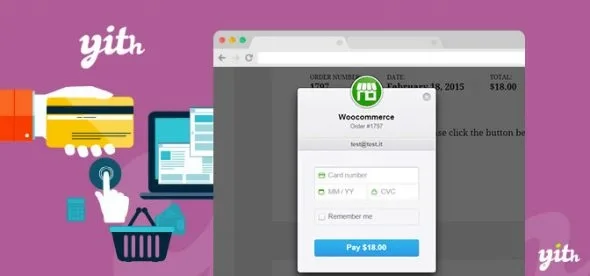
About YITH Stripe Connect for WooCommerce
Splitting the money from each order without manual transfers
When a store shares revenue with affiliates, collaborators or partners, taking the payment is the easy part: the hard part is remembering who gets paid how much, on which order and when. It ends up in a spreadsheet, manual transfers and the occasional argument over a badly applied percentage. YITH Stripe Connect for WooCommerce automates that split from orders paid by card.
The problem grows not with sales, but with the number of people you have to pay. With two partners you manage by hand; with twenty, every order is an accounting task. This plugin is built for that point.
Fixed or percentage commissions, global or per product in YITH Stripe Connect
First you link your Stripe account and enable Stripe as a payment method at checkout. Then you add the recipients (affiliates, vendors, employees or collaborators) to a table, with no limit on their number, and define which commission each one gets.
- Fixed or percentage: for example an amount per order or a percentage of the order.
- Global or per product: the same rule for the whole store or only for specific products.
- Payment timing: immediately when the order is paid, with a delay you set (for example, ten days later) or manually.
- Test mode and SCA: you can test the flow before charging for real, and the plugin supports Strong Customer Authentication.
- Saved cards: customers can save their card and reuse it on future purchases.
What the plugin does not solve on its own
It only moves money through Stripe, so your recipients must connect to Stripe to get paid. It is not an affiliate system or a marketplace: to have affiliates with their own links, vendors with their own products or subscriptions you need the matching YITH plugins (Affiliates, Multi Vendor, Subscription), which are bought separately. Direct charges and destination charges are available only under specific conditions.
What your partners see in their account
Each recipient has a section in My Account where they can check a summary of their commissions and download reports in PDF or CSV. The administrator can also print the summary as a PDF. If you use YITH Customize My Account Page, the button to connect with Stripe appears on that same page.
Frequently asked questions before you decide
Does it work for a marketplace?
Yes, combined with YITH WooCommerce Multi Vendor: the payment is split between the administrator and the vendors from checkout. On its own it does not create the marketplace.
Can I pay my affiliates automatically?
Yes, with YITH WooCommerce Affiliates: you manage the affiliate system and this plugin makes the payment through Stripe Connect.
Can I review payments before they are sent?
Yes. You can choose manual or delayed payment.
Does it support subscriptions?
With YITH WooCommerce Subscription, the customer is charged on their card at the end of each billing cycle.
The first step is to link Stripe and test in test mode
Before adding recipients, connect your Stripe account, enable test mode and place a trial order with a simple commission. Check in the commissions list that the amount and the recipient are what you expect. Then set up the per-product rules and decide whether payment will be immediate, delayed or manual. Let your partners know they will need their own Stripe connection to receive the money.
Topics
Version history
-
v
3.15.0 Current 2 Oct 2026
-
v
3.12.0 24 Jun 2026
-
v
3.10.0 2 Apr 2026
Customer reviews
Sign in to leave a review. Only people who have the product can review it.
No reviews for this product yet.
Frequently asked questions
-
GPL (General Public License) is the license under which WordPress and most premium plugins/themes are distributed. It grants you the right to use, modify and redistribute the software in as many projects as you want, with no domain restrictions.
-
Yes. With membership you get automatic updates via our GPLClub Updater plugin (installed on your WP, detects new versions and applies them). With individual purchase, you get one year of manual updates from your account.
-
Depends on the plan. Monthly: 3 domains. Semi-annual: 7. Annual and Lifetime: 15. Individual purchase: 1 domain.
-
GPLClub offers its own support for installation, configuration and compatibility. For direct support from the original author (feature requests, product-specific bugs), a license purchased from the author is required.