YITH WooCommerce Product Countdown Premium
Antivirus scan
Powered by ClamAV
✅ Verified clean
This product file has passed our security filters.
Want to run a fresh ClamAV scan right now? Takes a few seconds and shows scanner version, signature DB and live result.
This can take 5 to 30 seconds.
Clean file Threat detected
No threats detected in this file.
- File
- Size
- Scanned
- ClamAV
- Signature database
⚡ Powered by ClamAV
Scan could not be completed
Report product
If you detected an issue (broken file, malware, inappropriate content, etc.) let us know and we'll review it ASAP.
Sign in to report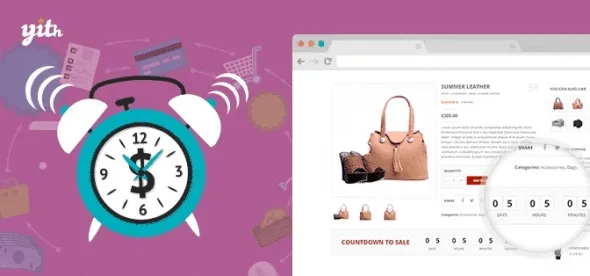
About YITH WooCommerce Product Countdown Premium
An offer with an end date that customers never feel
Announcing «offer until Sunday» in a banner and leaving the product page unchanged is one of the most common ways to waste a promotion: the customer sees it, thinks «I'll buy it later» and the date passes without anyone having noticed. YITH WooCommerce Product Countdown Premium puts the deadline, or the units left, on the product page, which is where the purchase is decided.
One thing should be clear before you configure anything: urgency only works if it is believable. A countdown tied to a real offer and real stock pushes people to decide; one that looks endless ends up ignored. Plan the promotion first and the timer afterwards.
A Christmas campaign with limited stock, step by step in YITH WooCommerce Product Countdown
Imagine a seasonal sale with few units. This is how you set it up:
- Choose which products are included: you can apply the countdown to specific products, to a category, to the most recent ones, to those on sale or to featured ones. Bulk operations save you from going one by one, and you can set different countdowns for different groups.
- Decide what is shown: a timer, a sales bar or both. The bar shows how the product's sales are progressing, which is useful when stock is scarce rather than time.
- Place it: on the product page, on the category page or on both, and choose the position within each.
- Style it: there are three layouts with editable colors and a preview, plus your own texts to explain why the product is limited.
- Decide the ending: when time runs out or the units are sold out, you choose what happens, either on the countdown box itself or on the product.
Two limits to keep in mind. The plugin shows the deadline and the progress, but the offer itself is up to you: check in the demo how the end of the countdown fits with the discounted price of your products. And the design moves between three styles with editable colors and texts, so don't expect an appearance completely different from those options.
Questions before setting up the countdown
Can I show it only on category pages?
Yes. You choose whether it appears on the product page, on the category page or on both, and the position on each.
Does it work for a product that is not on sale yet?
Yes, there is a pre-launch countdown to keep your customers informed. If you also want them to be able to pre-order it, you need YITH Pre-Order for WooCommerce, which is a separate plugin and is not included.
Does it work with my theme?
It has declared compatibility with YITH Proteo, Avada, Divi, Flatsome, Neighborhood, Storefront and X, and with Gutenberg as the editor. If you use another theme or page builder, test it in a staging environment first.
Is it available in Spanish?
Yes: English, Italian and Spanish are covered, and it is compatible with WPML, Weglot and Loco Translate for multilingual stores.
A fixed bar for the offer everyone should see
If you have a main promotion, you can show a top or bottom bar on every page of the site with the countdown of a specific product. That way the offer is seen even when the visitor enters through the blog or the home page.
To highlight products with a countdown on other pages, there is a shortcode and a widget. Use them sparingly: a permanent bar is insistent, and it works better with one offer at a time than with several competing for attention.
Topics
Version history
-
v
1.62.0 Current 5 Sep 2026
-
v
1.37.0 28 Sep 2025
Customer reviews
Sign in to leave a review. Only people who have the product can review it.
No reviews for this product yet.
Frequently asked questions
-
GPL (General Public License) is the license under which WordPress and most premium plugins/themes are distributed. It grants you the right to use, modify and redistribute the software in as many projects as you want, with no domain restrictions.
-
Yes. With membership you get automatic updates via our GPLClub Updater plugin (installed on your WP, detects new versions and applies them). With individual purchase, you get one year of manual updates from your account.
-
Depends on the plan. Monthly: 3 domains. Semi-annual: 7. Annual and Lifetime: 15. Individual purchase: 1 domain.
-
GPLClub offers its own support for installation, configuration and compatibility. For direct support from the original author (feature requests, product-specific bugs), a license purchased from the author is required.