YITH WooCommerce Social Login Premium
Antivirus scan
Powered by ClamAV
✅ Verified clean
This product file has passed our security filters.
Want to run a fresh ClamAV scan right now? Takes a few seconds and shows scanner version, signature DB and live result.
This can take 5 to 30 seconds.
Clean file Threat detected
No threats detected in this file.
- File
- Size
- Scanned
- ClamAV
- Signature database
⚡ Powered by ClamAV
Scan could not be completed
Report product
If you detected an issue (broken file, malware, inappropriate content, etc.) let us know and we'll review it ASAP.
Sign in to report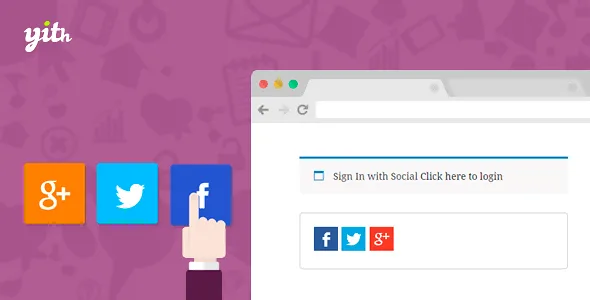
About YITH WooCommerce Social Login Premium
When the registration form scares the customer off before paying
Forcing people to create an account to buy is one of those barriers you don't notice in your analytics until someone looks at the abandoned carts: the customer has to invent a password, remember which email they signed up with and fill in details they already have saved somewhere else. YITH WooCommerce Social Login removes that step: the customer logs in or signs up with a social network account they already use every day, and the store receives part of their data without them typing anything.
A new customer reaches the checkout: how YITH WooCommerce Social Login walks them through
Follow the case of someone visiting your store for the first time who wants to buy:
- They see the buttons where you placed them. You can put them on My Account, on the WordPress login, in post comments and at checkout, or on any page with a shortcode or a widget. You can also change the text next to the button (the default "Login with") and use a different one for checkout.
- They pick a network. The plugin includes Facebook, Google, LinkedIn, GitHub, Tumblr, VK, Yahoo, Foursquare, Windows Live and Twitter. Each network has its own settings screen, so set them up one by one and check in the demo which ones are still useful for your audience. The order of the buttons is changed by dragging.
- Their WooCommerce profile is created. If they sign up from a network, data such as the description, billing address or billing email is saved in their profile, depending on what that network provides.
- They land where you want. From the admin you define where they are sent after logging in: a WooCommerce page or a custom URL.
One limit worth knowing now: the plugin does not include avatars. The profile picture from the social network is not used in reviews; if the customer has their email linked to a Gravatar, that is the image that will show.
The customer who already had an account and logs in another way
This is the case that creates duplicate accounts in many stores: the customer bought months ago with their email and now clicks the Google button. Here, if the social network's email matches an existing account, they are told that the account already exists. They log in with their WordPress username and link the social network from My Account, without creating a second profile.
From that same page they see the list of connected networks, can add others to log in with, and can remove one with the unlink button.
Questions from people torn between Social Login and a login popup
What is the difference from YITH Easy Login?
Easy Login shows a popup that invites people to sign up or log in before placing the order, and includes Facebook and Google. Social Login, on the other hand, adds many networks to the standard WooCommerce login form; there is no popup.
Can a network be unlinked from My Account?
Yes. Each connected account appears in the list with its unlink button.
Does it use the social network photo in reviews?
No, it does not support avatars.
Do I need WooCommerce?
Yes, it is a plugin designed for WooCommerce stores: the buttons are built into its forms and the data is saved in the customer profile.
What you see as an administrator
It isn't all customer-facing. There is a connection report to see how many people access through social networks, the WordPress users list shows their connections, and in each user's profile you can check their active connections. If something fails with a network, you can turn on a log for debugging.
To decide whether it fits: it is a tool to make access easier, not for posting to social networks or sharing content. Its job ends once the customer has entered your store.
Topics
Version history
-
v
1.60.0 Current 24 Jun 2026
-
v
1.58.0 2 Apr 2026
Customer reviews
Sign in to leave a review. Only people who have the product can review it.
No reviews for this product yet.
Frequently asked questions
-
GPL (General Public License) is the license under which WordPress and most premium plugins/themes are distributed. It grants you the right to use, modify and redistribute the software in as many projects as you want, with no domain restrictions.
-
Yes. With membership you get automatic updates via our GPLClub Updater plugin (installed on your WP, detects new versions and applies them). With individual purchase, you get one year of manual updates from your account.
-
Depends on the plan. Monthly: 3 domains. Semi-annual: 7. Annual and Lifetime: 15. Individual purchase: 1 domain.
-
GPLClub offers its own support for installation, configuration and compatibility. For direct support from the original author (feature requests, product-specific bugs), a license purchased from the author is required.