YITH WooCommerce Uploads Premium
Antivirus scan
Powered by ClamAV
✅ Verified clean
This product file has passed our security filters.
Want to run a fresh ClamAV scan right now? Takes a few seconds and shows scanner version, signature DB and live result.
This can take 5 to 30 seconds.
Clean file Threat detected
No threats detected in this file.
- File
- Size
- Scanned
- ClamAV
- Signature database
⚡ Powered by ClamAV
Scan could not be completed
Report product
If you detected an issue (broken file, malware, inappropriate content, etc.) let us know and we'll review it ASAP.
Sign in to report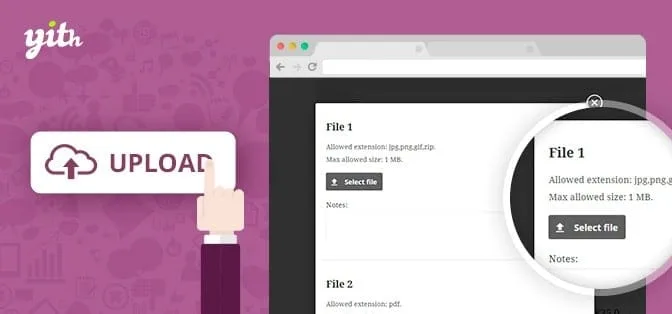
About YITH WooCommerce Uploads Premium
For shops that print or make items from the customer's file, not for those who want uploads on the product page
If you sell printed T-shirts or any custom order that depends on an image, a text or a document from the customer, this plugin solves exactly that. Before buying it, be clear about two limits:
- It does not upload files from the product page. The upload appears in the cart, at checkout, on the "Thank you" page and in the order inside My Account. If you want the customer to attach their design before adding to the cart, this is not the right tool.
- It only works from the public side. Customers upload the files; you cannot upload one to the order from the admin area.
The costly mistake in custom orders: mixing up files
Receiving designs by email seems manageable until twenty orders arrive at once. Attachments get lost, badly renamed, or nobody knows which purchase they belong to, and in a customization business the mistake that hurts most is not a delay but delivering a T-shirt with someone else's image. With this plugin the file stays attached to the order and you see it on the WooCommerce order page itself, without chains of emails.
One practical detail: in the order list, a yellow bell appears when an order has an attached file, so you know which ones to check first.
YITH WooCommerce Uploads Premium: review, reject and ask for another file
From the order you decide whether to accept or reject what the customer uploaded. If you reject it, you can give them another chance to upload a new file, and the plugin sends them an email with the result. In addition, both you and the customer can add notes to the file, and you can send them a message from the order detail to ask for more information, give instructions or comment on the result.
You also choose in which order statuses the customer can remove or change their file, so they cannot modify it when you are already producing.
Three identical T-shirts, three different designs
When a customer buys several units of the same product, you can show one line per unit in the cart and allow a different file for each copy. If the file does not belong to a specific product (for example, a signed document that affects the whole purchase), you link it to the entire order. And if the customer uploads from the cart or from the "Thank you" page, the file is tied to the right product from the start.
Rules per product: extensions, size and number of files
- Any file type is possible: you choose the accepted extensions and the maximum size in each rule.
- You decide how many files each product accepts (even unlimited) or turn off uploads on products that do not need them.
- You can create specific rules for a product and for its variations.
- The upload button is hidden on products that do not require a file, so nobody attaches a document by mistake.
- Files are saved in the WordPress Uploads folder, with a customizable path, and you can sort them by order ID or order number.
- You adjust the size and quality of the thumbnails of attached files.
If you sell mixed products (some customizable and some not), spend some time on the per-product rules: that is the difference between a tidy shop and customers uploading files where they should not.
Frequently asked questions about YITH WooCommerce Uploads Premium
Can the customer upload the file from the product page?
No. It works in the cart, at checkout, on the "Thank you" page and in the orders section of My Account.
Can I upload a file to the order from the admin area?
No, the plugin only allows uploads from the public side, that is, by customers.
How many files can a customer upload per product?
As many as you decide, and it can even be unlimited.
What file types does it accept and where are they saved?
Any type: you choose the extensions and the maximum size in each rule. They are saved in the WordPress Uploads folder, with a path you can customize.
Topics
Version history
-
v
1.32.0 Current 28 Sep 2025
Customer reviews
Sign in to leave a review. Only people who have the product can review it.
No reviews for this product yet.
Frequently asked questions
-
GPL (General Public License) is the license under which WordPress and most premium plugins/themes are distributed. It grants you the right to use, modify and redistribute the software in as many projects as you want, with no domain restrictions.
-
Yes. With membership you get automatic updates via our GPLClub Updater plugin (installed on your WP, detects new versions and applies them). With individual purchase, you get one year of manual updates from your account.
-
Depends on the plan. Monthly: 3 domains. Semi-annual: 7. Annual and Lifetime: 15. Individual purchase: 1 domain.
-
GPLClub offers its own support for installation, configuration and compatibility. For direct support from the original author (feature requests, product-specific bugs), a license purchased from the author is required.