YOOtheme Pro for WordPress
Antivirus scan
Powered by ClamAV
✅ Verified clean
This product file has passed our security filters.
Want to run a fresh ClamAV scan right now? Takes a few seconds and shows scanner version, signature DB and live result.
This can take 5 to 30 seconds.
Clean file Threat detected
No threats detected in this file.
- File
- Size
- Scanned
- ClamAV
- Signature database
⚡ Powered by ClamAV
Scan could not be completed
Report product
If you detected an issue (broken file, malware, inappropriate content, etc.) let us know and we'll review it ASAP.
Sign in to report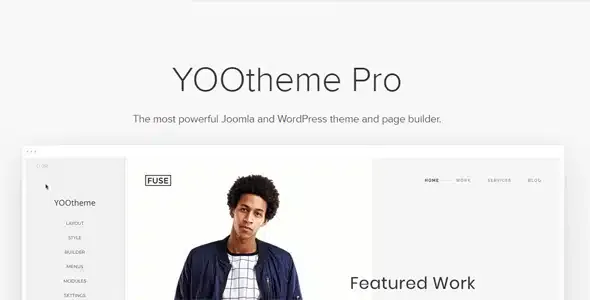
About YOOtheme Pro for WordPress
The problem YOOtheme Pro solves is not the first page, but page number fifty
Building a nice homepage is easy with almost any tool. What makes a site messy is what comes after: every page with its own spacing, different headers on mobile, a 404 nobody designed and a search that returns a grey list. YOOtheme Pro is a theme with a built-in visual page builder, designed so you decide the design once and apply it across the whole site.
That is why it suits people who maintain websites for years better than people who need a one-day landing page: its value lies in templates, global styles and reusable elements.
How each type of buyer makes use of it
Freelancer or agency with several clients
The layout library includes ready-made pages, templates, footers and mega menu dropdowns, and the style library changes the whole look of the site with one click. You start from an organized base and adjust it to the brand instead of starting blank. The style editor applies global colors, typography and spacing to buttons, forms and cards without writing CSS.
Business with its own site that is edited often
Pages are managed from one place and edited with drag and drop. With sliders, galleries, tabs, countdowns or popovers on images you cover the usual needs.
WooCommerce store
YOOtheme Pro lets you build websites and WooCommerce shops. Check in the demo how product pages look with a catalog similar to yours.
Blog, magazine or content-heavy site
You can create templates for posts, categories, tags, search results, the 404 page and custom post types, with dynamic content. You design once and it applies to every page of that type.
Header, mega menu and live search with the same builder
What usually falls outside a page builder is the structure around the content. Here it is part of the same workflow:
- Header and navbar: layouts from compact to content-rich, with its own mobile header (logo, menu and content different from desktop).
- Mega menus: dropdowns with content, laid out with the page builder itself.
- Live search: AJAX results with the layout you design.
- Footer: built visually for the whole site.
- Sticky and transparent header: the navbar colors adapt to the background.
A global style system and animations worth using sparingly
The style editor brings together colors, spacing, typography, borders and shadows. The inverse style adjusts text so it stays readable on light, dark or image backgrounds. For motion there are scroll-driven animations, sticky effects, lightbox galleries, an animated grid filter by tags and image or video swap on hover. You can also search Unsplash and Pexels images without leaving the builder.
One tip: use motion in moderation. A site where everything animates tires the reader.
Rebuilding pages if you come from another page builder
YOOtheme Pro brings its own builder inside the theme, so pages made with another page builder do not convert on their own: expect to redesign them. Nor is it a closed template you publish and forget: the number of options calls for deciding grids, styles and templates beforehand.
Questions before choosing YOOtheme Pro
Does it work for an online store?
It lets you build WooCommerce shops. Check product pages and cart in the demo with a catalog like yours.
Do I need to know CSS?
Not for the usual work: the builder and the style editor let you design without custom CSS.
Can I change the look of the site later?
Yes, the style library lets you change the whole look with one click. It is best to test it first on a copy of the site.
Can menu items have images?
Yes, you can add images and subtitles to menu items and create more elaborate dropdowns.
Start with a style and a template, not a page
The work order that pays off most: choose a style from the library, adjust the global values, build header and footer, create the post and category templates and leave individual pages for last. That way each new page inherits what came before instead of needing to be tweaked.
Version history
-
v
5.0.53 Current 24 Oct 2026
-
v
5.0.52 21 Oct 2026
-
v
5.0.50 7 Oct 2026
-
v
5.0.48 7 Oct 2026
-
v
5.0.47 2 Oct 2026
-
v
5.0.45 26 Sep 2026
-
v
5.0.44 23 Sep 2026
-
v
5.0.40 5 Sep 2026
-
v
5.0.37 1 Aug 2026
-
v
5.0.30 1 May 2026
Customer reviews
Sign in to leave a review. Only people who have the product can review it.
No reviews for this product yet.
Frequently asked questions
-
GPL (General Public License) is the license under which WordPress and most premium plugins/themes are distributed. It grants you the right to use, modify and redistribute the software in as many projects as you want, with no domain restrictions.
-
Yes. With membership you get automatic updates via our GPLClub Updater plugin (installed on your WP, detects new versions and applies them). With individual purchase, you get one year of manual updates from your account.
-
Depends on the plan. Monthly: 3 domains. Semi-annual: 7. Annual and Lifetime: 15. Individual purchase: 1 domain.
-
GPLClub offers its own support for installation, configuration and compatibility. For direct support from the original author (feature requests, product-specific bugs), a license purchased from the author is required.