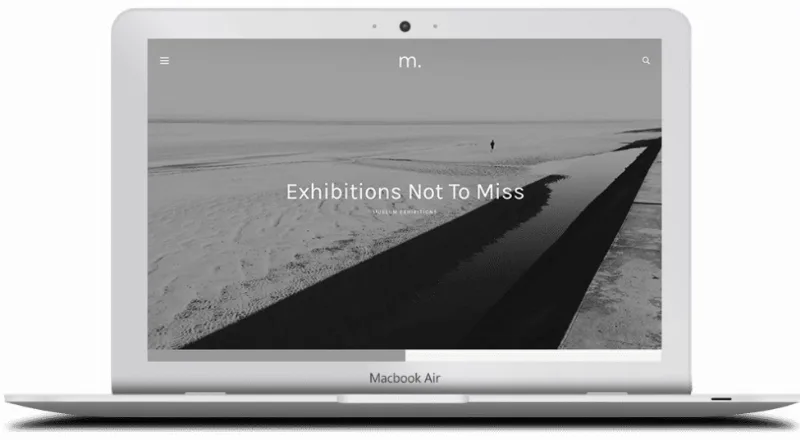
ZigZagPress Minimalis WordPress Theme
Antivirus scan
Powered by ClamAV
✅ Verified clean
This product file has passed our security filters.
Want to run a fresh ClamAV scan right now? Takes a few seconds and shows scanner version, signature DB and live result.
This can take 5 to 30 seconds.
Clean file Threat detected
No threats detected in this file.
- File
- Size
- Scanned
- ClamAV
- Signature database
⚡ Powered by ClamAV
Scan could not be completed
Report product
If you detected an issue (broken file, malware, inappropriate content, etc.) let us know and we'll review it ASAP.
Sign in to reportNewer version out, or a problem?
About ZigZagPress Minimalis WordPress Theme
In a list of posts, each one plays out in two lines
You write a good article, give it a clever title and nobody clicks. A reader scanning a list of posts decides on very little, and a title alone rarely explains what the piece is about or why it is worth opening.
On a sober blog homepage, the subtitle does the job a big photo does elsewhere. Minimalis, by ZigzagPress, frames its demo this way: each post appears with its title and a short line below, such as "Walk through an urban oasis" under "Meiji Shrine". If you use it, set aside time to write that second line on every post.
Homepage and article, piece by piece
- Stacked post list, each with title, subtitle, date, author, categories and comment link.
- Load More button at the end, so the next posts load when the reader asks for them.
- Newsletter blocks inviting people to subscribe.
- About block with a link to read more.
- Category list and a resources menu repeating the navigation.
- Back-to-top link in the footer.
The sample post repeats title and subtitle, shows date, author and categories, then the body with quotes, lists and headings from H1 to H6. At the end come the tags, an author box, the reply form and three related posts with their date and subtitle.
The Archive template gathers pages, categories, authors, months and recent posts on one screen, so it works as a site map.
Business pages with the free shortcodes plugin
Minimalis does not stop at the blog. The demo pages show what you need to present a studio or a personal brand, and the services page was built with the free ZigzagPress shortcodes plugin.
- Services: icon boxes, a row of client logos and a three-plan table with sign-up buttons.
- About: team cards with photo, role, bio and social icons.
- Collapsible content: blocks in accordion style and toggle style.
- Testimonials: client quotes with their names.
- Columns: layouts of 2, 3 and 4 columns.
- Contact: email, phone, location and form.
Genesis underneath and what is left to add
Minimalis is a child theme: it does not work without Genesis Framework, which is another theme and must be installed. The SEO options are inherited from Genesis. The theme adds its own dashboard options, responsive design and .po and .mo files for translation.
The pricing table and its buttons are presentation. Among its features there is no shop, payment or membership, so a plan you actually sell needs a separate system.
Install order and first pages
The requirement of its own is Genesis Framework. The order is this:
- Install Genesis Framework in Appearance, Themes.
- Upload Minimalis and activate it.
- Add the free ZigzagPress shortcodes plugin if you are creating pages like the services one.
- Review the theme options in the dashboard.
- Create the blog and the Archive template, and publish your first posts with a subtitle.
If you prefer another kind of restraint
Veen is a minimalist blog theme with a modular homepage and ad spaces already planned, with no need for Genesis. Lemars is aimed at personal blogs on travel, fashion and beauty, and supports several builders.
Questions on Genesis, plans and mobile
Does it work without Genesis?
No. It is a child theme and Genesis Framework must be installed.
Does it work for a studio or personal brand?
Yes. Its sample pages include services, team, testimonials and contact.
Can I charge for the plans in the pricing table?
The table only displays them. To charge you need a separate system.
Can it be translated?
Yes, it includes .po and .mo files.
Does it adapt to mobile?
Yes, the design adjusts from desktop to mobile devices.
How do older posts load on the homepage?
In the demo, with a Load More button at the end of the list.
Topics
Version history
-
v
1.0.0 Current 12 Jun 2024
Customer reviews
Sign in to leave a review. Only people who have the product can review it.
No reviews for this product yet.
Frequently asked questions
-
GPL (General Public License) is the license under which WordPress and most premium plugins/themes are distributed. It grants you the right to use, modify and redistribute the software in as many projects as you want, with no domain restrictions.
-
Yes. With membership you get automatic updates via our GPLClub Updater plugin (installed on your WP, detects new versions and applies them). With individual purchase, you get one year of manual updates from your account.
-
Depends on the plan. Monthly: 3 domains. Semi-annual: 7. Annual and Lifetime: 15. Individual purchase: 1 domain.
-
GPLClub offers its own support for installation, configuration and compatibility. For direct support from the original author (feature requests, product-specific bugs), a license purchased from the author is required.