ZigZagPress Tahini WordPress Theme
Antivirus scan
Powered by ClamAV
✅ Verified clean
This product file has passed our security filters.
Want to run a fresh ClamAV scan right now? Takes a few seconds and shows scanner version, signature DB and live result.
This can take 5 to 30 seconds.
Clean file Threat detected
No threats detected in this file.
- File
- Size
- Scanned
- ClamAV
- Signature database
⚡ Powered by ClamAV
Scan could not be completed
Report product
If you detected an issue (broken file, malware, inappropriate content, etc.) let us know and we'll review it ASAP.
Sign in to report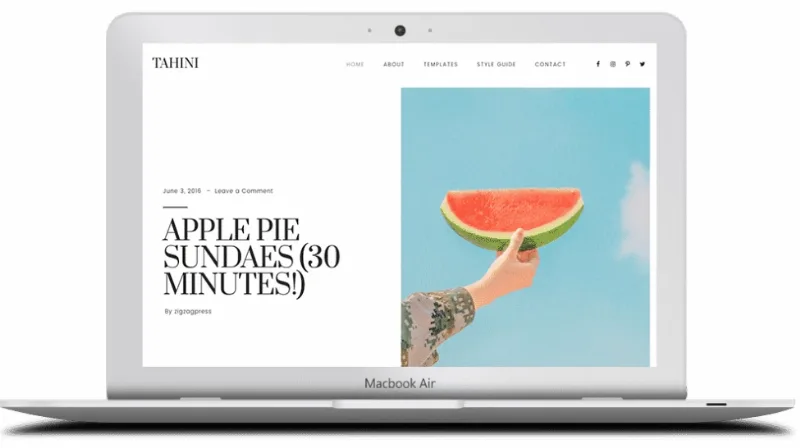
About ZigZagPress Tahini WordPress Theme
You upload Tahini and the piece that holds it up is missing
You upload the theme to WordPress, try to activate it and the system warns you that something is missing. It is not a file error. Tahini is a child theme and only works on top of Genesis Framework, which is installed separately and first.
With a child theme you maintain two pieces, and it pays to be clear about what each one brings. Tahini, by ZigzagPress, provides the look: a calm reading magazine, presented in its demo as a cruelty-free cooking publication. Genesis provides the base that design runs on, including its SEO options.
What Genesis brings and what Tahini brings
- Genesis Framework is the parent theme. The SEO options and functions are inherited from it.
- Tahini adds the design, with a five-item menu in the demo: home, about, templates, style guide and contact.
- Responsive design that adapts from desktop to mobile devices.
- .po and .mo files included to translate the theme into the language you need.
- Two sample templates in the demo, Blog and Archive, plus the style guide.
One column so the text is in charge
The Blog template shows posts one below the other, with featured image, title, date, author, body text, categories and tags. At the end there is numbered pagination. No sidebar is visible on the demo's blog and post pages, so reading does not compete with widgets.
Each single post has a breadcrumb at the top and, at the end, a block of four related posts with thumbnails, plus a link to the previous post. That block is what gives the reader a next step when the recipe or article ends.
The Archive template works as a site map. It gathers pages, categories, authors, months and recent posts on one screen. The demo has nine categories by type of dish, such as breakfast, salads, soups or drinks, which serve as a model if you are writing a recipe collection.
Writing resources for a long article
The style guide shows what the theme has ready for text, and it is worth keeping at hand before publishing:
- Headings from H1 to H6, numbered and bulleted lists, and tables.
- Lead paragraph with the intro class, to open the article.
- Drop cap with the dropcap class and highlighted text with the highlight class.
- Quotes and preformatted code blocks.
- Images centered, left, right or large.
- Embedded video through the video_wrap shortcode.
The classes are typed by hand in the block's HTML, so whoever publishes should be comfortable with that step.
A recipe here is a regular post
The demo recipes are regular posts. Among its features there is no recipe card with ingredients, times or a print version, and no shop either. A food blog that wants that structured card needs a recipe plugin on top.
Installing the two pieces in order
The requirement is Genesis Framework. Setup follows this order:
- Install Genesis Framework in Appearance, Themes. It must stay installed, even though another theme is active.
- Upload Tahini and activate it.
- Create the main pages and assign Blog and Archive their templates.
- Define your categories before publishing, because the Archive template lives on them.
- Translate the theme with the .po and .mo files if your site is not in English.
If the blog is mainly a recipe collection
CheerUp brings a cooking demo, a recipe index and its own styles for WP Recipe Maker cards. There is also Tasty Recipes as a recipe plugin. For a personal blog without Genesis, Lemars supports several builders and Veen is a minimalist theme with ad spaces already planned.
Topics
Version history
-
v
1.0.0 Current 12 Jun 2024
Customer reviews
Sign in to leave a review. Only people who have the product can review it.
No reviews for this product yet.
Frequently asked questions
-
GPL (General Public License) is the license under which WordPress and most premium plugins/themes are distributed. It grants you the right to use, modify and redistribute the software in as many projects as you want, with no domain restrictions.
-
Yes. With membership you get automatic updates via our GPLClub Updater plugin (installed on your WP, detects new versions and applies them). With individual purchase, you get one year of manual updates from your account.
-
Depends on the plan. Monthly: 3 domains. Semi-annual: 7. Annual and Lifetime: 15. Individual purchase: 1 domain.
-
GPLClub offers its own support for installation, configuration and compatibility. For direct support from the original author (feature requests, product-specific bugs), a license purchased from the author is required.