360 Panoramic Image Viewer
Antivirus scan
Powered by ClamAV
✅ Verified clean
This product file has passed our security filters.
Want to run a fresh ClamAV scan right now? Takes a few seconds and shows scanner version, signature DB and live result.
This can take 5 to 30 seconds.
Clean file Threat detected
No threats detected in this file.
- File
- Size
- Scanned
- ClamAV
- Signature database
⚡ Powered by ClamAV
Scan could not be completed
Report product
If you detected an issue (broken file, malware, inappropriate content, etc.) let us know and we'll review it ASAP.
Sign in to report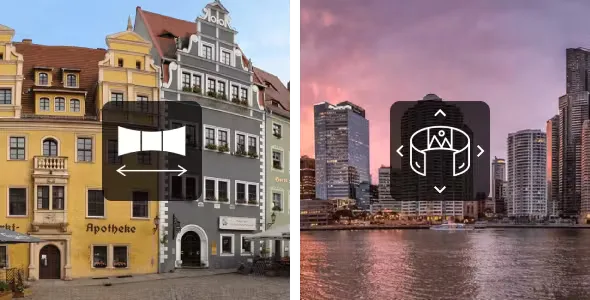
About 360 Panoramic Image Viewer
A panorama in a regular gallery shrinks into a tiny strip
People who photograph spaces, rooms or landscapes spend hours on the shot and then publish the result like any other image: the theme squeezes it to the column width and what was an immersive view becomes an unreadable band.
360 Panoramic Image Viewer solves exactly that last stretch: it takes your panoramic image, flat (rectilinear) or equirectangular, and displays it inside the page with smooth scrolling and no iframes. The photo must already be made.
Your first panorama with 360 Panoramic Image Viewer, step by step
Imagine you have an equirectangular photo of a living room and you want to show it on a lodging page.
- Upload the image to the media library, like any other.
- Choose how to insert it. There is a shortcode generator in the classic editor (TinyMCE) toolbar, custom blocks for Gutenberg and widgets for Elementor. Any other page builder that accepts shortcodes works too. No coding is needed for this step.
- Decide the size. The viewer takes the width of its container; if you use the fixed-size version, you have to set the height.
- Adjust the behavior. It can scroll by itself to the left or right, with controls to slide by hand, and it offers fullscreen. Zoom is only for the equirectangular type; with the flat type you can choose between 180 or 360-degree visibility.
- Check mobile. It supports touch screens and responsive layouts, but it is worth testing how your specific image looks on a phone before publishing.
You can place it on pages, posts, widgets or sections of other plugins that accept shortcodes, and put several panoramas on the same page.
Questions from people arriving with a panorama shot on a phone
Does it turn a regular photo into a 360 view?
No. It displays flat or equirectangular panoramic images that are already prepared. An ordinary photo is not transformed into an immersive view.
Do I need Elementor?
No. Elementor is one option, alongside the Gutenberg block, the classic editor shortcode generator and any builder that accepts shortcodes.
Can I zoom in on a flat image?
Zoom is designed for equirectangular images. With flat ones, what you control is 180 or 360-degree visibility.
Does it work on multisite and in other languages?
It supports multisite configuration and is ready for translation, with a .pot file included.
Hotspots on flat images: possible, but with some code
With the flat type you can add hotspots by linking a map tag to the image, with no extra configuration. If you want the area to enlarge when clicked, it is combined with a separate lightbox plugin (for example Responsive Lightbox, which is not included). The more advanced features require some knowledge of HTML, JS and CSS.
If your project depends on marking points on an equirectangular panorama, do not count on it: hotspots are designed for the flat type. Check in the demo that the behavior fits what you need.
Topics
Version history
-
v
3.2.2 Current 11 Mar 2026
Customer reviews
Sign in to leave a review. Only people who have the product can review it.
No reviews for this product yet.
Frequently asked questions
-
GPL (General Public License) is the license under which WordPress and most premium plugins/themes are distributed. It grants you the right to use, modify and redistribute the software in as many projects as you want, with no domain restrictions.
-
Yes. With membership you get automatic updates via our GPLClub Updater plugin (installed on your WP, detects new versions and applies them). With individual purchase, you get one year of manual updates from your account.
-
Depends on the plan. Monthly: 3 domains. Semi-annual: 7. Annual and Lifetime: 15. Individual purchase: 1 domain.
-
GPLClub offers its own support for installation, configuration and compatibility. For direct support from the original author (feature requests, product-specific bugs), a license purchased from the author is required.