Advanced Pricing Table For Divi
Antivirus scan
Powered by ClamAV
✅ Verified clean
This product file has passed our security filters.
Want to run a fresh ClamAV scan right now? Takes a few seconds and shows scanner version, signature DB and live result.
This can take 5 to 30 seconds.
Clean file Threat detected
No threats detected in this file.
- File
- Size
- Scanned
- ClamAV
- Signature database
⚡ Powered by ClamAV
Scan could not be completed
Report product
If you detected an issue (broken file, malware, inappropriate content, etc.) let us know and we'll review it ASAP.
Sign in to report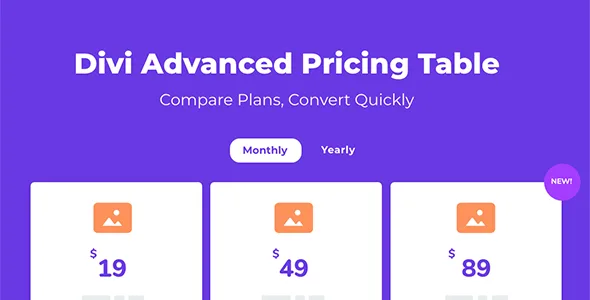
About Advanced Pricing Table For Divi
You write the plans in columns and the visitor compares them in rows
You finish the basic plan: title, price, seven features and a button. Then you write the professional plan and the business plan. Someone comparing plans does not need to read each column from top to bottom: they find one feature and look at what each plan does with it.
In a pricing table the comparison happens between rows, so the same feature must occupy the same place in every plan.
Advanced Pricing Table is a Divi module that builds pricing tables with elements you turn on, turn off and reorder. Its feature list supports a disabled state, so a function a plan does not include can stay in the list marked as disabled, instead of disappearing. It also offers equal heights so the cards line up.
Elements and layouts
- Elements: title, subtitle, image or icon, divider, overlay or inline badges, call to action button, feature list, description, price with currency type, sale price and price variants, and tooltips on the title and on each feature.
- Reorder by dragging: for example, placing the price above or below the title.
- Vertical layout: with badges, tooltips, per-feature icons and equal heights.
- Horizontal layouts: six models, in three or four columns, with widths that adapt to the screen.
- Toggles and tabs: a toggle switches between two sets of data, such as monthly and annual, and tabs group tables by category.
- Styling: each element is styled like a native Divi module, and badges and tooltips have a visual panel for their position.
A toggle doubles what you maintain
With a monthly and annual toggle, each plan carries two sets of data, and the visitor sees only one at a time. When a feature of a plan changes, check both. Tabs demand something similar: one table per category, each with its plans. The more variants you add, the more rows you have to keep aligned.
The badge is for pointing at one specific plan, and the tooltip for clarifying a feature without lengthening the row.
A three-plan table with a toggle
One possible combination: three plans in a horizontal layout, with a monthly and annual toggle, the same seven features in the same order in each plan, the ones not included marked as disabled and a badge on the middle plan. Column widths change with the screen. This is one idea of use; adjust it to your site.
Requirements and limits
The module works with Divi, meaning the Divi builder active on your site. Some options are announced as coming, among them a comparison table and pagination, so do not count on them until you see them in your installation.
- Install the module and activate it on a site with Divi.
- Open a page in the builder and add the pricing table module.
- Choose the layout, turn on the elements you use and write the plans.
- Add a toggle or tabs if you need two periods or several categories.
- Adjust badges, icons and equal heights.
Alternatives inside Divi
For other tables inside Divi, look at Divi Modules Table Maker. If you want a bundle with more modules for Divi, check Divi Supreme Pro.
Answers about Advanced Pricing Table
Can I show monthly and annual prices?
Yes, with a toggle that switches between two sets of options.
Can I mark one plan as the featured one?
Yes, with badges in several styles, overlay or inline.
Can I explain a feature without lengthening the table?
Yes. The title and each feature accept tooltips.
Does it work outside Divi?
No. It is a Divi module.
Topics
Version history
-
v
1.0.4 Current 31 Mar 2026
Customer reviews
Sign in to leave a review. Only people who have the product can review it.
No reviews for this product yet.
Frequently asked questions
-
GPL (General Public License) is the license under which WordPress and most premium plugins/themes are distributed. It grants you the right to use, modify and redistribute the software in as many projects as you want, with no domain restrictions.
-
Yes. With membership you get automatic updates via our GPLClub Updater plugin (installed on your WP, detects new versions and applies them). With individual purchase, you get one year of manual updates from your account.
-
Depends on the plan. Monthly: 3 domains. Semi-annual: 7. Annual and Lifetime: 15. Individual purchase: 1 domain.
-
GPLClub offers its own support for installation, configuration and compatibility. For direct support from the original author (feature requests, product-specific bugs), a license purchased from the author is required.