AIT Subscribe Form
Antivirus scan
Powered by ClamAV
✅ Verified clean
This product file has passed our security filters.
Want to run a fresh ClamAV scan right now? Takes a few seconds and shows scanner version, signature DB and live result.
This can take 5 to 30 seconds.
Clean file Threat detected
No threats detected in this file.
- File
- Size
- Scanned
- ClamAV
- Signature database
⚡ Powered by ClamAV
Scan could not be completed
Report product
If you detected an issue (broken file, malware, inappropriate content, etc.) let us know and we'll review it ASAP.
Sign in to report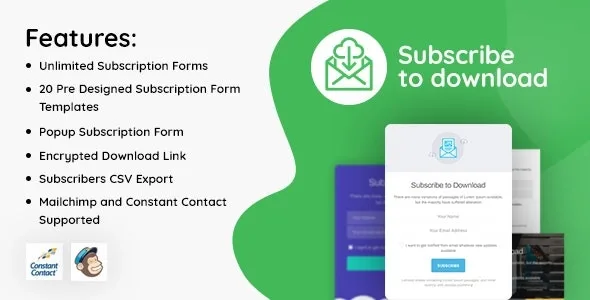
About AIT Subscribe Form
Your mailing list is also a list of permissions
A subscriber writes to you, annoyed: they insist they never asked for your messages. You open your Mailchimp account and find their address, but what you have to answer goes beyond that. When did they accept? Is there a record on your own site?
Almost all the effort behind a subscribe form goes into getting more addresses. Yet every address that comes in is also a permission you may have to explain someday.
AIT Subscribe Form handles both parts. It adds a subscribe element to your site connected to your Mailchimp database, and keeps detailed records of consent to collect and process personal data in the plugin's database.
A subscribe element for your site's builder
- Form element: collects email addresses from your visitors.
- Mailchimp connection: links automatically through its API.
- Free placement: goes anywhere on the site with the Page Builder, like any other sortable element.
- Adjustable appearance: colors are changed in the element's settings.
- Your own text: you write it and translate it into the languages of your site.
- Consent log: in chronological order and visible only to whoever administers the site.
The log lives in your WordPress, and that has consequences
Records are in chronological order, so you can follow acceptances by date. Only the site admin can see them, so your team will not have them at hand unless they log in with that level of access.
There is one effect worth accepting from the start: since this information is kept in the plugin's database, it is part of your site and not of your Mailchimp account. From there, three precautions make sense:
- Backups: check that your backups include the full database.
- Migrations: if you change servers or rebuild the site, verify that the records are still there after the move.
- Uninstalling: before removing the plugin, find out what happens to that history and save it if you need it.
You write the sentence your subscriber accepts
The plugin collects the addresses and keeps the record. The words are yours, and that is where much of the work lies. A vague text leaves a record of accepting something vague.
Since the text accepts simple HTML tags, you can add a link and check how it looks. On a site in several languages, translate that sentence as carefully as the headline.
Mailchimp and the Page Builder, the two pieces you must have
You need a Mailchimp account, because it is the service it connects to. Sending and campaigns happen there: the plugin collects subscribers. Popups, display rules and newsletters of its own are not among its features.
It is placed through the Page Builder and is an AitThemes plugin, so first confirm that your site works with that builder. These are the steps:
- Install and activate the plugin in WordPress.
- Connect it to your Mailchimp account.
- Open the chosen page in the Page Builder and add the element.
- Write the subscribe text and adjust the colors.
- Translate it if your site has several languages.
- Subscribe with an address of your own and confirm it appears in Mailchimp and in the log.
When you need to collect addresses another way
If your site does not use that builder, or you want to decide when and how often to ask for the email, WP Subscribe Pro brings together capture points and display controls, and sends subscribers to the service you already use.
To stay with Mailchimp outside this environment there is MC4WP.
Questions about the form and its log
Where are the consents stored?
In the plugin's database, in chronological order.
Can I change how the form looks?
Yes. Colors are changed in the element's settings, and the text is yours.
Does it work for a site in several languages?
Yes. You can translate your text into the languages of your site.
Does it send the newsletters?
It collects addresses and connects them to Mailchimp, and your campaigns are managed there.
Topics
Version history
-
v
2.0.2 Current 28 Sep 2025
Customer reviews
Sign in to leave a review. Only people who have the product can review it.
No reviews for this product yet.
Frequently asked questions
-
GPL (General Public License) is the license under which WordPress and most premium plugins/themes are distributed. It grants you the right to use, modify and redistribute the software in as many projects as you want, with no domain restrictions.
-
Yes. With membership you get automatic updates via our GPLClub Updater plugin (installed on your WP, detects new versions and applies them). With individual purchase, you get one year of manual updates from your account.
-
Depends on the plan. Monthly: 3 domains. Semi-annual: 7. Annual and Lifetime: 15. Individual purchase: 1 domain.
-
GPLClub offers its own support for installation, configuration and compatibility. For direct support from the original author (feature requests, product-specific bugs), a license purchased from the author is required.