Barristar – Law, Lawyer and Attorney WordPress Theme
Antivirus scan
Powered by ClamAV
✅ Verified clean
This product file has passed our security filters.
Want to run a fresh ClamAV scan right now? Takes a few seconds and shows scanner version, signature DB and live result.
This can take 5 to 30 seconds.
Clean file Threat detected
No threats detected in this file.
- File
- Size
- Scanned
- ClamAV
- Signature database
⚡ Powered by ClamAV
Scan could not be completed
Report product
If you detected an issue (broken file, malware, inappropriate content, etc.) let us know and we'll review it ASAP.
Sign in to report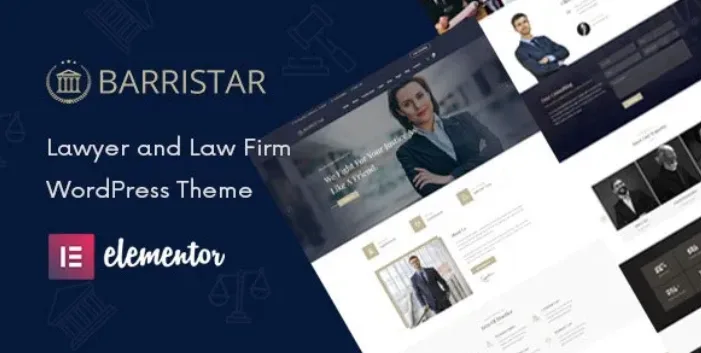
About Barristar – Law, Lawyer and Attorney WordPress Theme
People looking for a lawyer compare three websites in one afternoon
Someone who needs a lawyer rarely arrives calm: they have a problem on their hands, open several firm websites and stay with the one that makes it clear, in a few clicks, whether the firm handles their case and who would deal with them. A firm with a generic "services" page loses that client without ever knowing. Barristar is a WordPress theme built for that journey: it includes dedicated layouts for practice areas, cases and attorney profiles.
Also, nobody searches for "law" in the abstract: they search for their specific situation (an inheritance, a dismissal, a fine). That is why the structure of the pages matters more here than decoration.
Building the firm's website with Barristar, step by step
1. Choose a homepage and a header
The theme offers three homepages and three header styles, with a sticky menu that follows you as you scroll. You import the demo content with one click and replace texts and images as you go. Open it on your phone too and check how your long headings look.
2. Organize the practice areas
Each area has its own page layout. The useful approach is to create one per real client problem, not one per legal branch in the abstract. The theme provides the mold; the texts, and making them say something useful, are up to you.
3. Introduce the attorneys
Attorney profiles answer the question "who will be looking after me?". They need good photos and a short biography; without them, the design stays empty.
4. Show cases carefully
There is a section for cases to show experience. Before publishing anything, make sure the client authorizes it and check the advertising rules of your professional bar association.
5. Make contact easy
The form works with Contact Form 7 and the Google map supports several locations, useful if you have more than one office. It is not an appointment system: it has no calendar or bookings, and for that you would need another plugin. If you collect personal data in the form, add your privacy notice.
Questions from firm owners before choosing Barristar
Do I need to know how to code?
No. It is edited with Elementor, which includes the theme's own widgets, and with an options panel for typography and general settings. Elementor is the basis of the design, so you should be comfortable using it.
Does it work for a lawyer who works alone?
Yes. It is designed for lawyers, legal consultants and law-related businesses.
Can I charge for consultations online?
The theme is compatible with WooCommerce, but the store is a separate plugin and you set up the payment gateway yourself. It does not come with a ready-made system for paying for consultations.
Does it look good on mobile?
The design is responsive and relies on Bootstrap. Even so, check in the demo how pages with a lot of text behave.
Sober serif and little noise: the visual tone
It combines Playfair Display for headings with Open Sans for body text, and uses Font Awesome and Flaticon icons. The result is classic and clean, with soft animations. It suits a traditional firm; if you want something very bold or very tech-looking, you will probably have to put a lot of work into the design.
Topics
Version history
-
v
3.0.9 Current 11 Jun 2024
Customer reviews
Sign in to leave a review. Only people who have the product can review it.
No reviews for this product yet.
Frequently asked questions
-
GPL (General Public License) is the license under which WordPress and most premium plugins/themes are distributed. It grants you the right to use, modify and redistribute the software in as many projects as you want, with no domain restrictions.
-
Yes. With membership you get automatic updates via our GPLClub Updater plugin (installed on your WP, detects new versions and applies them). With individual purchase, you get one year of manual updates from your account.
-
Depends on the plan. Monthly: 3 domains. Semi-annual: 7. Annual and Lifetime: 15. Individual purchase: 1 domain.
-
GPLClub offers its own support for installation, configuration and compatibility. For direct support from the original author (feature requests, product-specific bugs), a license purchased from the author is required.