Blog Manager
Antivirus scan
Powered by ClamAV
✅ Verified clean
This product file has passed our security filters.
Want to run a fresh ClamAV scan right now? Takes a few seconds and shows scanner version, signature DB and live result.
This can take 5 to 30 seconds.
Clean file Threat detected
No threats detected in this file.
- File
- Size
- Scanned
- ClamAV
- Signature database
⚡ Powered by ClamAV
Scan could not be completed
Report product
If you detected an issue (broken file, malware, inappropriate content, etc.) let us know and we'll review it ASAP.
Sign in to report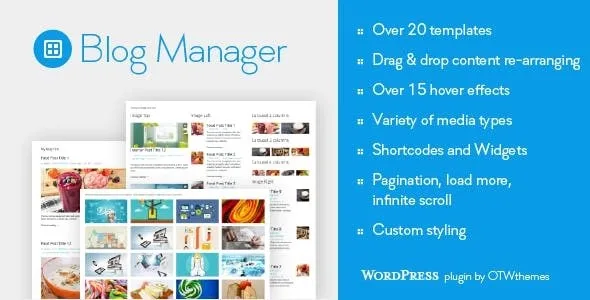
About Blog Manager
Your best articles deserve better than your theme's post list
Many themes come with a blog page that offers few variations: one column, a grid and little else. That page is the shelf for your content: if a visitor finishes an article and the list does not show the next one in an appealing way, they leave. Blog Manager lets you create as many post lists as you want, each with its own template, content and style, and place them wherever suits you.
It works just as well for a homepage that shows only the latest news, for a category page with a different look or for a sidebar with featured posts, because each list is configured separately.
Over 20 Blog Manager templates and over 15 hover effects
The templates are grouped into families and most of them support several columns:
- Grid: from 1 to 4 columns.
- Image left or right: 1 or 2 columns.
- Newspaper: 2 or 3 columns.
- Timeline.
- Widget style: image left, right or top.
- Slider carousel: from 3 to 5 columns, plus a widget-style variant with 2 to 4 columns.
You can keep the default settings of each template or modify the whole list. In addition, for each list you choose one of the more than 15 hover effects applied to the images.
With Blog Manager you decide what each card shows and in what order
In each list you can show, hide and reorder by dragging these elements: title, media, media type icon, meta data, excerpt, continue reading link and social media icons. The meta data has its own selector, also with drag and drop, so you keep only what matters (for example, removing what adds nothing in a short list).
The supported media types are image, slider, YouTube, Vimeo and SoundCloud, which is useful if your blog mixes text articles with video or audio. The posts in a list are chosen by categories, tags or authors, and you adjust the order, pagination, click behavior, popups and excerpt length.
The page for each single post is still up to your theme
Blog Manager builds post lists. Before installing it, separate what it already solves from what you will have to cover yourself:
- It solves: the design of the lists, the choice of content on each card, the hover effects, the carousel and the pagination.
- It solves: placing each list on a page, in a post, in a sidebar or in a theme file.
- You cover: the look of the single post page, which depends on your theme.
- You or a professional cover: any style the plugin options do not reach, with your own CSS.
- You cover: deciding which list goes on each page and checking how it looks on mobile before publishing.
Pagination, load more button or infinite scroll
Each list can use regular pagination, a load more button or infinite scroll. To place it, each list has its own shortcode, which you paste into the editor of a page or post, or into a theme file with the do_shortcode function. For sidebars there is a widget. As for style, there are options for title, excerpt, continue reading and background or border of the items, and each list has its own CSS class for manual tweaks. The plugin is ready to be translated into other languages.
Frequently asked questions
How many lists can I create?
As many as you want, each with its own template, post selection and style.
Can I place it outside the content of a page?
Yes: with the shortcode in the content or in theme files, and with the widget in a sidebar.
Can I tweak the design with CSS?
Yes. Each list has a unique CSS class, so you can style one without affecting the others.
Does it support posts with video or audio?
Yes, you can choose image, slider, YouTube, Vimeo or SoundCloud as the media type.
Topics
Version history
-
v
2.01 Current 30 May 2024
Customer reviews
Sign in to leave a review. Only people who have the product can review it.
No reviews for this product yet.
Frequently asked questions
-
GPL (General Public License) is the license under which WordPress and most premium plugins/themes are distributed. It grants you the right to use, modify and redistribute the software in as many projects as you want, with no domain restrictions.
-
Yes. With membership you get automatic updates via our GPLClub Updater plugin (installed on your WP, detects new versions and applies them). With individual purchase, you get one year of manual updates from your account.
-
Depends on the plan. Monthly: 3 domains. Semi-annual: 7. Annual and Lifetime: 15. Individual purchase: 1 domain.
-
GPLClub offers its own support for installation, configuration and compatibility. For direct support from the original author (feature requests, product-specific bugs), a license purchased from the author is required.