Bookly Customer Cabinet (Add-on)
Antivirus scan
Powered by ClamAV
✅ Verified clean
This product file has passed our security filters.
Want to run a fresh ClamAV scan right now? Takes a few seconds and shows scanner version, signature DB and live result.
This can take 5 to 30 seconds.
Clean file Threat detected
No threats detected in this file.
- File
- Size
- Scanned
- ClamAV
- Signature database
⚡ Powered by ClamAV
Scan could not be completed
Report product
If you detected an issue (broken file, malware, inappropriate content, etc.) let us know and we'll review it ASAP.
Sign in to report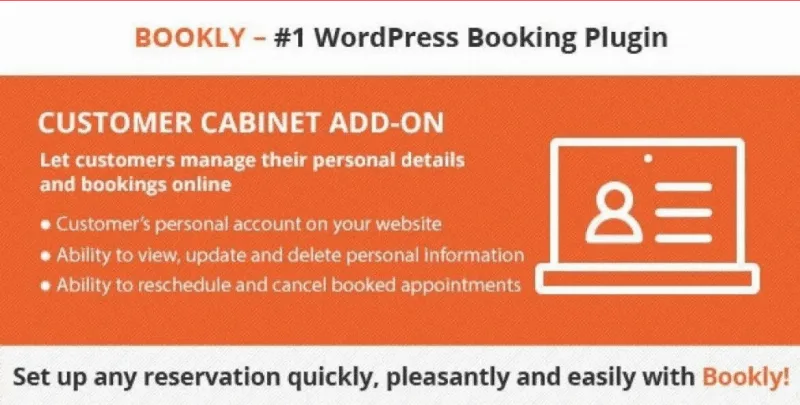
About Bookly Customer Cabinet (Add-on)
Changing an appointment is more work than booking one
Anyone who lives off appointments (a clinic, a salon, a studio, a private tutor) knows the pattern: new bookings come in by themselves through the website, but changes arrive by phone, WhatsApp or email, at any hour, and someone has to open the calendar, move the slot and confirm. That trickle of "can I move it to Thursday?" or "I need to cancel" messages is unbilled time, and it piles up just when you are busiest.
Bookly Customer Cabinet is a private area inside your website where each client logs in with their own account and manages what they have already booked.
What clients can do in their Bookly Customer Cabinet account
You decide which properties are shown in the customer area, and from there the client can:
- See the details of each appointment: date, time, employee, status, duration, price and more.
- Reschedule or cancel their bookings.
- Check their payments.
- View, update or delete the personal data they left when booking.
It needs Bookly PRO to work
It is not a standalone plugin: it is a Bookly add-on and requires Bookly PRO to be installed. If you do not yet use Bookly to manage your bookings, this add-on is of no use on its own.
Check your change rules in the demo
If your business does not accept same-day cancellations or needs to notify a professional before a slot is moved, check in the demo how rescheduling and cancellation behave before opening the area to your clients.
Common questions before setting up the customer area
Can I use it without Bookly PRO?
No. It is an add-on and depends on Bookly PRO to read the appointments and clients you already have.
Does the client have to create a separate account?
The add-on provides a secure, personal account on your site. Try the demo to see what the client's login looks like and whether it fits your booking flow.
Can the client delete their data?
Yes, they can view, update or delete the personal information they provided. That helps you handle access and deletion requests, but your business's legal compliance still depends on how you handle data overall.
Does the client see everything, or can I choose?
You can configure the customer area and choose which properties to show, so you do not have to display every appointment detail if you do not want to.
Personal data in the hands of the person who provided it
Keeping clients registered in a calendar means storing names, phone numbers and emails. Letting them view, update or delete that information gives them a clear way to ask for deletion without going through you.
Since clients also see the price and payments of their appointments, it clears things up when someone doubts what they owe or what they have already paid.
The customer area is enabled inside Bookly, not next to it
Like the rest of the Bookly add-ons, the customer area integrates with Bookly PRO, so there is nothing to sync with another tool. Before opening it to the public, make a test booking, log in with that account, move the appointment and cancel it to see exactly what the client sees and what is reflected in your calendar.
Topics
Version history
-
v
6.9 Current 13 Jul 2026
-
v
6.7 26 Feb 2026
Customer reviews
Sign in to leave a review. Only people who have the product can review it.
No reviews for this product yet.
Frequently asked questions
-
GPL (General Public License) is the license under which WordPress and most premium plugins/themes are distributed. It grants you the right to use, modify and redistribute the software in as many projects as you want, with no domain restrictions.
-
Yes. With membership you get automatic updates via our GPLClub Updater plugin (installed on your WP, detects new versions and applies them). With individual purchase, you get one year of manual updates from your account.
-
Depends on the plan. Monthly: 3 domains. Semi-annual: 7. Annual and Lifetime: 15. Individual purchase: 1 domain.
-
GPLClub offers its own support for installation, configuration and compatibility. For direct support from the original author (feature requests, product-specific bugs), a license purchased from the author is required.