Bookly Group Booking Addon
Antivirus scan
Powered by ClamAV
✅ Verified clean
This product file has passed our security filters.
Want to run a fresh ClamAV scan right now? Takes a few seconds and shows scanner version, signature DB and live result.
This can take 5 to 30 seconds.
Clean file Threat detected
No threats detected in this file.
- File
- Size
- Scanned
- ClamAV
- Signature database
⚡ Powered by ClamAV
Scan could not be completed
Report product
If you detected an issue (broken file, malware, inappropriate content, etc.) let us know and we'll review it ASAP.
Sign in to report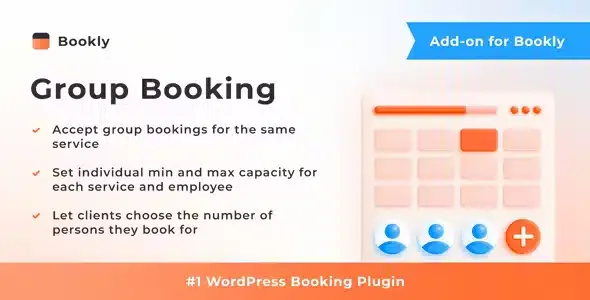
About Bookly Group Booking Addon
A six-seat class is not six appointments
If you run classes, workshops, guided tours or group sessions on a calendar built for one person per slot, you end up choosing between two bad fixes: blocking the whole slot as soon as the first client books, or duplicating the same service again and again to fake seats. Either way you sell less than you could, and an empty seat in a slot that has already passed cannot be recovered.
Bookly Group Booking Addon changes the unit you sell: the slot stays open while seats remain and each client says how many people they are booking for. Your business stops selling slots and starts selling seats.
Its own capacity for each service and each staff member
Each service has its own capacity, with a minimum and a maximum number of clients for the same slot. That way a workshop can take many seats and a couples session only two, without workarounds.
In addition, each staff member can have a capacity different from the one set on the service. It is useful when two instructors teach the same class but one works in a smaller space. When someone books, Bookly checks that the provider can handle the group indicated.
One appointment in the agenda, with everyone signed up inside it
- The client chooses in the booking form how many people they want seats for.
- The Bookly calendar shows the group booking as a single appointment, with the number of clients signed up.
- You can show or hide the information about group bookings in the form.
- You can choose the format in which the slot's occupancy is shown to the person booking.
The result is a readable agenda: you see one appointment per class, not one row per attendee, and you know at a glance how many people are coming.
Decide if it pays off: it only works on top of Bookly PRO
This addon does not work on its own. It is an add-on for Bookly PRO and is useless without it, so if you do not use that booking system yet, count it as a requirement. It is also not a replacement for a ticketing system for large events: it is designed for booking seats within the slots of a service. If you charge online, check in the demo how payment behaves when one person books for several.
Can I use it without Bookly PRO?
No. It is an add-on and needs Bookly PRO installed to work.
Can I set different capacities per staff member?
Yes. You can define the capacity of each staff member, different from the one on the service.
Can the client book for several people at once?
Yes. In the form they state how many people they are booking for, and Bookly verifies that the provider can handle the group.
How do I see group bookings in the calendar?
They appear as a single appointment that shows how many clients have signed up.
Topics
Version history
-
v
3.5 Current 5 Sep 2026
-
v
3.3 14 Apr 2026
Customer reviews
Sign in to leave a review. Only people who have the product can review it.
No reviews for this product yet.
Frequently asked questions
-
GPL (General Public License) is the license under which WordPress and most premium plugins/themes are distributed. It grants you the right to use, modify and redistribute the software in as many projects as you want, with no domain restrictions.
-
Yes. With membership you get automatic updates via our GPLClub Updater plugin (installed on your WP, detects new versions and applies them). With individual purchase, you get one year of manual updates from your account.
-
Depends on the plan. Monthly: 3 domains. Semi-annual: 7. Annual and Lifetime: 15. Individual purchase: 1 domain.
-
GPLClub offers its own support for installation, configuration and compatibility. For direct support from the original author (feature requests, product-specific bugs), a license purchased from the author is required.