Bookly Locations Addon
Antivirus scan
Powered by ClamAV
✅ Verified clean
This product file has passed our security filters.
Want to run a fresh ClamAV scan right now? Takes a few seconds and shows scanner version, signature DB and live result.
This can take 5 to 30 seconds.
Clean file Threat detected
No threats detected in this file.
- File
- Size
- Scanned
- ClamAV
- Signature database
⚡ Powered by ClamAV
Scan could not be completed
Report product
If you detected an issue (broken file, malware, inappropriate content, etc.) let us know and we'll review it ASAP.
Sign in to report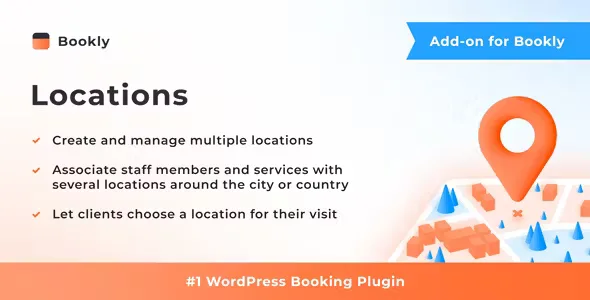
About Bookly Locations Addon
One business, several addresses, and a calendar that can't get mixed up
When a business opens a second location, the problem is rarely the booking itself: it's that the calendar starts to lie. A client books with a professional who is at the other branch that afternoon, or sees a price that only applies at one site. Bookly Locations Addon adds the notion of a location to Bookly so each appointment is tied to a specific place and the client chooses it before picking a date and time.
The people who install this usually run a business where the place matters as much as the service: clinics, hair salons, studios, academies or practices with more than one site. In that kind of business, what disrupts operations most is that the team moves between branches and the website doesn't know it.
How Bookly Locations Addon behaves depending on your type of business
If you have several sites with different teams
You can create and manage several locations and assign each professional to one or more of them.
If one person rotates between branches
Since a team member can be linked to several locations, there is no need to duplicate them. What you can do is give them a specific schedule for each place, so the calendar reflects where they are each day.
If prices change from one branch to another
Settings can be customized per location: for example, the price of a service or the staff schedule. That way you don't need to create duplicate services with names like "Haircut (Downtown)" and "Haircut (North)" just to vary the rate.
If you manage appointments from the dashboard
In the Bookly calendar and the appointments list you can filter by location, which is handy when each site has its own manager who only wants to see their own bookings.
Notifications tell the client and the team where, too
Email and SMS templates support placeholders with the appointment location. It's a small detail with a big effect: anyone with two nearby sites knows what a client turning up at the wrong place costs. Including the address in the confirmation and in staff notifications reduces that mistake.
It needs Bookly PRO installed and active
It is an add-on: on its own it does nothing. It requires Bookly PRO, the booking system it plugs into. If you currently use only a basic version of Bookly, you'll need to factor in that requirement before planning your multi-site booking website.
Nor does it replace managing each site: it organizes booking by location, but it is not an inventory or accounting system per branch.
Frequently asked questions about Bookly Locations Addon
Does it work without Bookly PRO?
No. It is an add-on that needs Bookly PRO installed and active.
Can a professional work at more than one location?
Yes, you can link a team member to one or several locations.
Can I set different prices per site?
Yes, the price of a service and the staff schedule can be configured per location.
Does the client choose the place before the date?
Yes, they choose where they want to receive the service before picking a day and time.
Can I include the address in emails and SMS?
Yes, the templates accept placeholders with the appointment location.
Topics
Version history
-
v
7.0 Current 28 Oct 2026
-
v
6.9 23 Sep 2026
-
v
6.8 5 Sep 2026
-
v
6.7 13 Jul 2026
-
v
6.5 14 Apr 2026
Customer reviews
Sign in to leave a review. Only people who have the product can review it.
No reviews for this product yet.
Frequently asked questions
-
GPL (General Public License) is the license under which WordPress and most premium plugins/themes are distributed. It grants you the right to use, modify and redistribute the software in as many projects as you want, with no domain restrictions.
-
Yes. With membership you get automatic updates via our GPLClub Updater plugin (installed on your WP, detects new versions and applies them). With individual purchase, you get one year of manual updates from your account.
-
Depends on the plan. Monthly: 3 domains. Semi-annual: 7. Annual and Lifetime: 15. Individual purchase: 1 domain.
-
GPLClub offers its own support for installation, configuration and compatibility. For direct support from the original author (feature requests, product-specific bugs), a license purchased from the author is required.