Bookly Special Hours Addon
Antivirus scan
Powered by ClamAV
✅ Verified clean
This product file has passed our security filters.
Want to run a fresh ClamAV scan right now? Takes a few seconds and shows scanner version, signature DB and live result.
This can take 5 to 30 seconds.
Clean file Threat detected
No threats detected in this file.
- File
- Size
- Scanned
- ClamAV
- Signature database
⚡ Powered by ClamAV
Scan could not be completed
Report product
If you detected an issue (broken file, malware, inappropriate content, etc.) let us know and we'll review it ASAP.
Sign in to report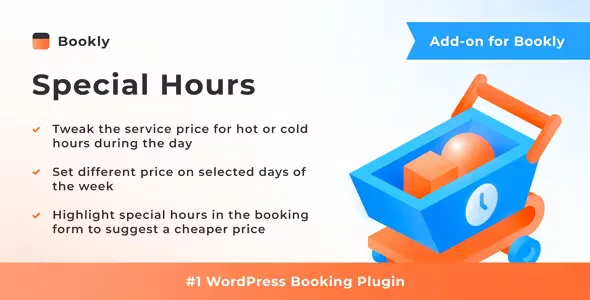
About Bookly Special Hours Addon
For businesses with empty slots midweek and a full Saturday, not for anyone looking for another booking system
A schedule with the same rate at all hours treats a Tuesday at 10:00 the same as a Saturday at noon, and almost no appointment business has the same demand at both. This add-on is for you if you already use Bookly PRO and want your service prices to change by time slot or day of the week.
It helps to be clear about the limits before installing it:
- It is an extension: it needs Bookly PRO installed and activated, and it does not work on its own.
- It focuses on adjusting the price by time and day. The rest of the booking (calendar, form, services, employees) is still handled by Bookly.
- If your business keeps a single price as a policy, you will get nothing out of it.
An hour without a client can't be sold tomorrow
In an appointment business, the product expires. With a rigid price you have two bad options: put up with the slow hours or raise the rate for everyone.
Special hours open a third route: lower the price of the slots that are hard to fill to attract people with flexible schedules, and raise it where demand is already there. A clear example is offering a reduced rate for morning appointments and adding a surcharge for evenings or weekends.
If you plan to raise prices at peak times, think about how you will explain it to your regular clients. A badly communicated surcharge annoys more than a discount pleases.
Different prices per employee and per service with Bookly Special Hours Addon
The useful part of the add-on is that it doesn't apply one general rule to the whole business. You can fine-tune like this:
- Change the service price only during the hours you choose.
- Pick the days of the week when that different rate applies.
- Set special hours for each employee and each service separately.
This matters when your team isn't uniform. You can add a surcharge to the evenings of your most requested professional while lowering the mornings of another who has a looser schedule, or leave unchanged a service that sells well at any hour.
The booking form nudges the client toward the cheaper hour
Lowering a slot's price is pointless if the client doesn't notice. The add-on lets you highlight special hours in the booking form, so whoever is choosing a time sees there is a cheaper option and can move toward it.
That way the discount works as a suggestion at the moment of decision, not as a promotion you have to advertise separately. Check in the demo how that highlight looks with your theme before setting up your rates.
Frequently asked questions about Bookly Special Hours Addon
Does it work without Bookly PRO?
No. It is an add-on for Bookly PRO and needs it installed and activated.
Is it only for discounts?
No. You can lower the price in slow hours or raise it in high-demand hours, such as evenings or weekends.
Can I set different rates for each employee?
Yes. Special hours are configured for each employee and each service separately.
Can I limit it to certain days of the week?
Yes. You choose the days on which the different price applies.
Topics
Version history
-
v
4.1 Current 28 Oct 2026
-
v
4.0 5 Sep 2026
-
v
3.4 26 Feb 2026
Customer reviews
Sign in to leave a review. Only people who have the product can review it.
No reviews for this product yet.
Frequently asked questions
-
GPL (General Public License) is the license under which WordPress and most premium plugins/themes are distributed. It grants you the right to use, modify and redistribute the software in as many projects as you want, with no domain restrictions.
-
Yes. With membership you get automatic updates via our GPLClub Updater plugin (installed on your WP, detects new versions and applies them). With individual purchase, you get one year of manual updates from your account.
-
Depends on the plan. Monthly: 3 domains. Semi-annual: 7. Annual and Lifetime: 15. Individual purchase: 1 domain.
-
GPLClub offers its own support for installation, configuration and compatibility. For direct support from the original author (feature requests, product-specific bugs), a license purchased from the author is required.